Unlike Power Automate, Copilot Studio currently doesn’t have a dedicated “Do Until” or “While” loop action. However, the “Go to step” node is a powerful feature that effectively solves this limitation.
In this post, I will show you how to create a conversation loop (e.g., for user confirmation or retries) using this node.
What is “Go to step”?
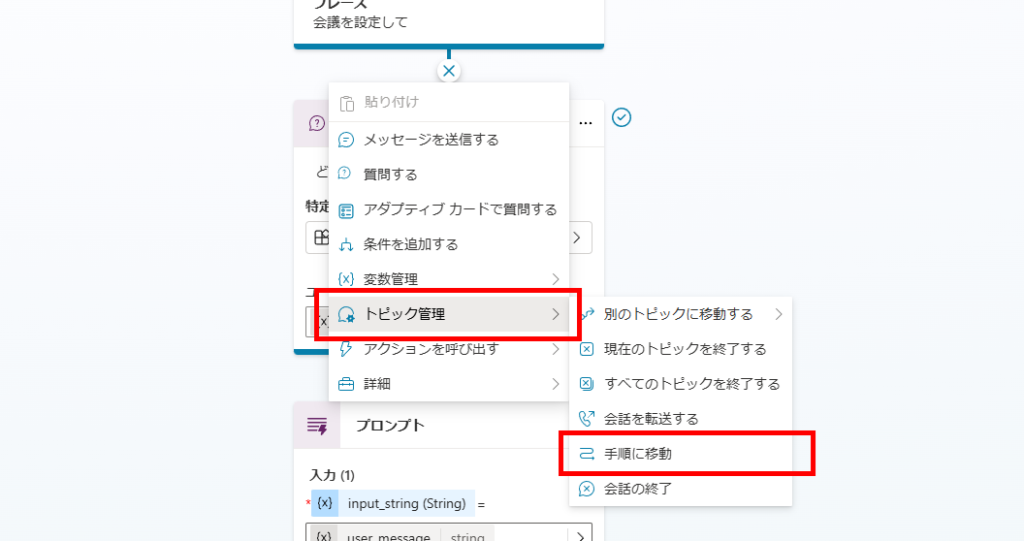
This is perfect for creating feedback loops where the bot asks, “Is this correct?” and repeats the question if the user says “No.”
Scenario: Meeting Setup Confirmation
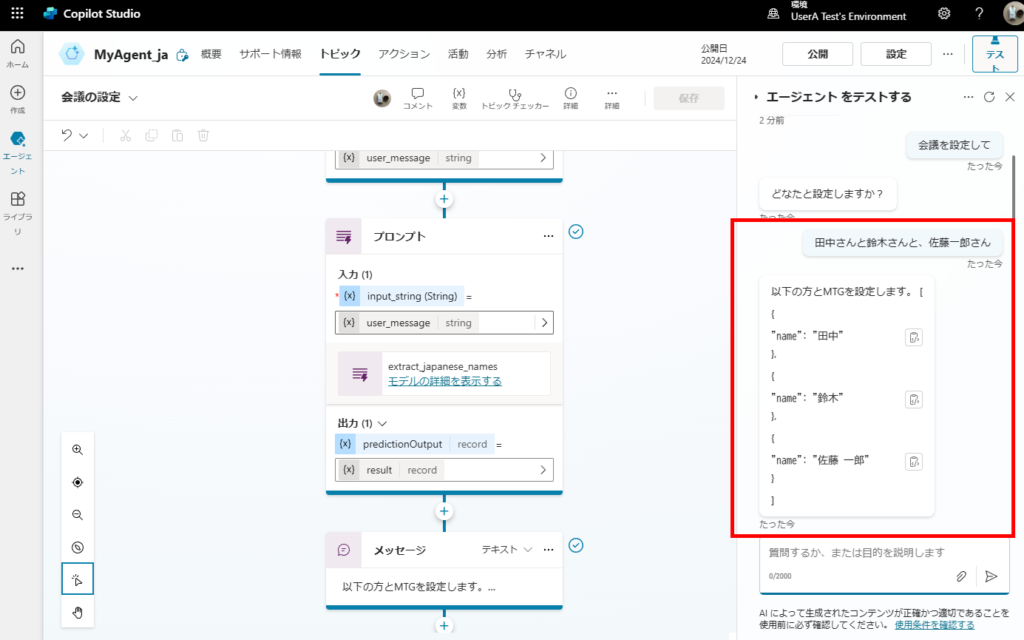
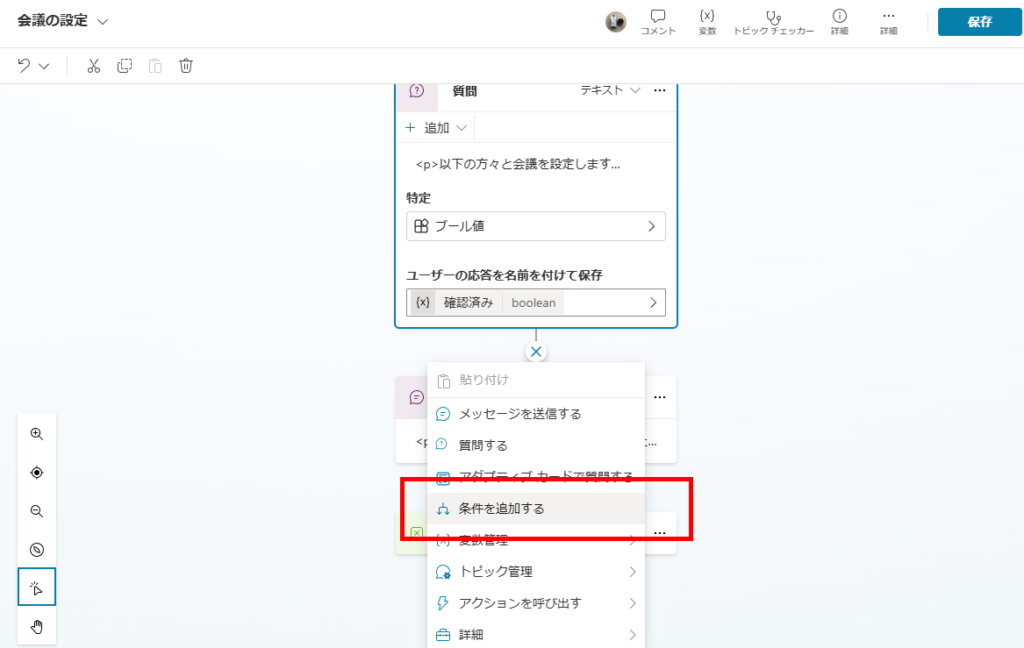
Now, we will add a confirmation step: “Are you sure you want to meet with these people?”
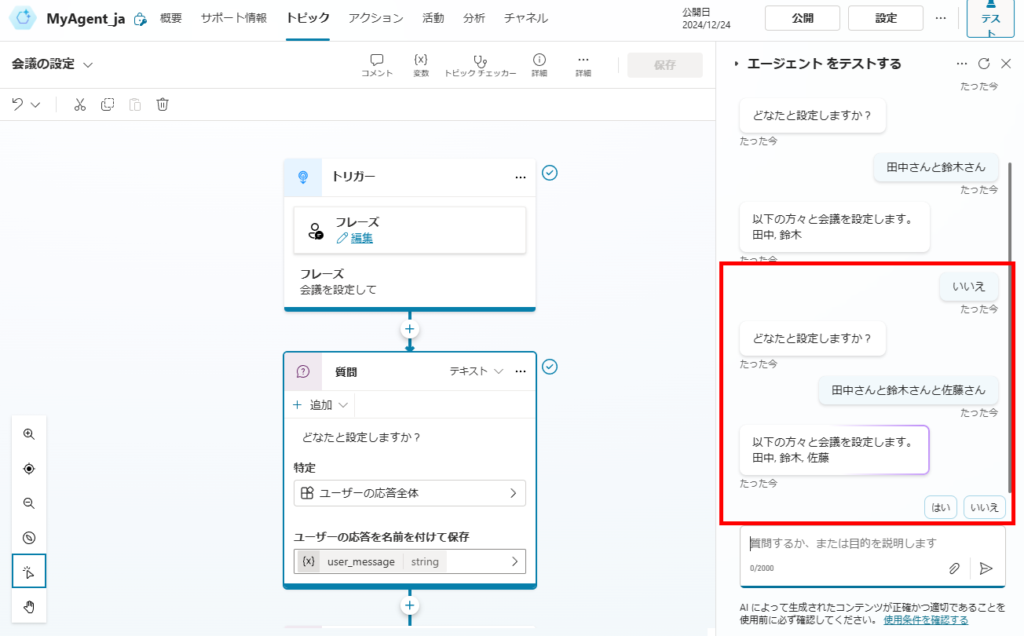
If the user answers “No,” the bot will loop back and ask for the names again.
Implementation Guide
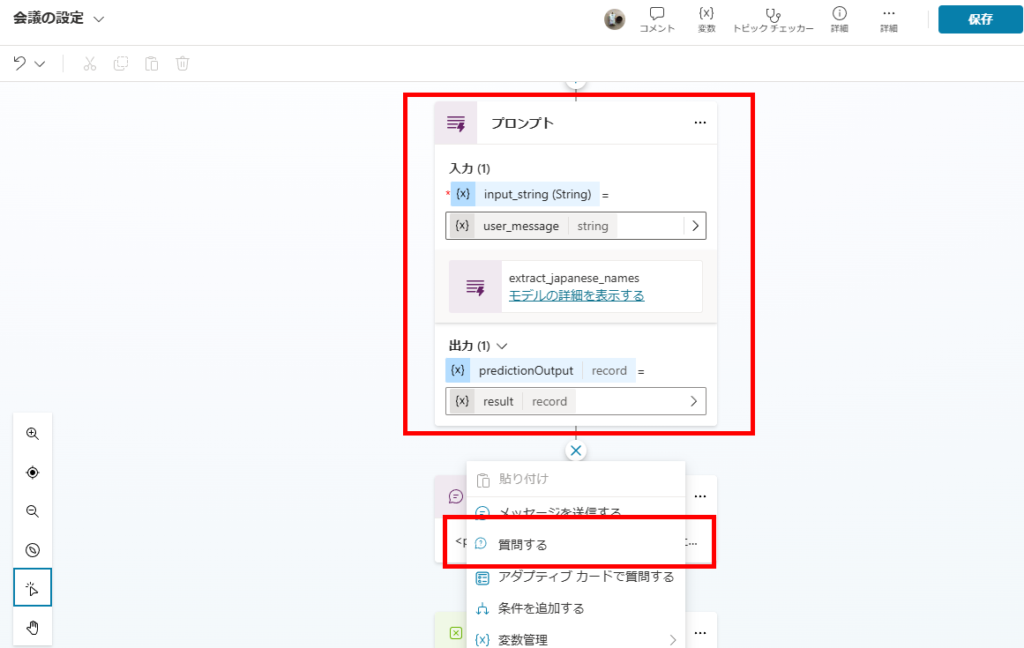
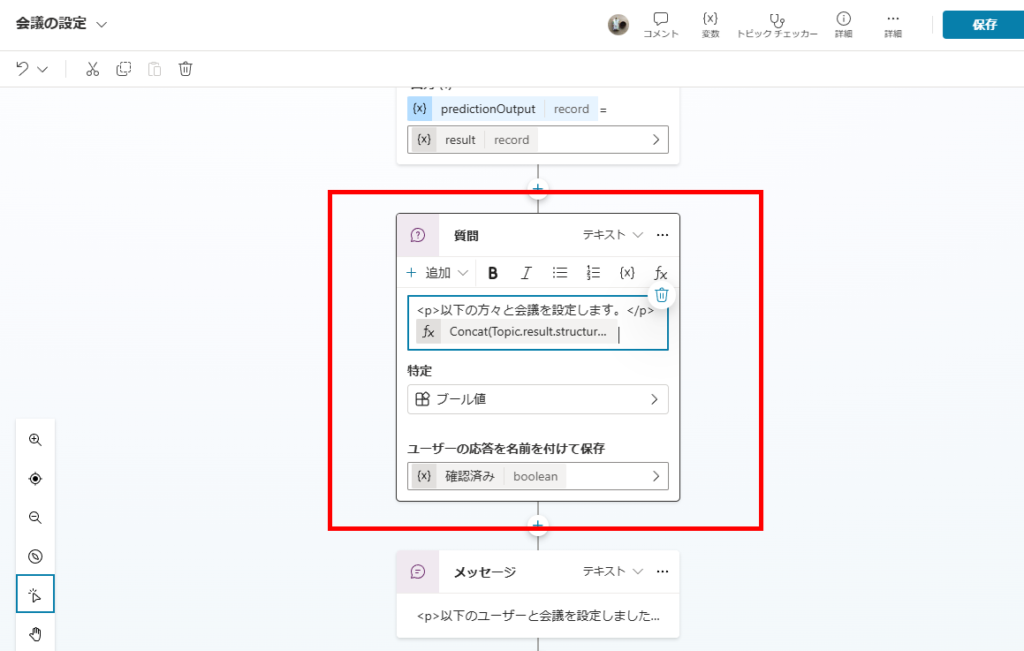
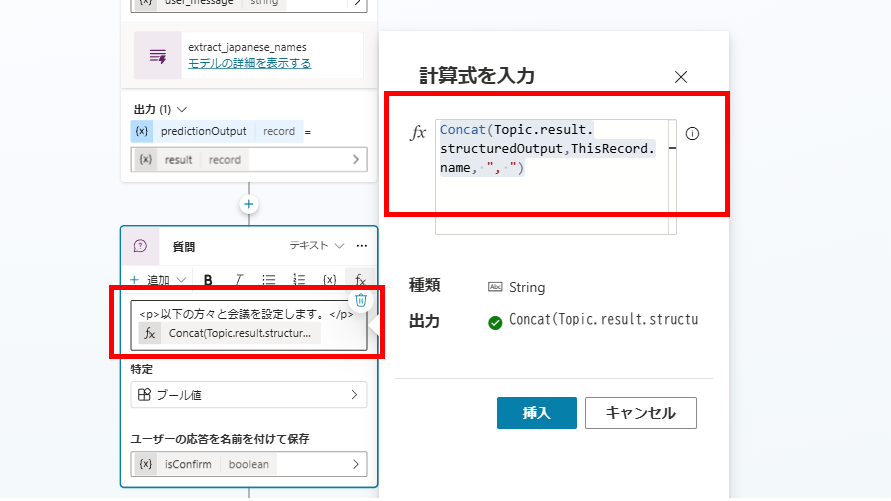
Concat(Topic.result.structuredOutput, ThisRecord.name, ", ")
false (User said “No”).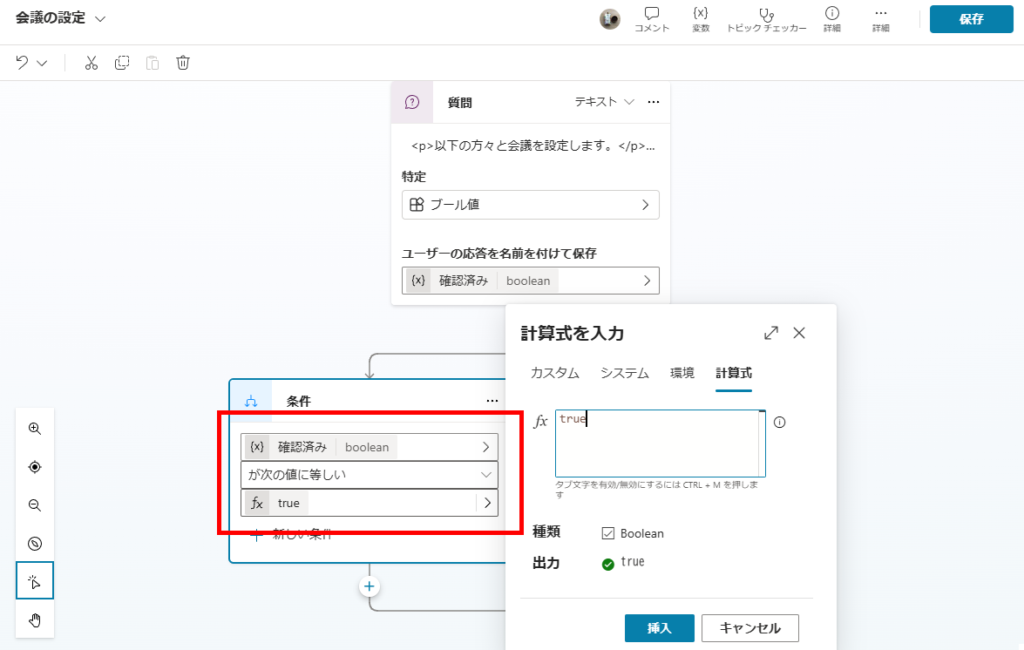
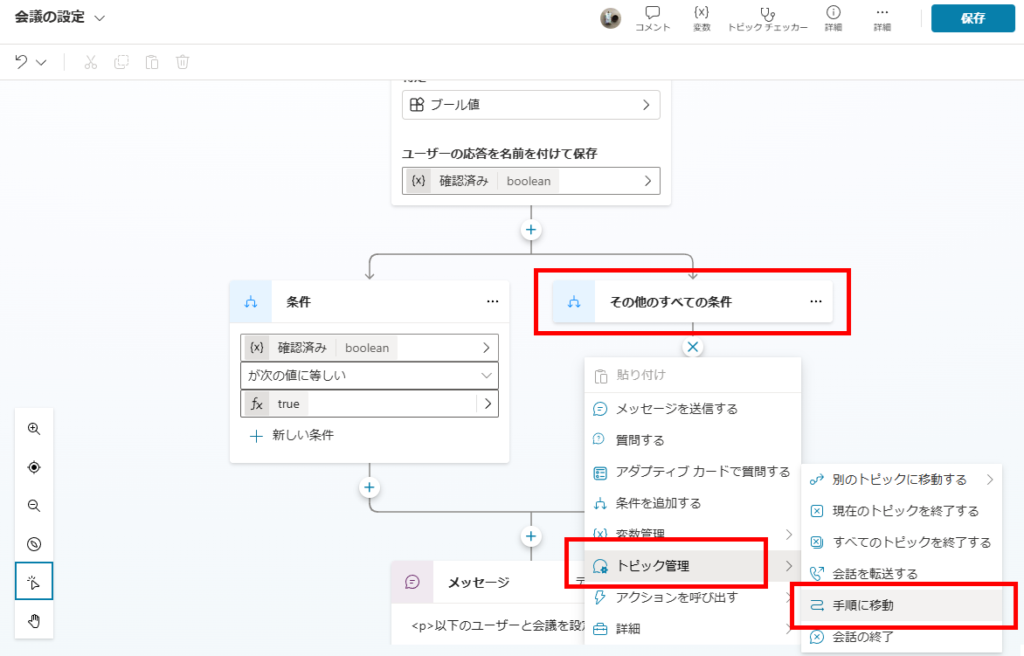
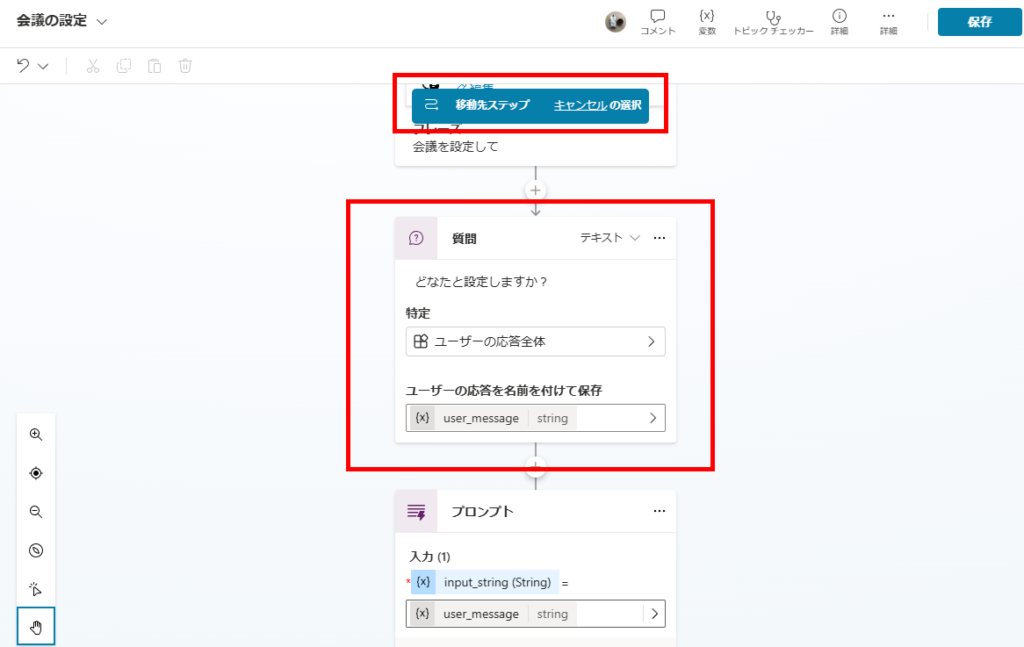
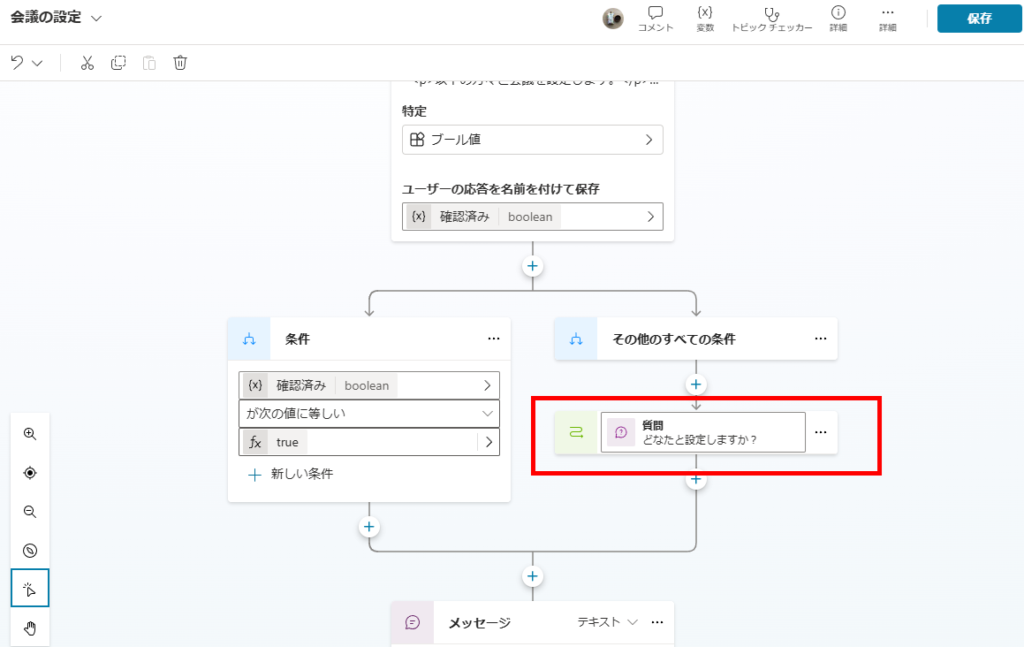
The loop logic is now complete!
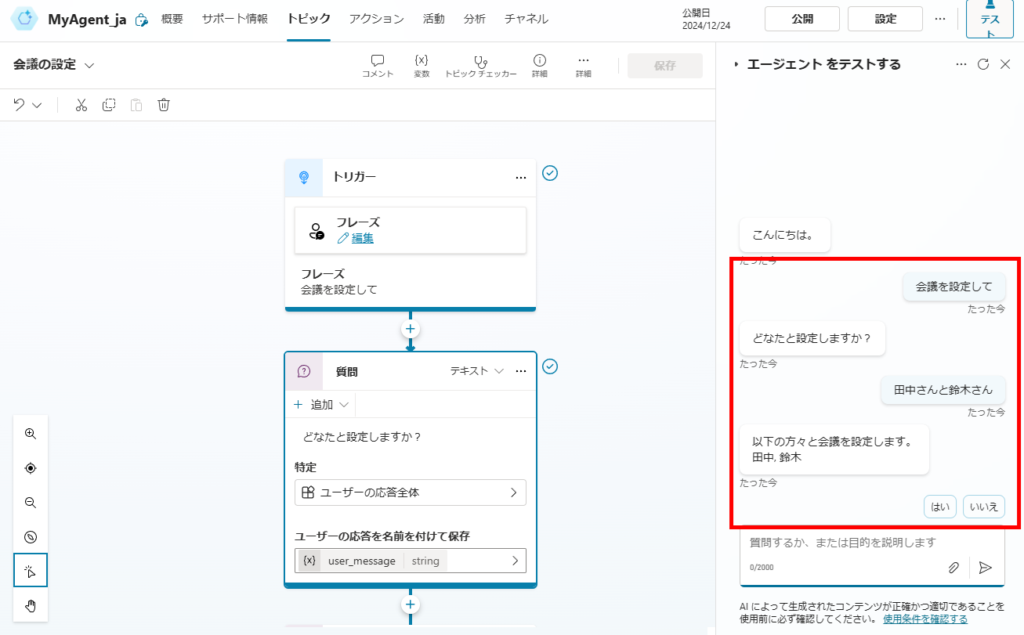
Testing the Loop
Conclusion
The “Go to step” node is essential for building “Human-in-the-loop” workflows, such as input validation, corrections, and feedback cycles.
Note: While useful, overuse of “Go to step” (similar to GOTO statements in programming) can make your topic logic hard to read. Use it wisely to keep your flow clean!