[Classic] How to Programmatically Control Text Input in Power Apps (Reset & Default Method)
2025.01.28
Note: This guide is for the Classic Text Input control.
If you are using the new Modern Text Input control (formerly known as Text canvas), please check out our latest guide here:
Modern Text Input Guide
Text input controls in Power Apps are essential components that allow users to enter text or numerical values into your application.
Interestingly, these controls don’t have a direct “Text” property, which might initially suggest that programmatic manipulation isn’t possible. This design choice makes sense as these controls are primarily intended for user input.
In this guide, we’ll explore effective methods to control text input values programmatically, allowing you to create more dynamic Power Apps solutions.
Manipulating Text Input Values Programmatically
We’ll use a combination of variables and the text input’s “Default” property. By setting a variable to the “Default” property and then modifying that variable, we can control the content of the text input control.
Step-by-Step Implementation
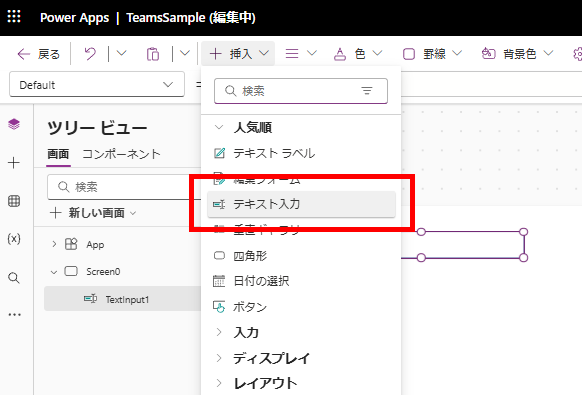
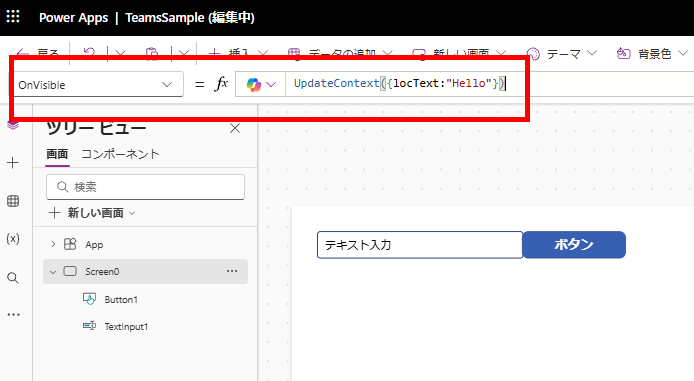
First, declare a string variable in the OnVisible property of your screen.
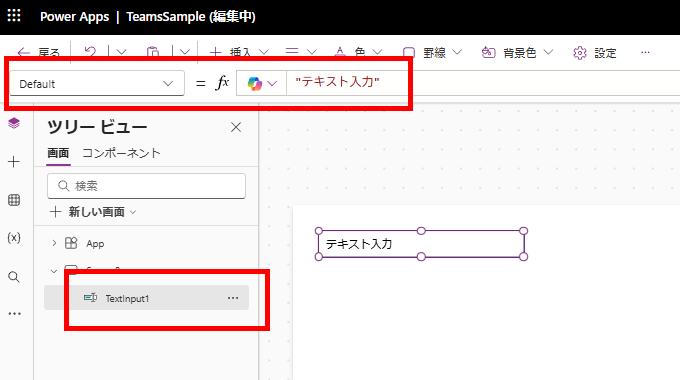
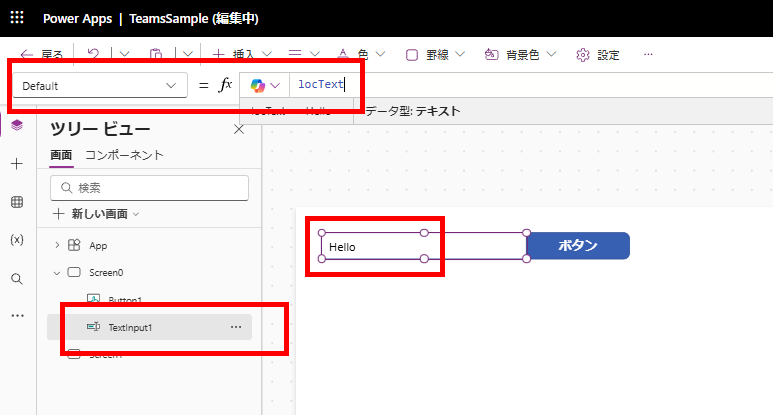
Next, set this variable to the text input’s Default property. The text input content will now display the string value stored in your variable.
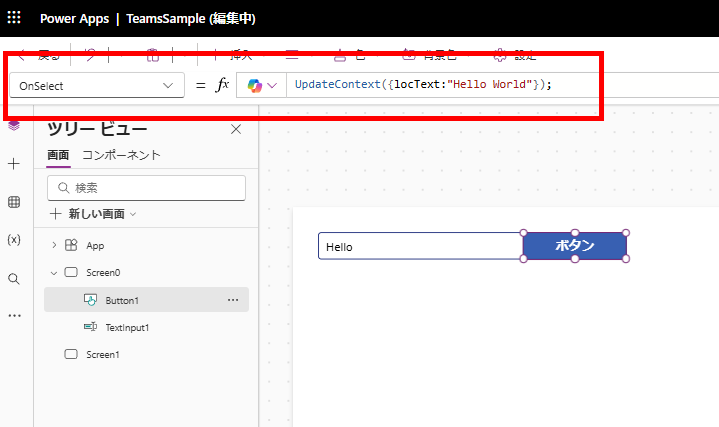
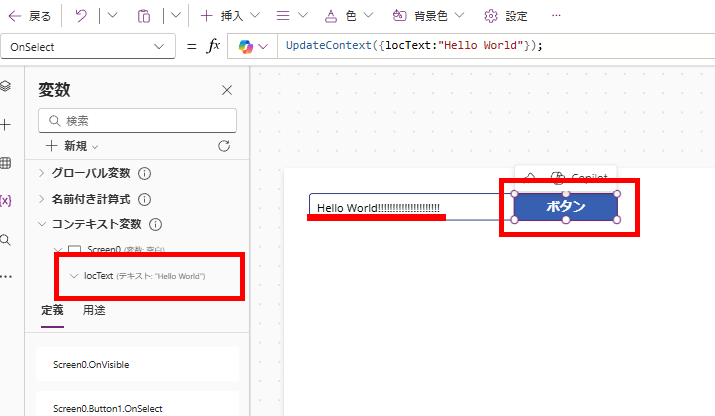
Then, add code to update the variable in the OnSelect property of a button.
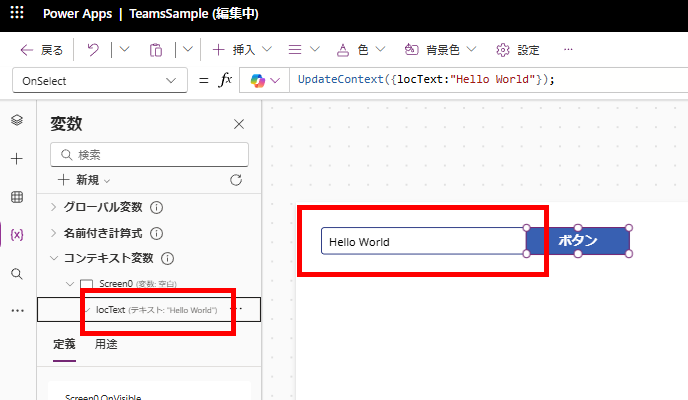
Finally, when you press the button, the variable updates and the text input content changes accordingly.
Important Note: Text Input Updates Only When Variable Value Changes
A crucial point to understand is that the text input content only updates when there’s an actual change in the variable value.
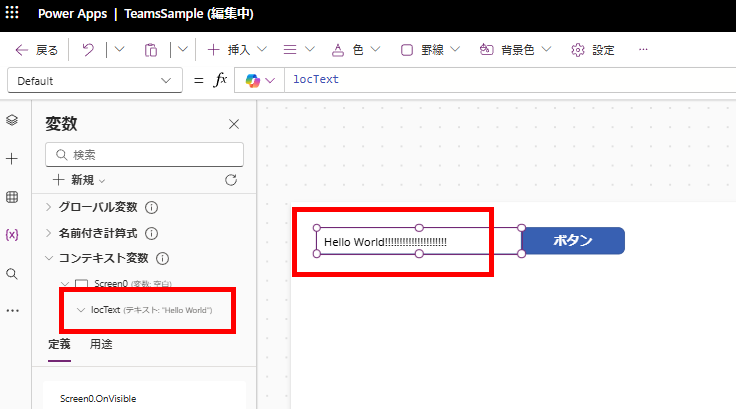
For example, if a user modifies the text input content manually:
Pressing the button again won’t update the text input content.
This happens because the variable (locText) remains unchanged at “Hello World” before and after pressing the button.
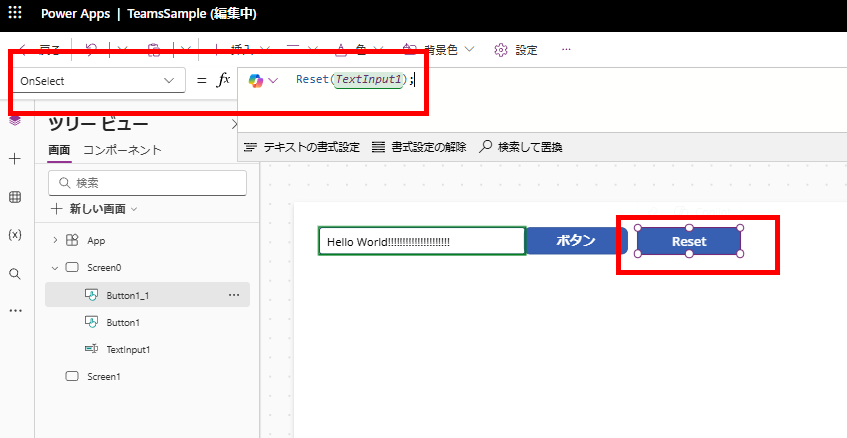
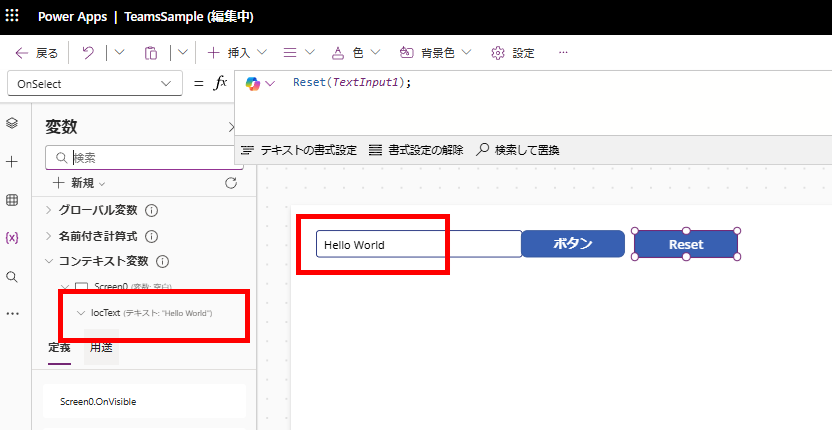
To reset the user input and force the text input to update in this situation, you’ll need to use the Reset function. As shown in the image, call the Reset function:
This will reset the text input content to match the variable’s value.
In conclusion, I hope you’ll find these techniques useful in your Power Apps development journey.
For more information about the modern Text Canvas control, please check out our detailed guide here:
コメント