This cheat sheet serves as a quick reference for filtering SharePoint Online list items using “Date and Time” columns in Power Automate. I created these patterns to easily copy and paste into the “Filter Query” field of the Get items action.
Essential Functions and Operators
Combine these functions and operators to build effective date filters. Note: The examples below use +9 for Japan Standard Time (JST). Please replace 9 with your own time zone offset (e.g., -5 for EST).
- formatDateTime: Converts timestamps into formatted date strings (e.g., ‘yyyy-MM-dd’).
- addHours(utcNow(), [n]): Adjusts the current UTC time to your local time zone. Replace
[n]with your offset. - addDays: Adds or subtracts days from a specific date (e.g.,
-7for 7 days ago).
Comparison Operators
eq: Equalsgt: Greater thange: Greater than or equal tole: Less than or equal tolt: Less than
Logical Operators
and: Returns items only if BOTH conditions are true.or: Returns items if EITHER condition is true.
Practical Examples
Verification Context:
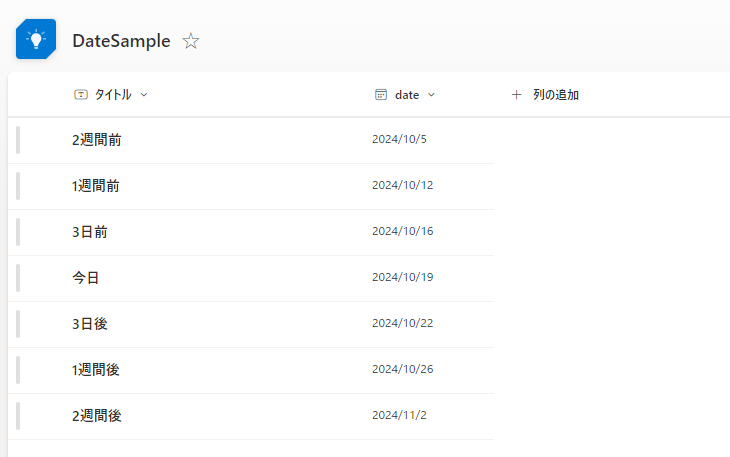
These tests were conducted on October 19, 2024, using the sample data below:
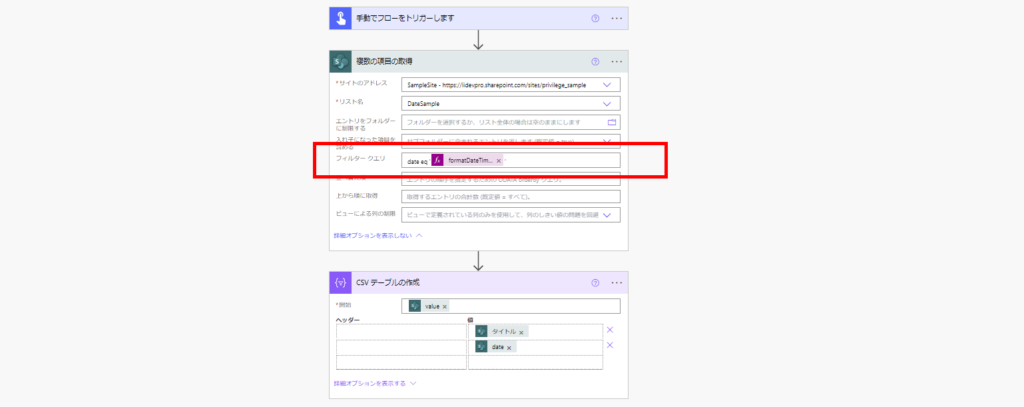
1. Filter: Today’s Items
date eq '@{formatDateTime(addHours(utcNow(), 9), 'yyyy-MM-dd')}'
Result
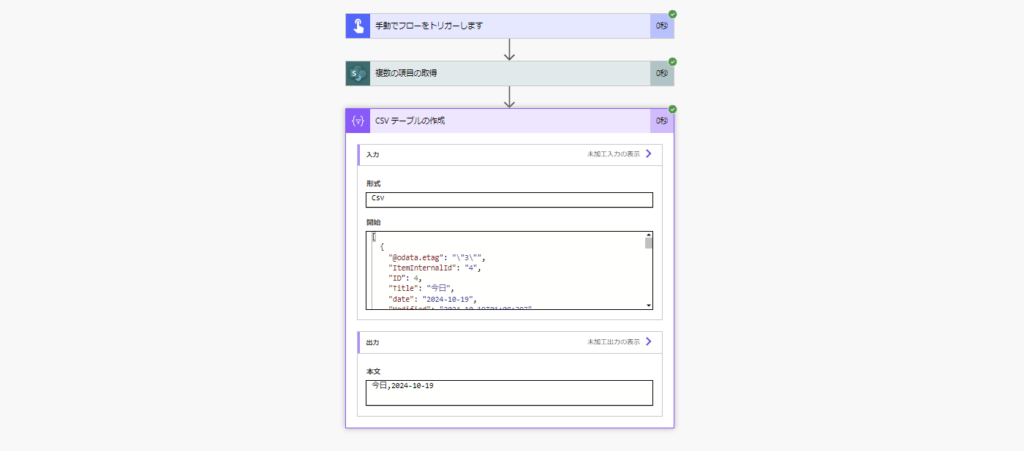
2. Filter: Exactly 7 Days Ago
date eq '@{formatDateTime(addDays(addHours(utcNow(), 9), -7), 'yyyy-MM-dd')}'
Result
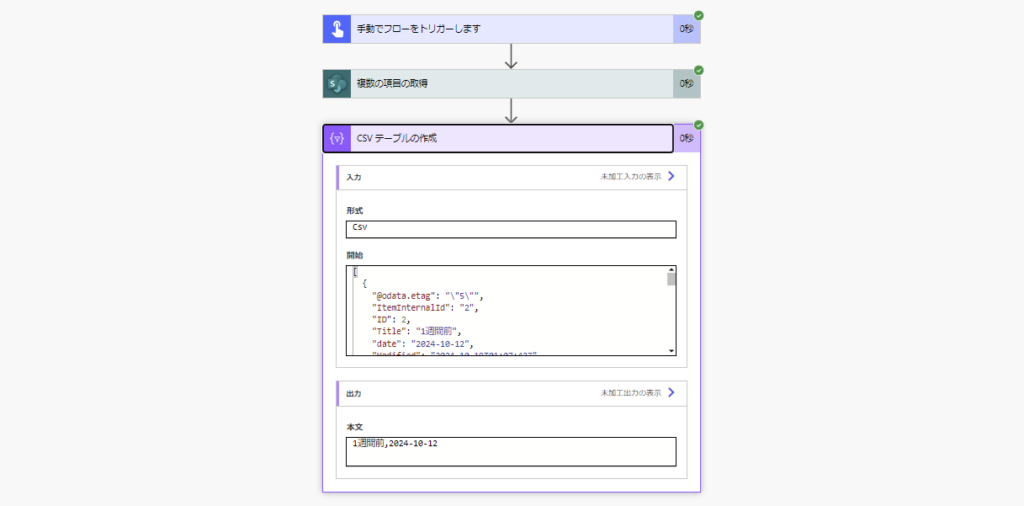
3. Filter: Exactly 3 Days Later
date eq '@{formatDateTime(addDays(addHours(utcNow(), 9), 3), 'yyyy-MM-dd')}'
Result

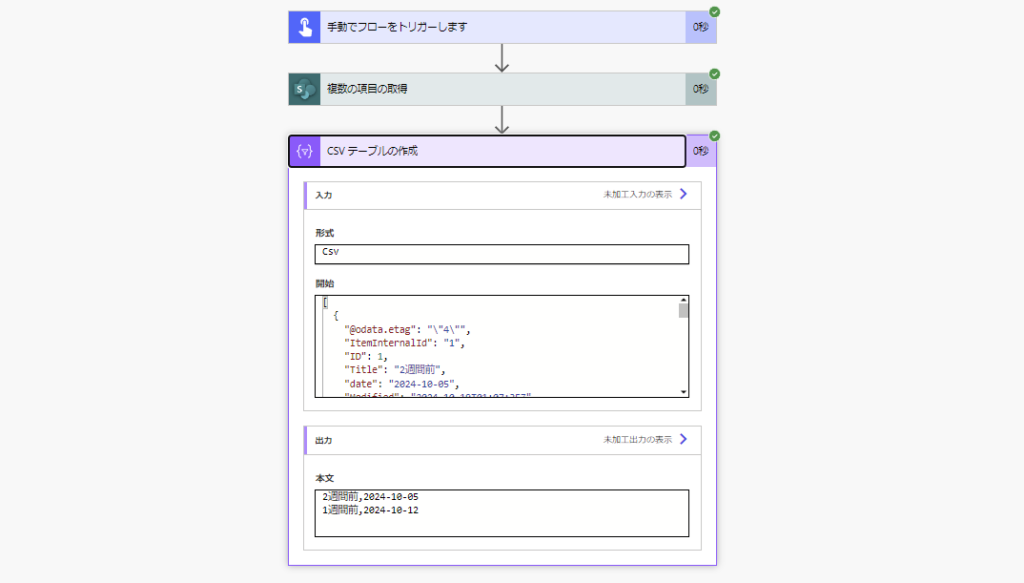
4. Filter: Older Than 7 Days
date le '@{formatDateTime(addDays(addHours(utcNow(), 9), -7), 'yyyy-MM-dd')}'
// Use 'lt' if you want to exclude the 7th day itself
Result
5. Filter: Future Items (After 3 Days)
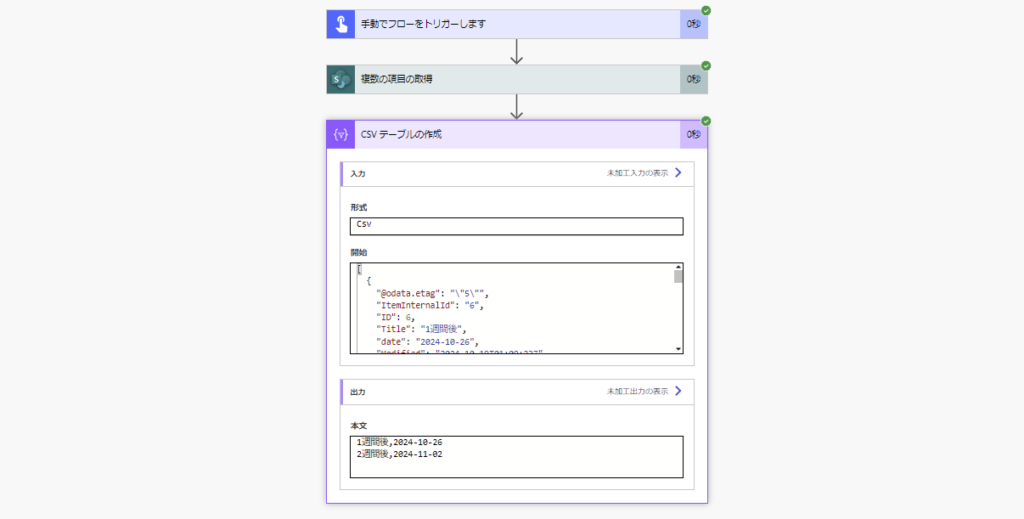
date gt '@{formatDateTime(addDays(addHours(utcNow(), 9), 3), 'yyyy-MM-dd')}'
// Use 'ge' to include the date exactly 3 days from now
Result
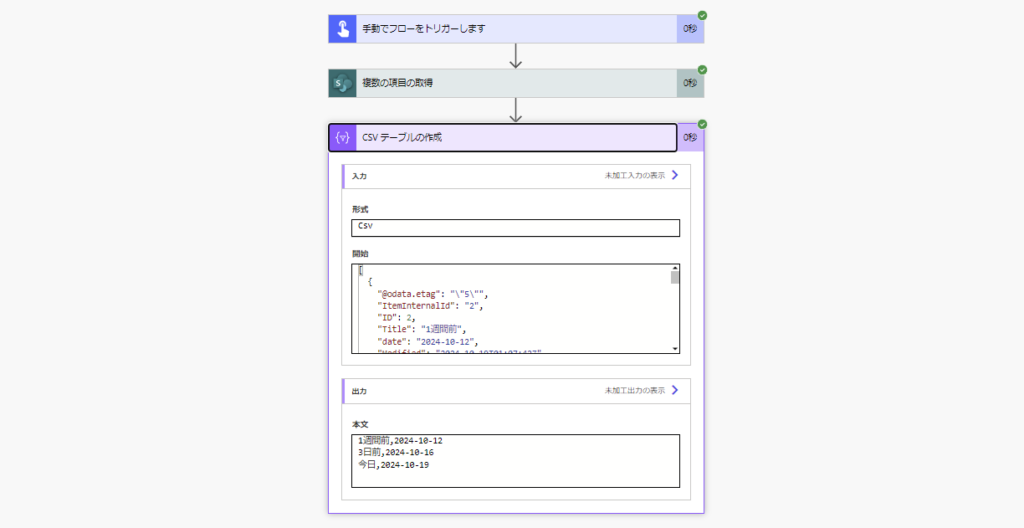
6. Filter: From 7 Days Ago Until Today
date ge '@{formatDateTime(addDays(addHours(utcNow(), 9), -7), 'yyyy-MM-dd')}' and date le '@{formatDateTime(addHours(utcNow(), 9), 'yyyy-MM-dd')}'
Result
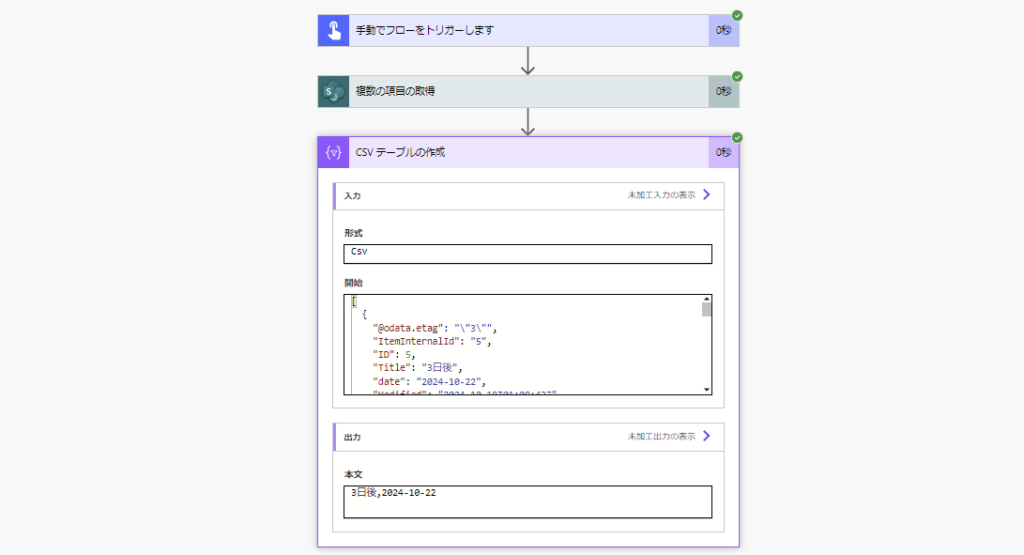
7. Filter: Next Week (Tomorrow to 7 Days Later)
date gt '@{formatDateTime(addHours(utcNow(), 9), 'yyyy-MM-dd')}' and date lt '@{formatDateTime(addDays(addHours(utcNow(), 9), 7), 'yyyy-MM-dd')}'
Result
Filters Including Both Date and Time
For examples of filters that consider both date and time components (e.g., specific hours), please refer to the following guide: