UPDATE (Verification):
According to Microsoft documentation, sorting is limited for columns referencing related tables. However, my hands-on verification confirms that sorting WORKS in both Model-driven views and Canvas apps for the scenarios below.
※Note: This behavior was verified in my environment. Please test in your own instance as platform specifications may change.
According to Microsoft documentation, sorting is limited for columns referencing related tables. However, my hands-on verification confirms that sorting WORKS in both Model-driven views and Canvas apps for the scenarios below.
※Note: This behavior was verified in my environment. Please test in your own instance as platform specifications may change.
I conducted a detailed investigation to answer a critical question for Dataverse developers:
“Can we really sort by Formula Columns that reference related tables (Parent fields)?”
The Problem: Sorting Limitations in Calculated Columns
Before formula columns were introduced, we relied on “Calculated Columns”. However, they had strict sorting limitations that frustrated many developers:
Sorting is disabled in Calculated Columns if they include:
- Parent row columns (Lookup fields)
- Logical columns (e.g., [Address])
- Other calculated columns
Therefore, I decided to test whether the new “Formula Columns” overcome these limitations.
Test 1: Numeric Column (Basic)
First, let’s establish a baseline. I tested sorting a formula column using only its own column (“Num”) – a scenario that also worked with legacy Calculated Columns.
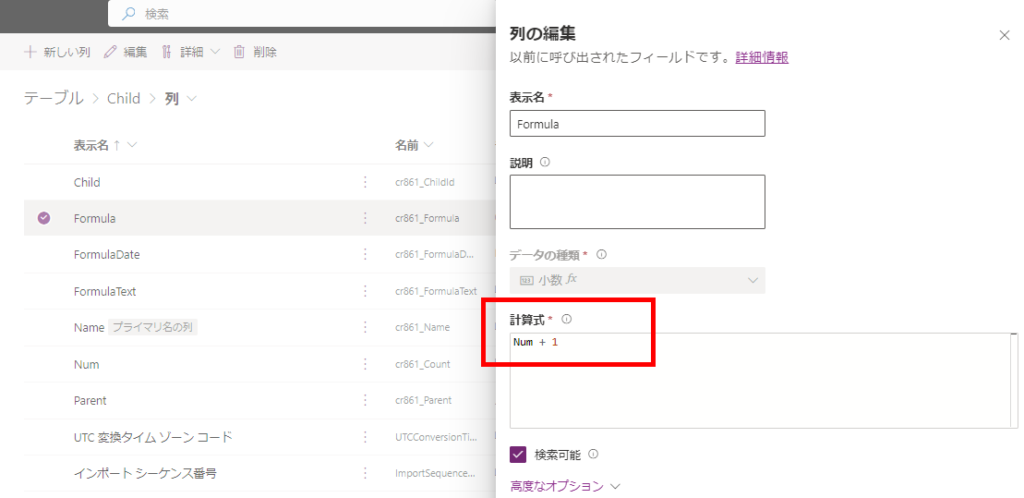
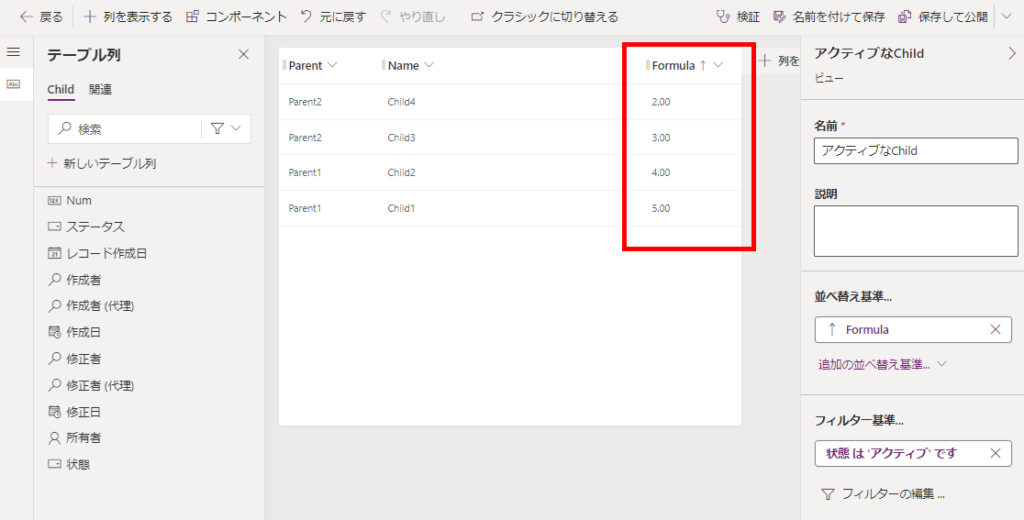
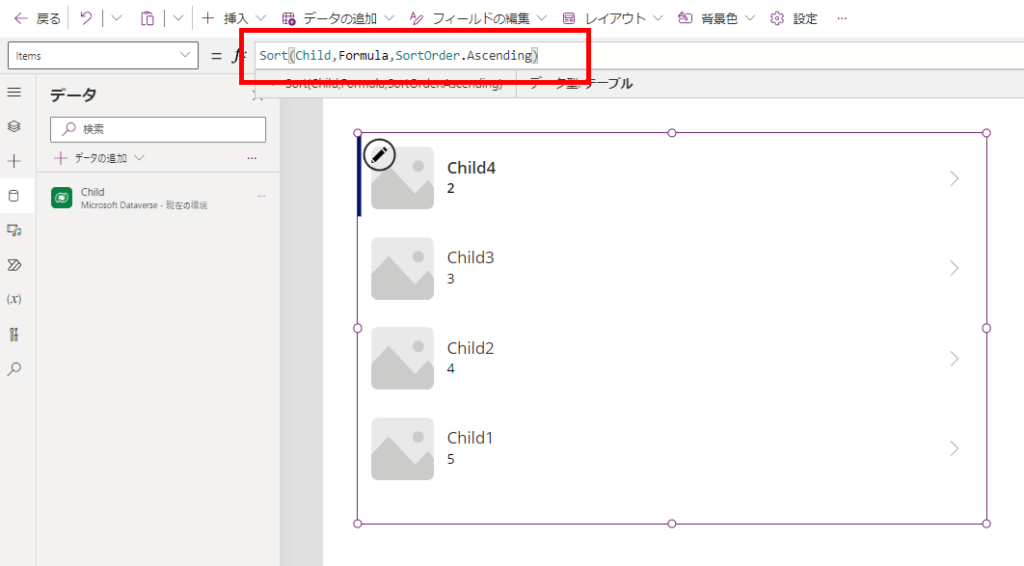
Result: Success. This works perfectly in both Model-driven views and Canvas apps.
Test 2: Numeric Column with Parent References (Critical)
Next is the critical test. I modified the formula to include values from related tables: the parent column (table “Parent” column “Num”) and the grandparent column (table “GrandParent” column “Num”).

Result: Success (Contrary to documentation limitations).
Surprisingly, sorting works correctly even when referencing related tables!
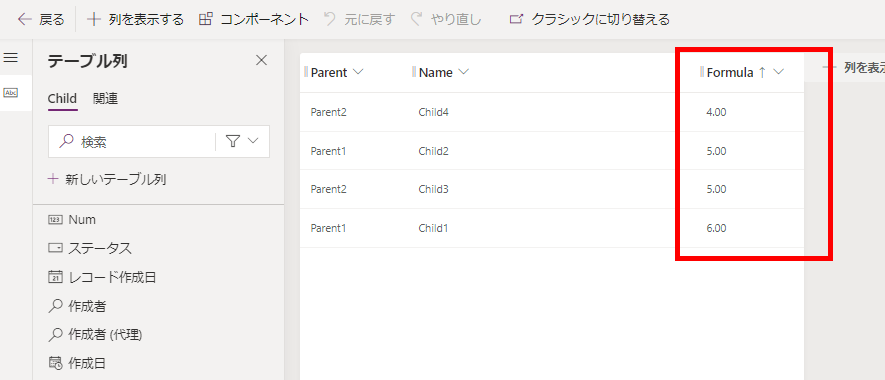
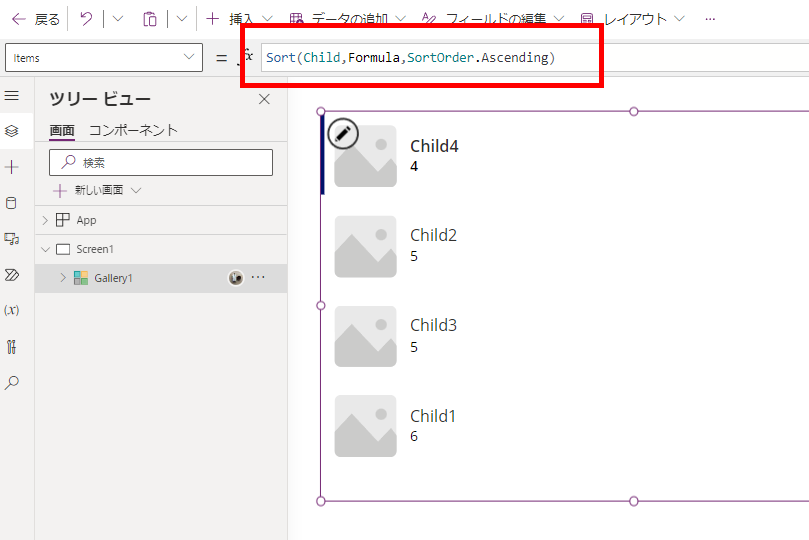
Surprisingly, sorting works correctly even when referencing related tables!
Test 3: DateTime Column with Functions
I also tested a DateTime column. I created a formula that references a parent DateTime column and applies Power Fx functions to process it.
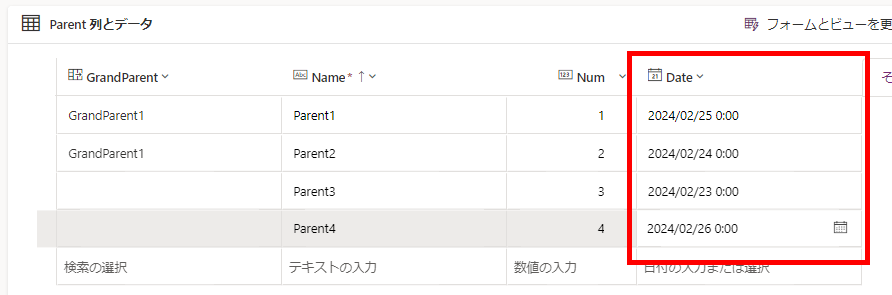
The formula definition:
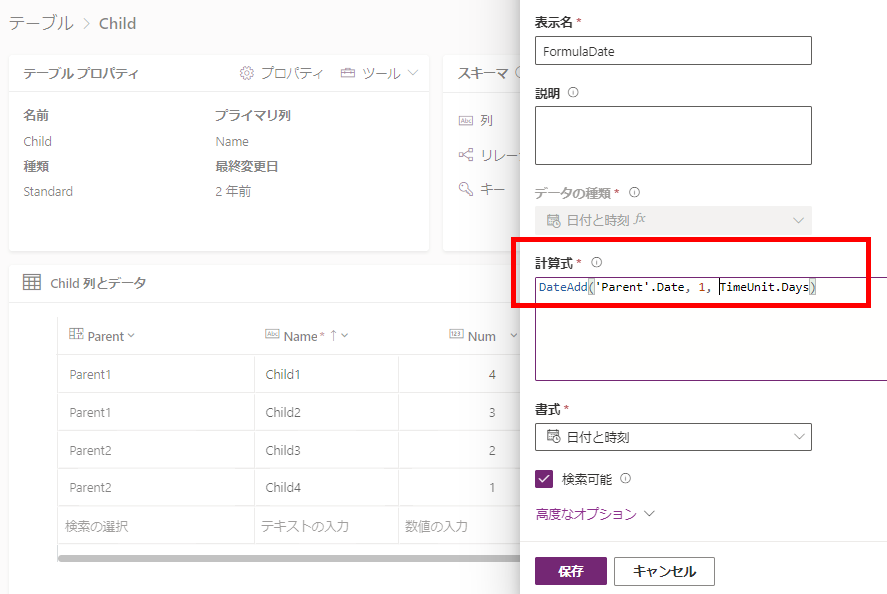
The formula definition:
Result: Success.
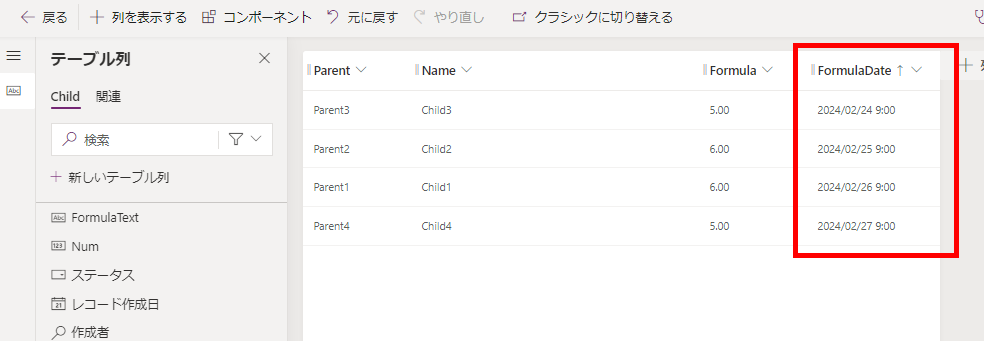
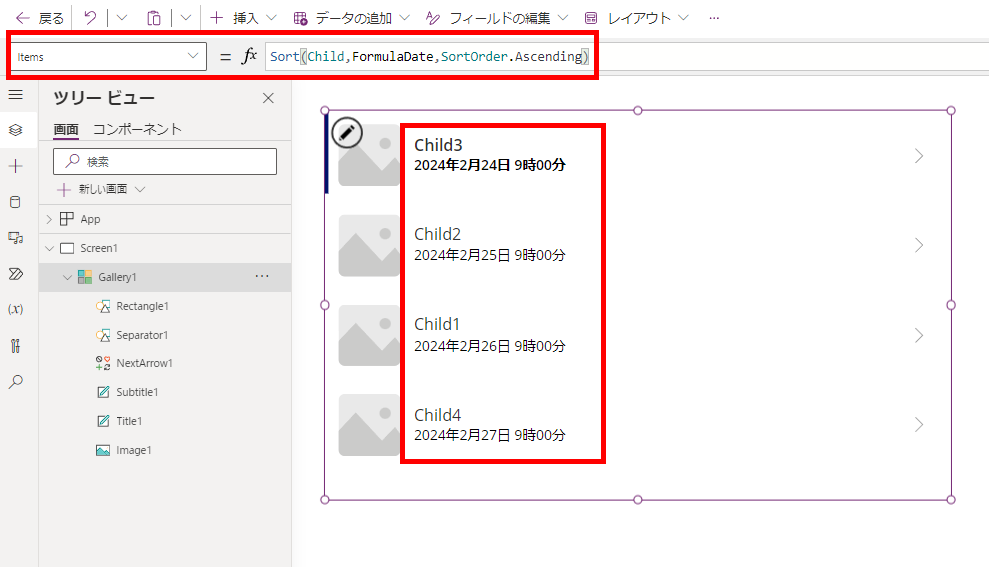
Test 4: Formula Column Containing Other Formula Columns
Finally, the most complex scenario: A formula column that references another formula column (the datetime column we just created).
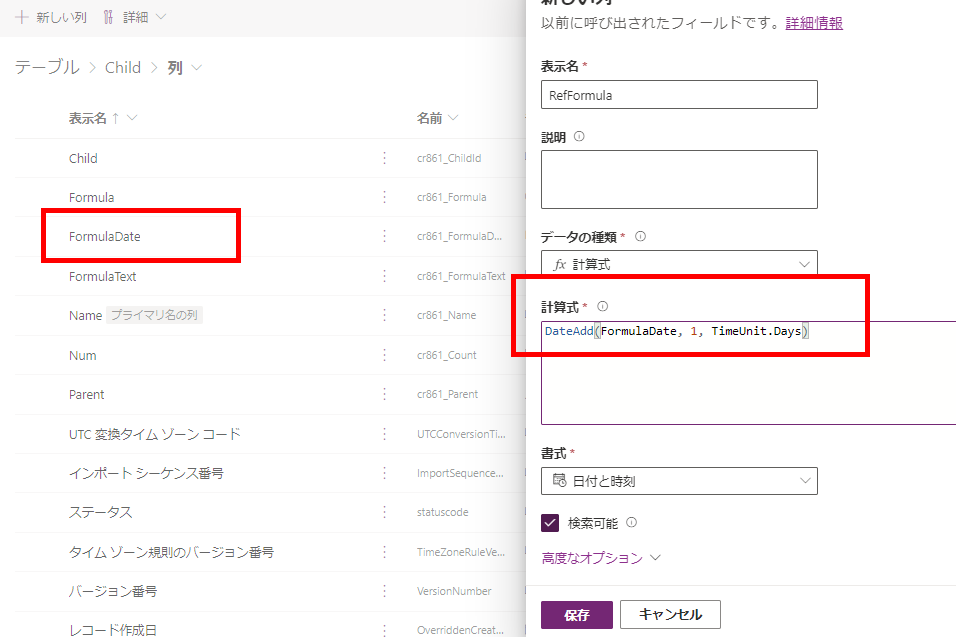
Result: Success.
Sorting works even with nested formula columns. This opens up powerful possibilities for complex sorting logic without plugins.


Sorting works even with nested formula columns. This opens up powerful possibilities for complex sorting logic without plugins.
Conclusion
The verification results are clear:
Dataverse Formula Columns offer significantly more powerful sorting capabilities than legacy Calculated Columns, supporting related tables and nested formulas.
If you have been avoiding computed columns due to sorting issues, it is time to try Formula Columns [web:3].
コメント