The Microsoft documentation states “all subordinate business units,” but does this mean just the immediate direct children? Or does it include everything down to the bottom (grandchildren, great-grandchildren)?
The phrasing can be ambiguous, so I verified the actual behavior using a real Dataverse environment.
Parent: Child Business Units (Deep Access)
The “Parent: Child Business Units” access level in a Security Role grants access to records owned by the user’s business unit, as well as records owned by “subordinate business units” or users in those units.
The official documentation describes it as follows:
User has access to records in the user’s business unit and all business units subordinate to the user’s business unit.
Users with this access level automatically have Business Unit and User access levels.
Because this access level gives access to information throughout the business unit and subordinate business units, you should limit this access to match your organization’s data security plan. usually, this access level is reserved for managers with authority over the business units.
Source: Microsoft Learn
The question here is whether “all subordinate business units” means “Directly below only” or “All levels down (Recursive)”.
Since I couldn’t immediately answer this with 100% confidence, I decided to test it.
The Conclusion:
It includes “All levels down (Recursive)” (Grandchildren included).
Verification Scenario
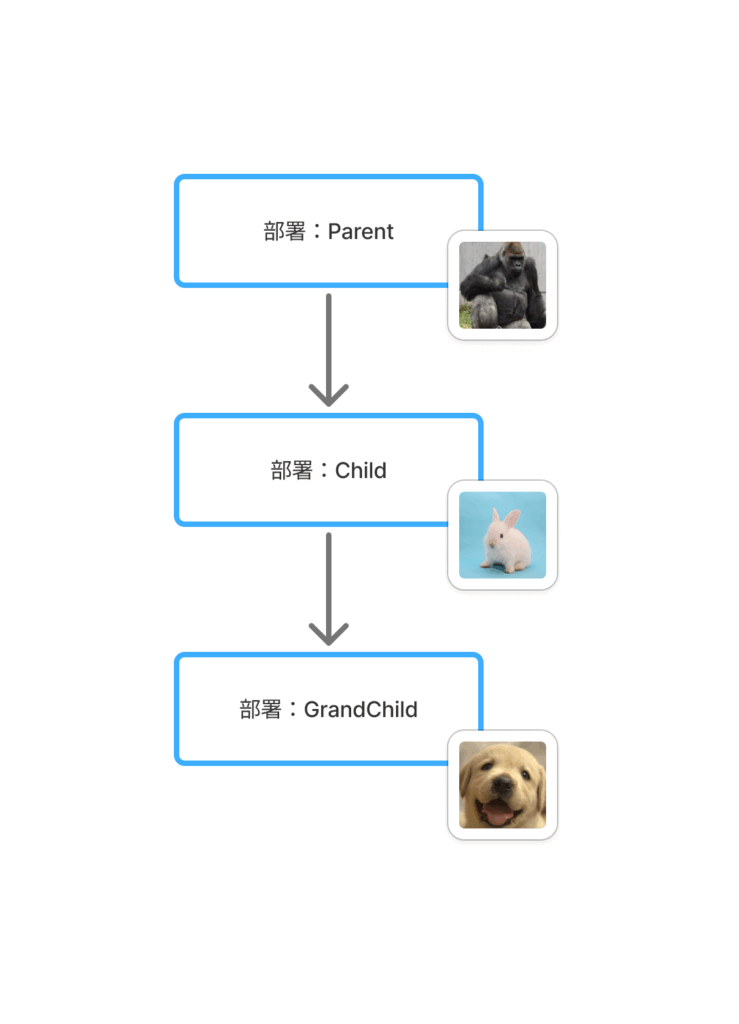
Preparation
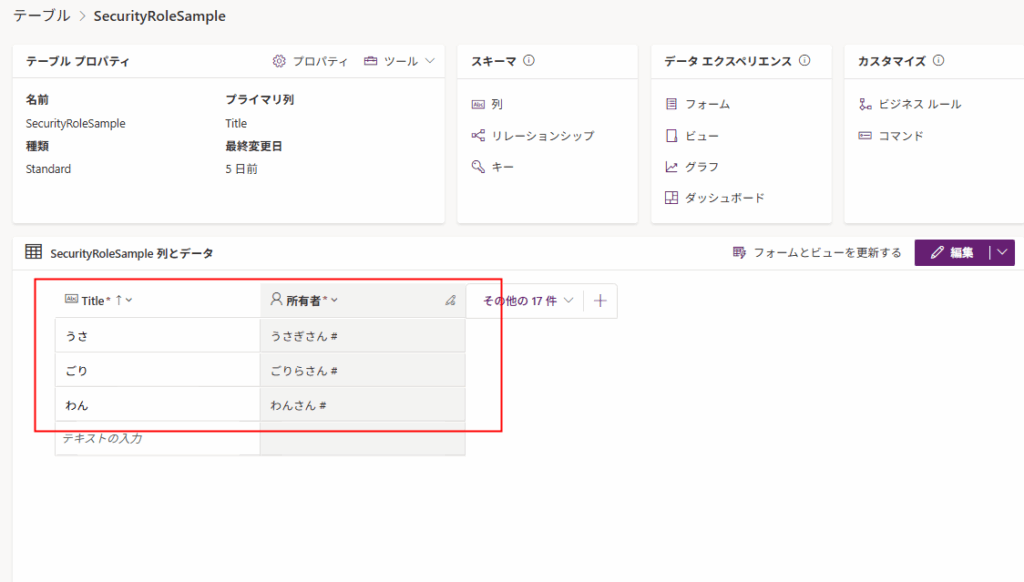
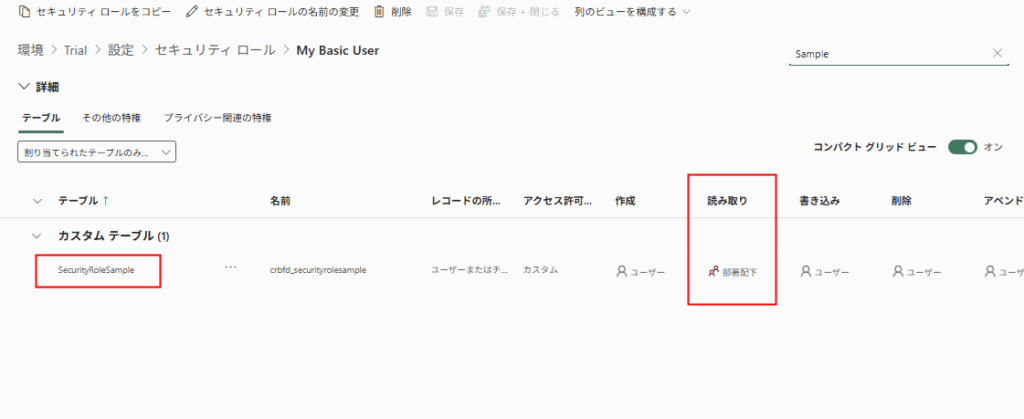
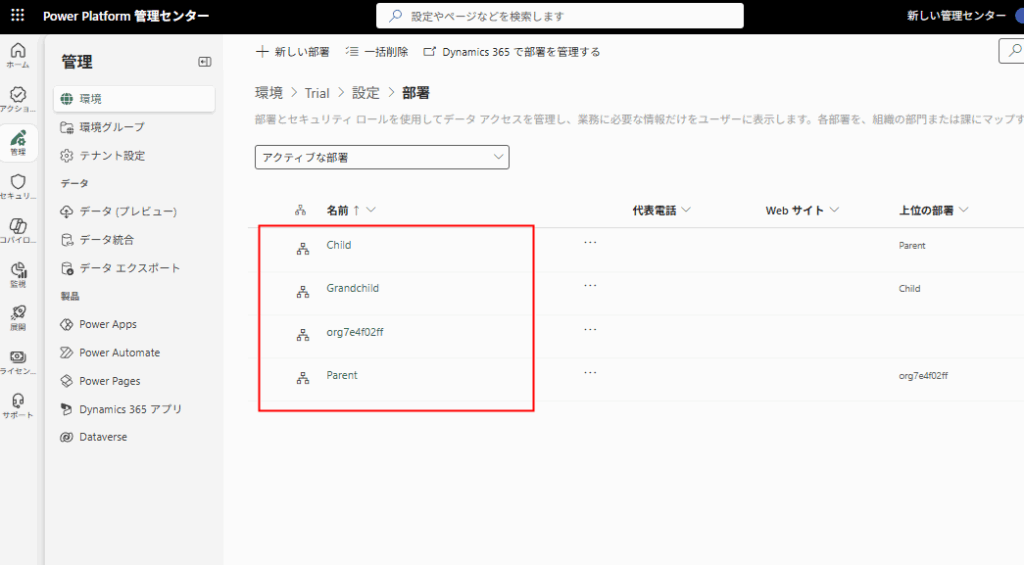
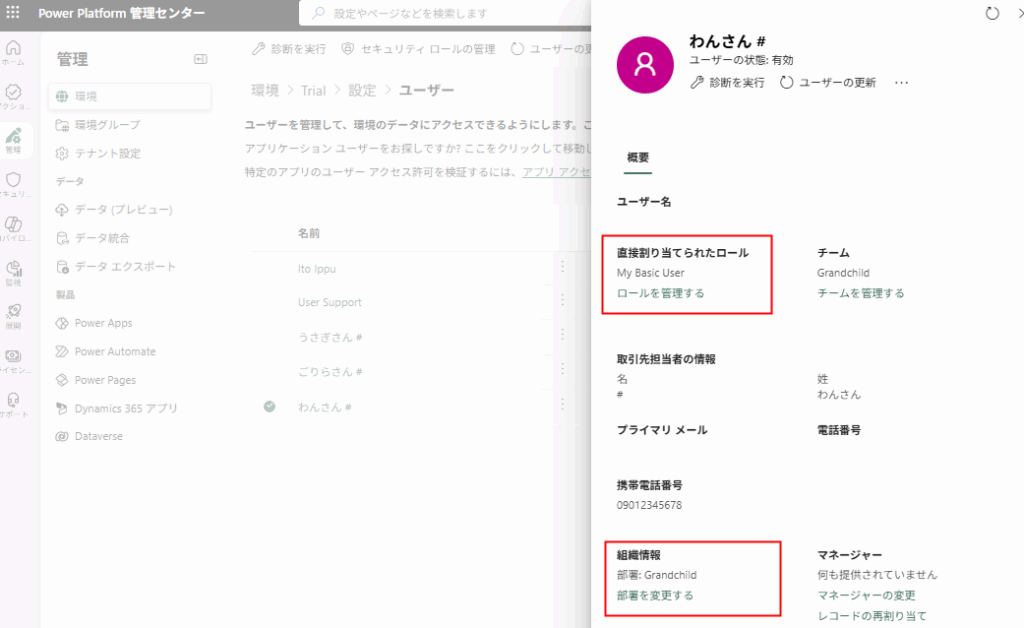
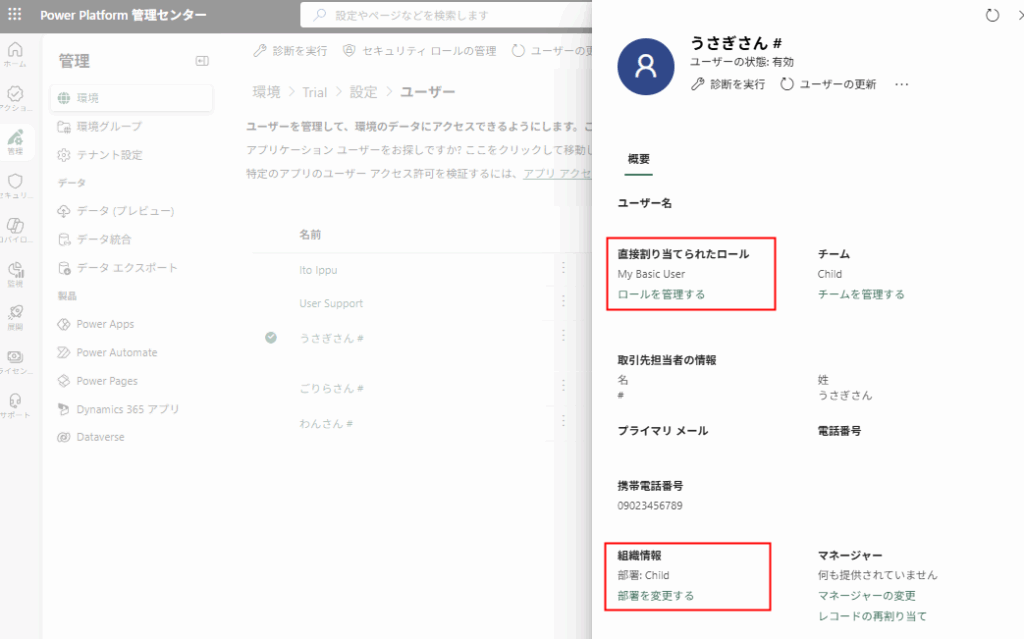
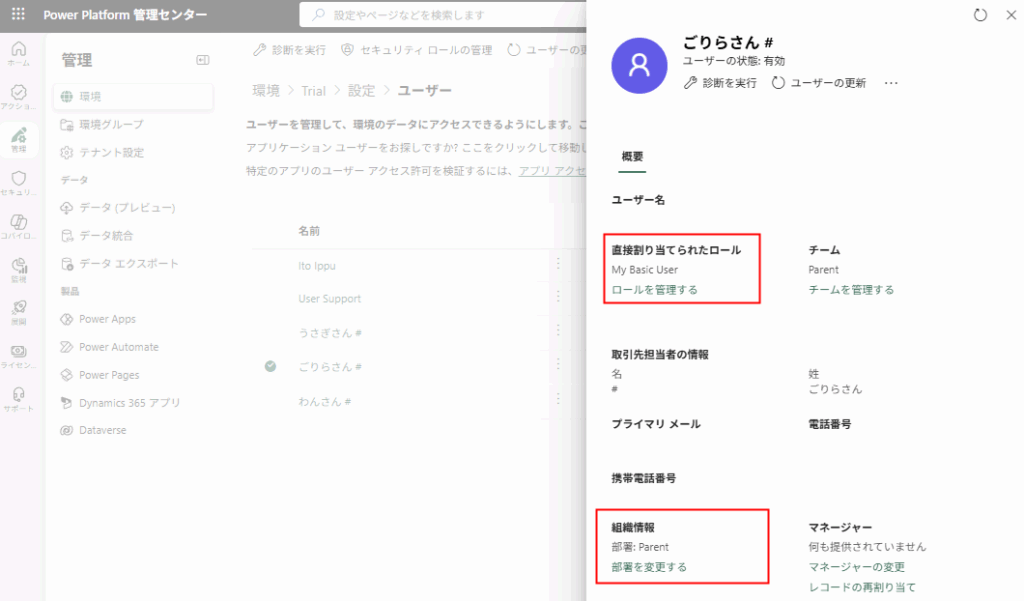
Preparation is complete.
Behavior Check
When logged in as Mr. Dog, he can only see his own records.
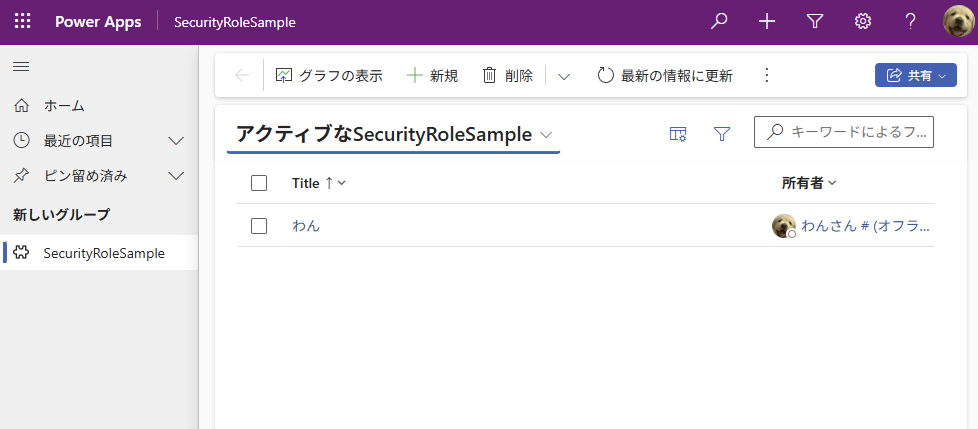
When logged in as Mr. Rabbit, he can see his own records AND the records of Mr. Dog (who is in the direct child BU).
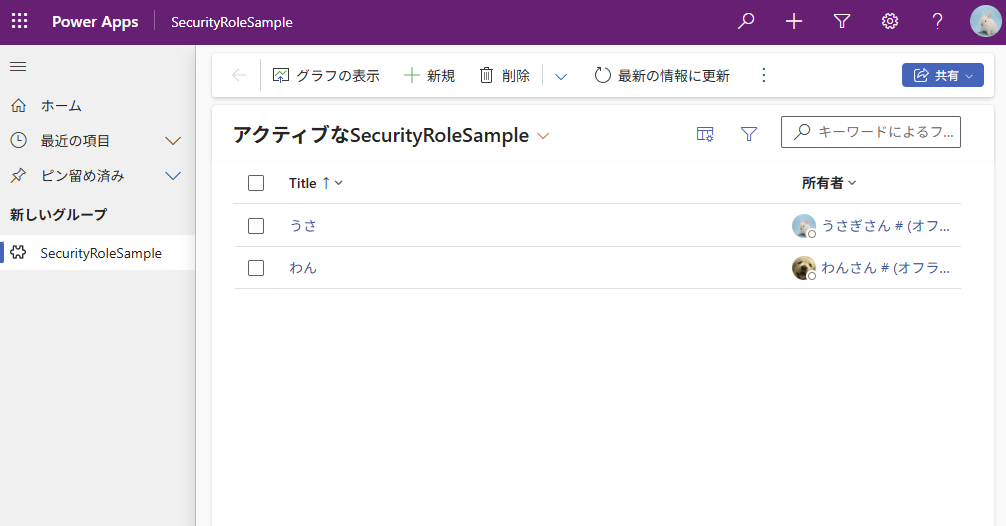
Finally, when logged in as Mr. Gorilla, he can see:
- His own records
- Mr. Rabbit’s records (Direct Child)
- Mr. Dog’s records (Grandchild / Multiple levels down)
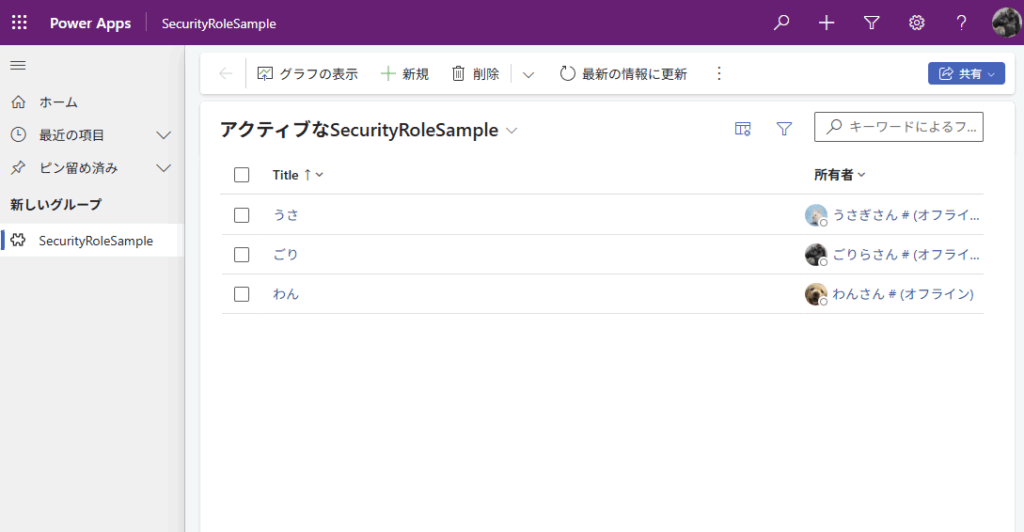
Conclusion
The “Parent: Child Business Units” security role grants access not only to the immediate child Business Unit but also recursively to all lower-level Business Units in the hierarchy.
コメント