The new Dataverse feature, “Prompt column,” is a column where generative AI automatically populates values by referencing information from other columns in the table.
It is faster to demonstrate it in action than to explain it, so here is a verification of its behavior.
Preparation
Let’s assume we have an “Inquiry” table like the following.
Suppose we want to add a “Category” column to this table and “automatically” categorize items into “Request,” “Question,” “Consultation,” etc.
Previously, I would combine Power Automate and AI Builder, but this time I will achieve this using the Prompt column.
Configuration
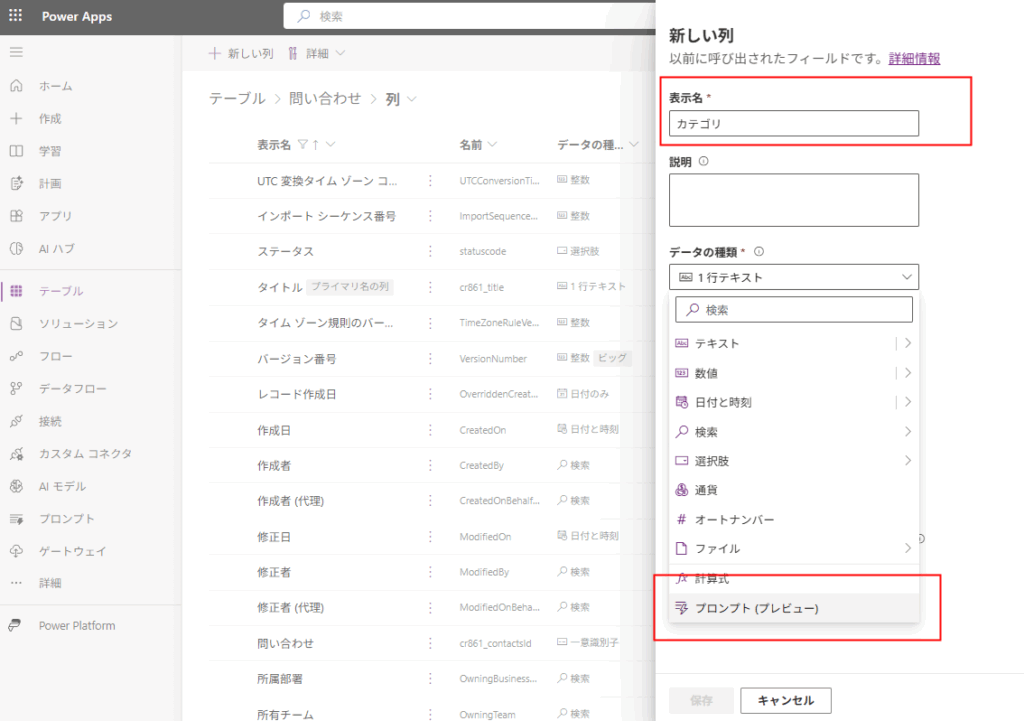
First, select [New column], choose [Prompt] for the [Data type], and
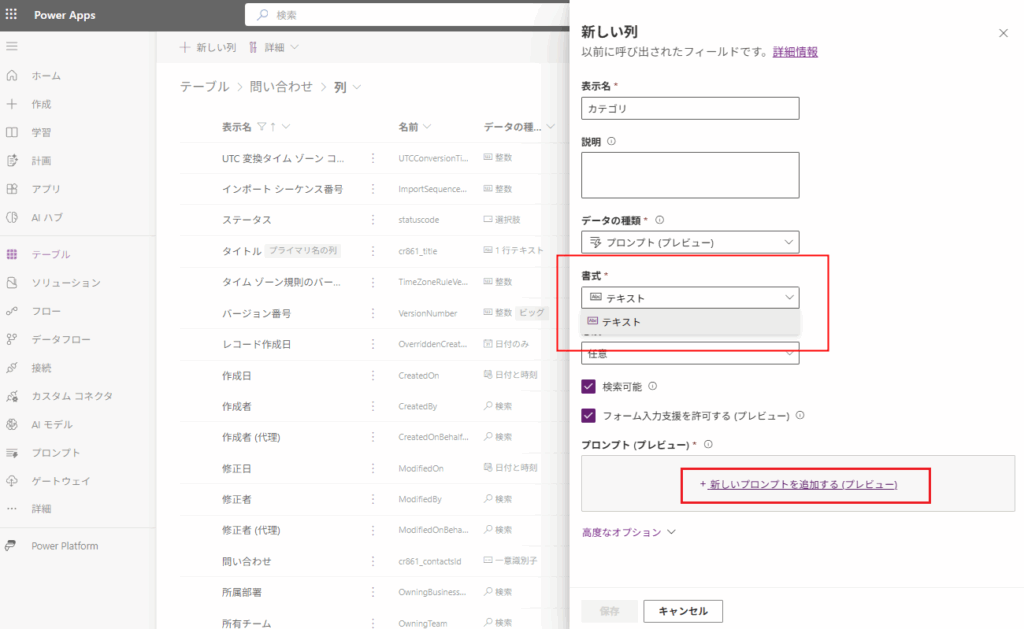
Click [Add new prompt].
*Currently, the format is “Text” only.
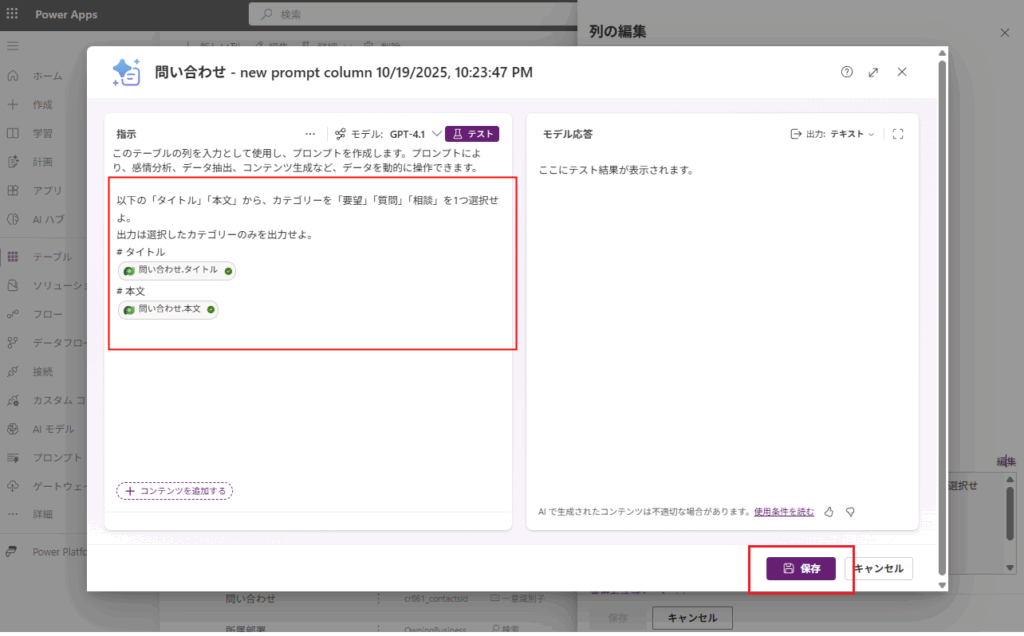
Then, configure the prompt as shown below and save it.
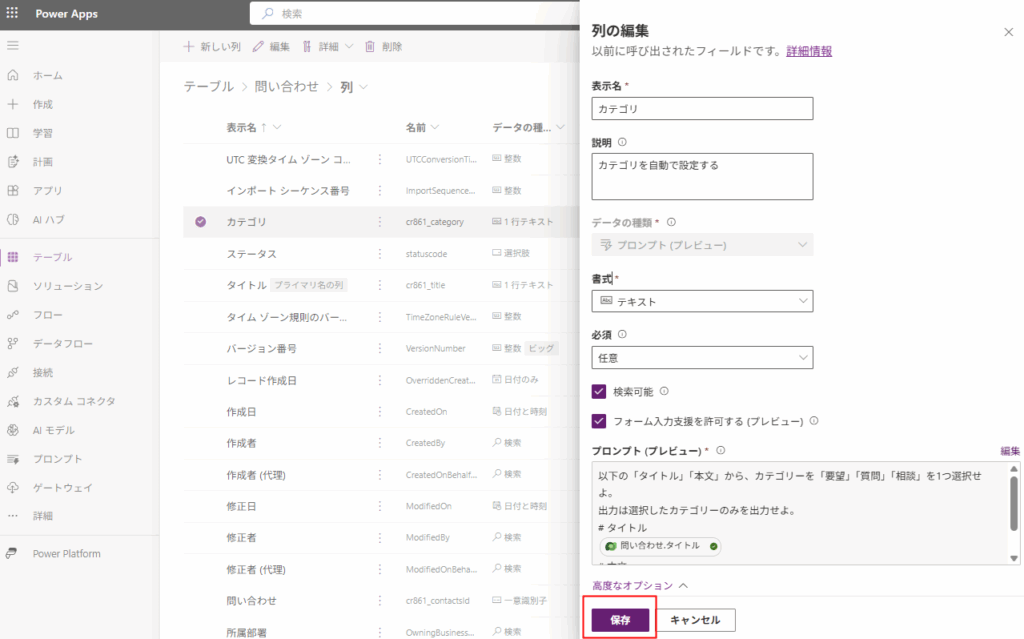
Finally, save the column to complete the configuration.
Verification
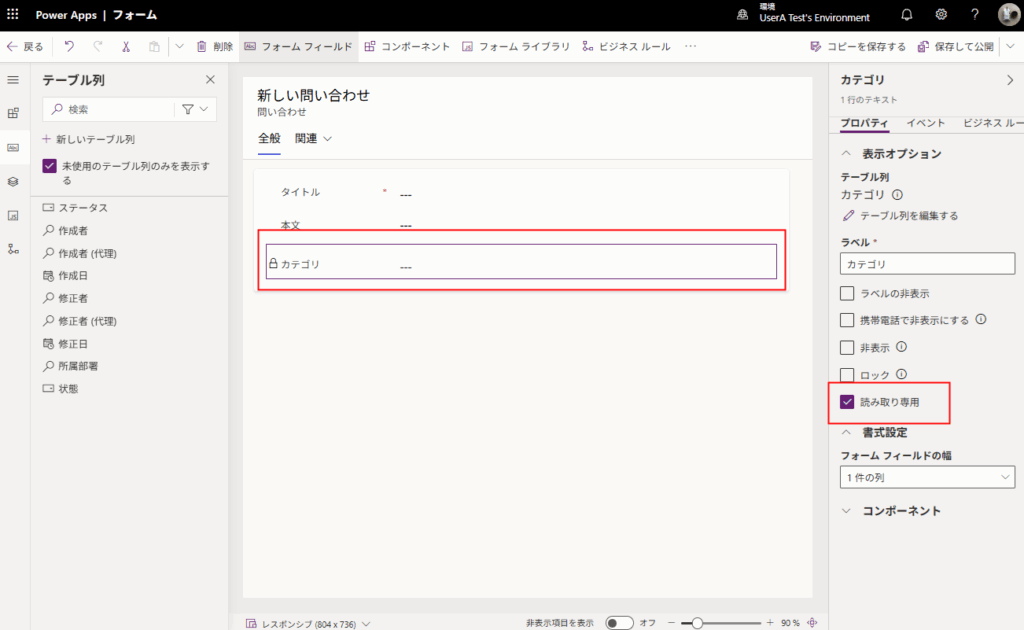
Add the category column to the form for verification.
*Set it to read-only so it is not modified by mistake.
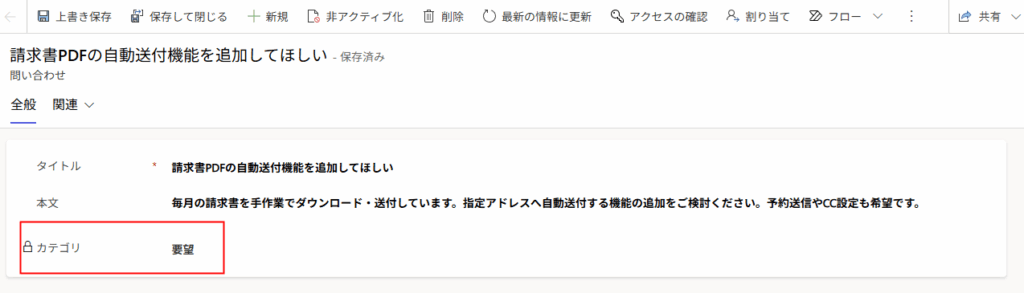
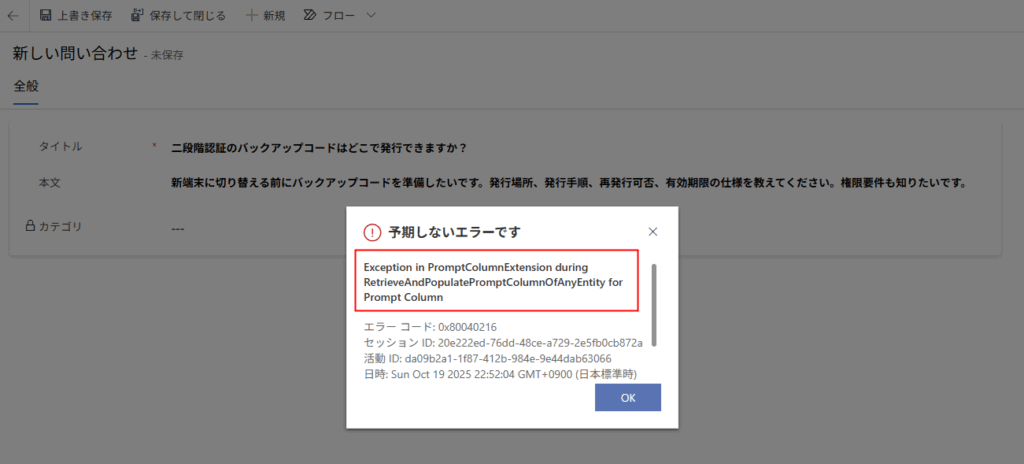
Next, enter an appropriate title and body in the form, and when you click [Save],
The result categorized by the AI will be populated.
If the title and body indicate a “Question,” the category becomes “Question.”
This is convenient!
While the Prompt column is extremely useful, it appears to operate using AI Builder credits. Therefore, exercise caution if you create it in a table where a large number of records are added, as unexpected costs may occur.
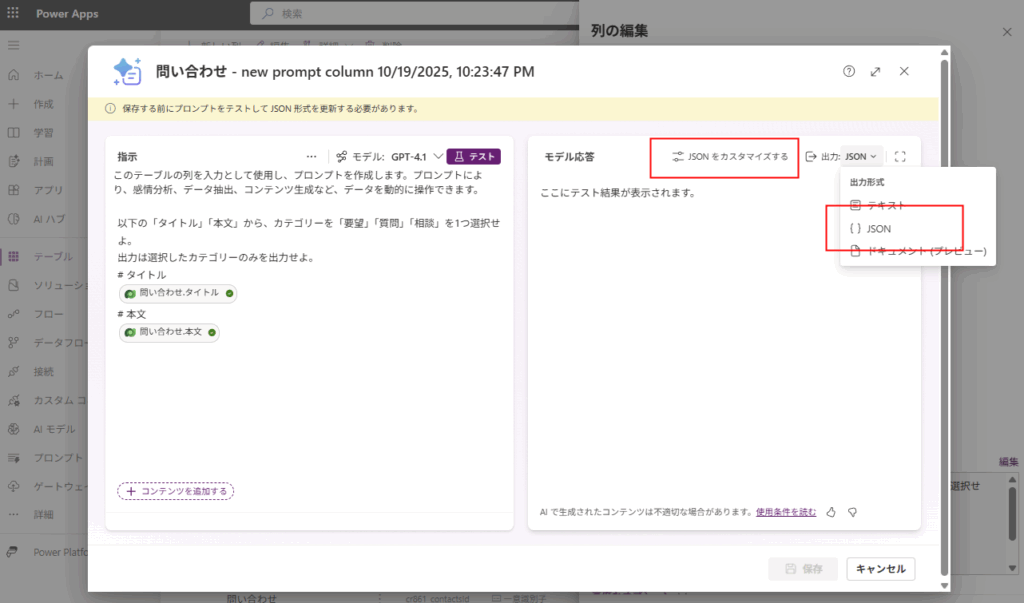
Bonus 1: Structured output (JSON mode) is also possible
Structured output is also possible, so use this if you want to strictly constrain the output.




コメント