Just a quick note: I found that Power Automate’s “Compose” action can handle arrays, which is pretty handy.
The standard way to use an array
For example, if you want to store SharePoint Online (SPO) list items one by one into a variable, I used to do it like this with an array variable.
Note: You can also use the “Select” action, but I’ll skip that for this post.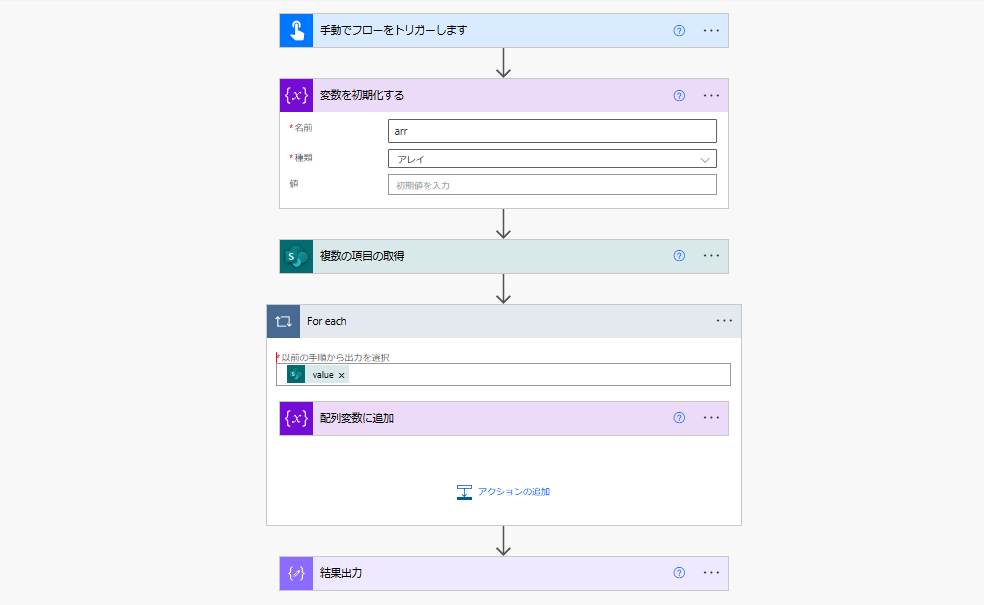
Note: You can also use the “Select” action, but I’ll skip that for this post.
If you output the variable contents, you’ll of course see multiple values stored like this.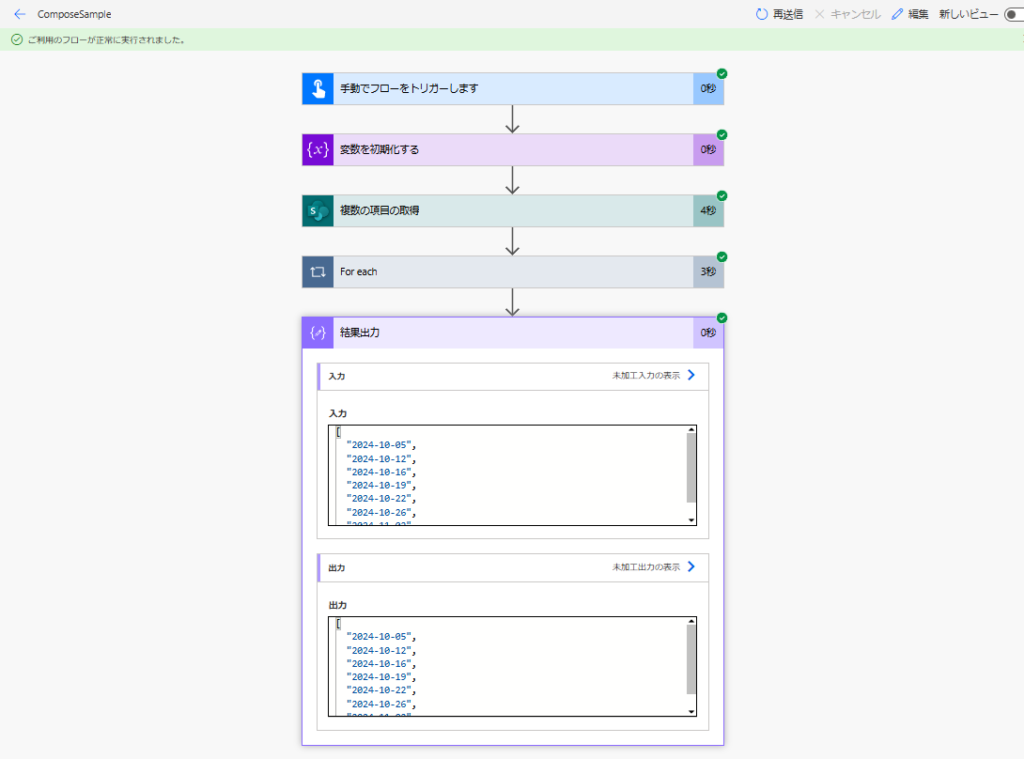
You can use “Compose” instead
It turns out you can actually replace this process with the “Compose” action. If you add “Compose” inside Apply to each like this and then output it using the outputs() function,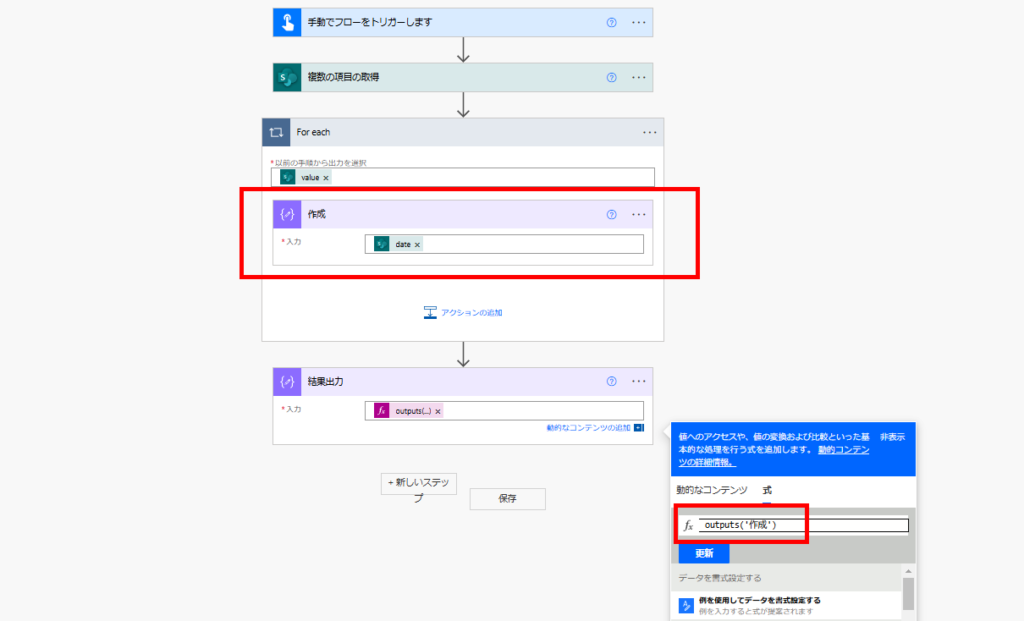
it outputs multiple values in an array format like this.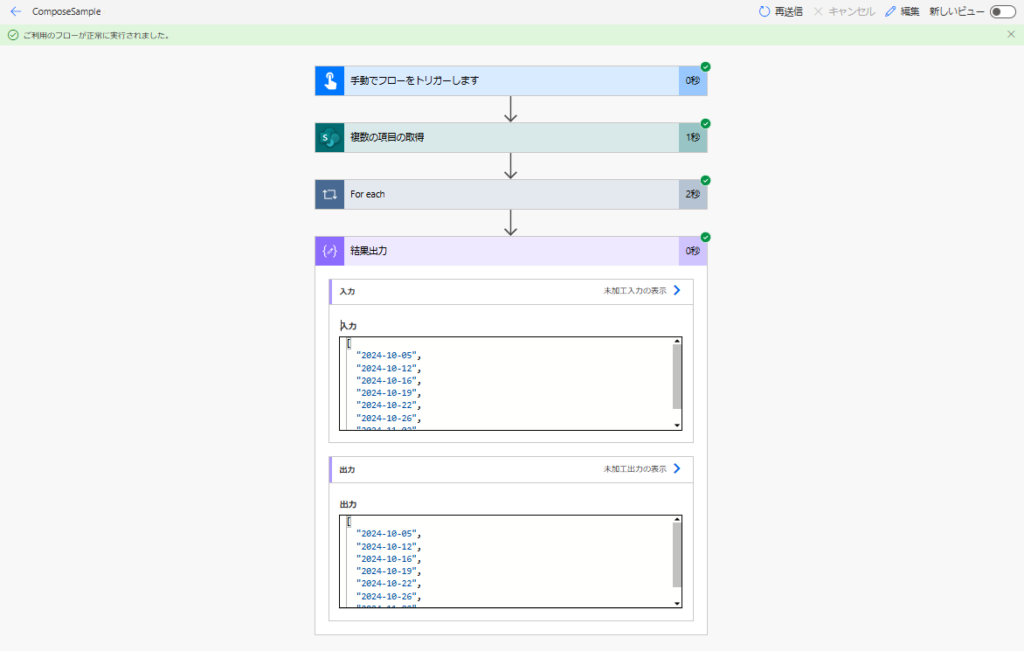
Personally, what I like about this is that since you don’t use “Initialize variable,” you can keep everything contained within the scope.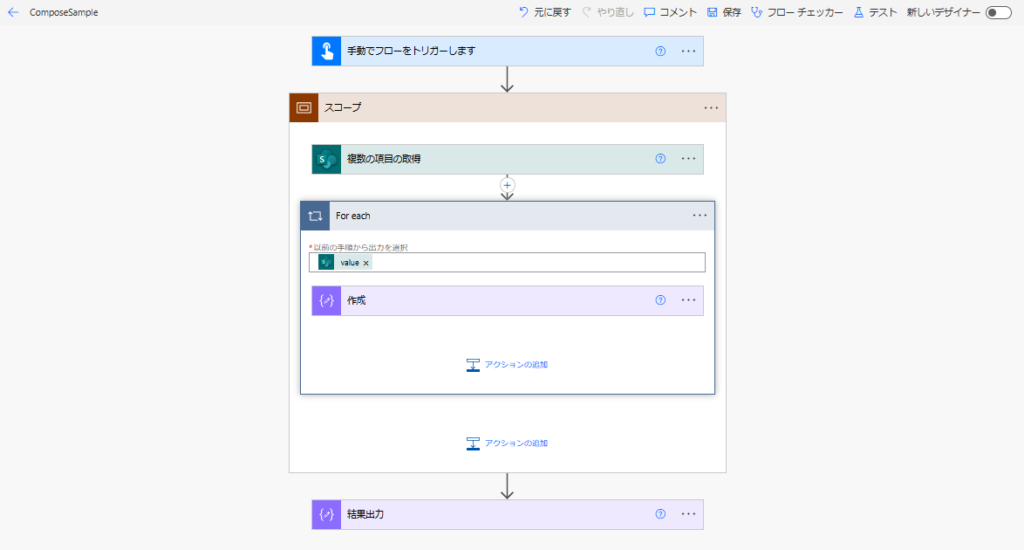
⚠️However, you can’t put it in a nested loop
That said, you can’t put it inside a nested loop, so the scenarios where you can use it may be a bit limited.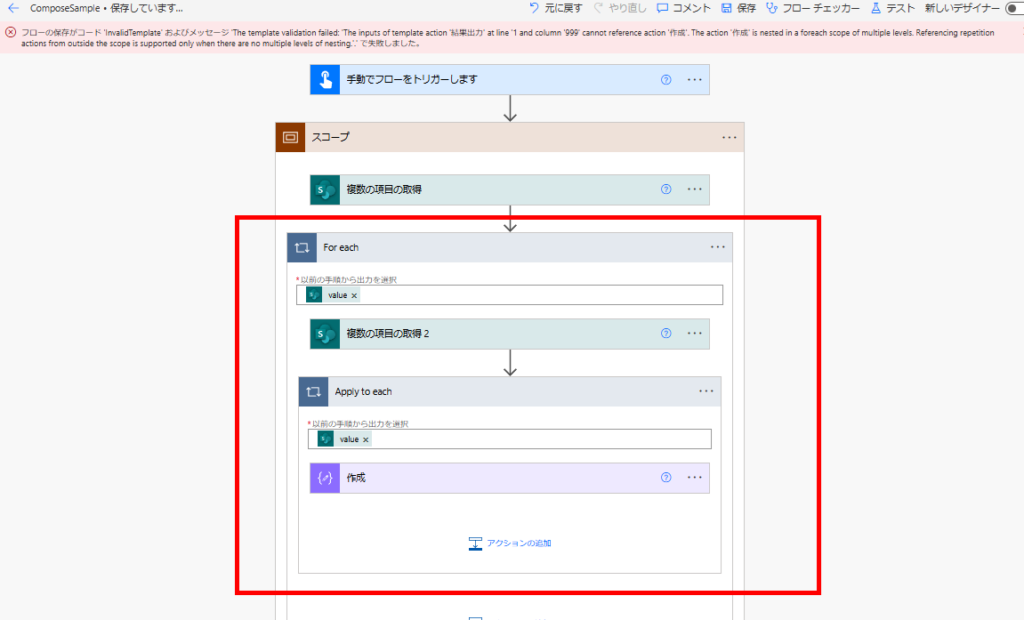
Sharing this as a small tip that might come in handy someday.