Since a new feature called “Dataverse Functions” (or rather, a renamed feature) was added to Dataverse, I decided to put it to the test. Note: Formerly known as “Instant low-code plug-ins”.
This is a very welcome feature that effectively means “you can now write heavy server-side logic using Power Fx instead of C#.”
However, since the underlying architecture is still a hardcore “Dataverse Plugin,” it inherits all the specific “limitations” and “pitfalls” associated with them.
In this post, I’ll cover everything from the basics of how to create and use them, to verifying “transaction behavior,” “processing speed,” and the “limits of recursion.”
About Dataverse Functions
In a nutshell, this feature allows you to “create server-side logic using Power Fx.”
Until now, whenever someone mentioned “Plug-ins,” it was considered the “sanctuary of Pro Developers,” requiring compiling C# code. This feature democratizes that process, allowing you to write logic using the Power Fx language you already use in apps.
It used to be called “Instant low-code plug-ins” and was created via the “Dataverse Accelerator,” but it has been renamed to “Functions” and feels much easier to create now.
Below is an archived article about the Low-code plug-ins in Dataverse Accelerator:
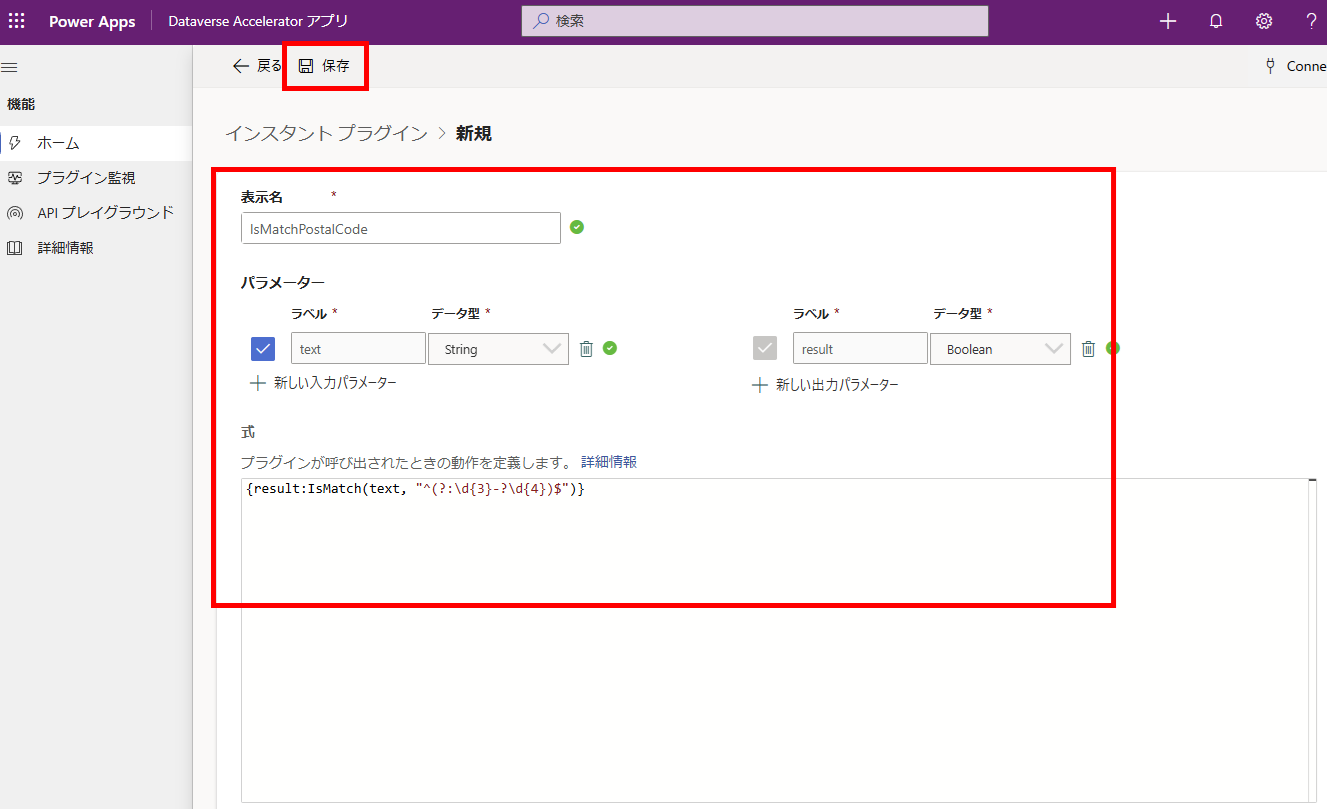
Main Use Cases for Dataverse Functions
- Server-side Execution: Since it runs on the server rather than the app (client) side, it offers significant performance advantages when handling large amounts of data.
- Written in Power Fx: No need for
.NETknowledge. You can build backend logic with the same feel as writing formulas in Canvas Apps. - Reusable: Once created, a Function can be called from both Power Apps and Power Automate. This allows you to create “common components” that can be reused, preventing your logic from becoming scattered.
The key selling point is: “Citizen developers can now create heavy server-side processing and shared logic using the Power Fx they are accustomed to.”
⚠️ Limitations of Dataverse Functions
Since these Functions run on the traditional “Dataverse Plug-in” infrastructure, they inherit strict constraints.
1. The 2-Minute Timeout
Functions (Custom APIs) are synchronous by default. The caller (e.g., the App) waits for the result, but there is a strict limit of “2 minutes (120 seconds).”
If the process exceeds 2 minutes, the server will forcibly terminate the execution (Timeout Exception).
2. Depth Limit (Call Chain) is capped at 8
There is a limit to “nesting” (Function A calls Function B, which calls C…) or chains where data updates trigger other logic.
Generally, if the Depth exceeds 8, the platform assumes an “infinite loop” and throws an error. (Depending on the environment, 16 might be allowed, but it is a golden rule to design within a depth of 8).
3. Power Fx “Dialect” Restrictions
Not all functions available in Canvas Apps can be used here.
UI-related functions like Launch() (screen transition) or Maps() are strictly off-limits. This is purely for “data calculation and logic.”
Basics: How to Create and Use
Now, let’s look at the basic creation and usage.
Creating a Dataverse Function
As an example, I’ll create a function that “extracts an invoice number from an email body using Regular Expressions.”
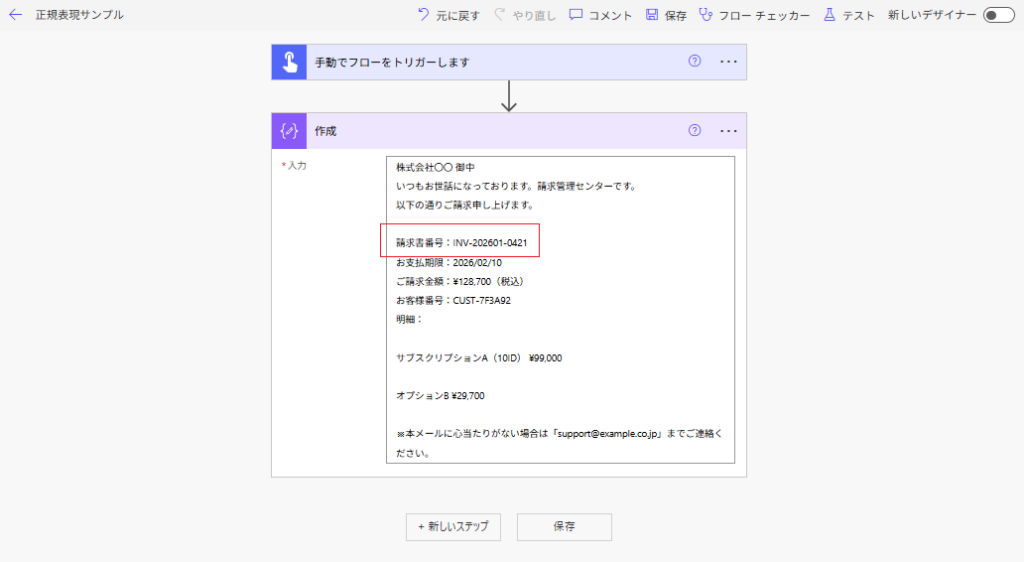
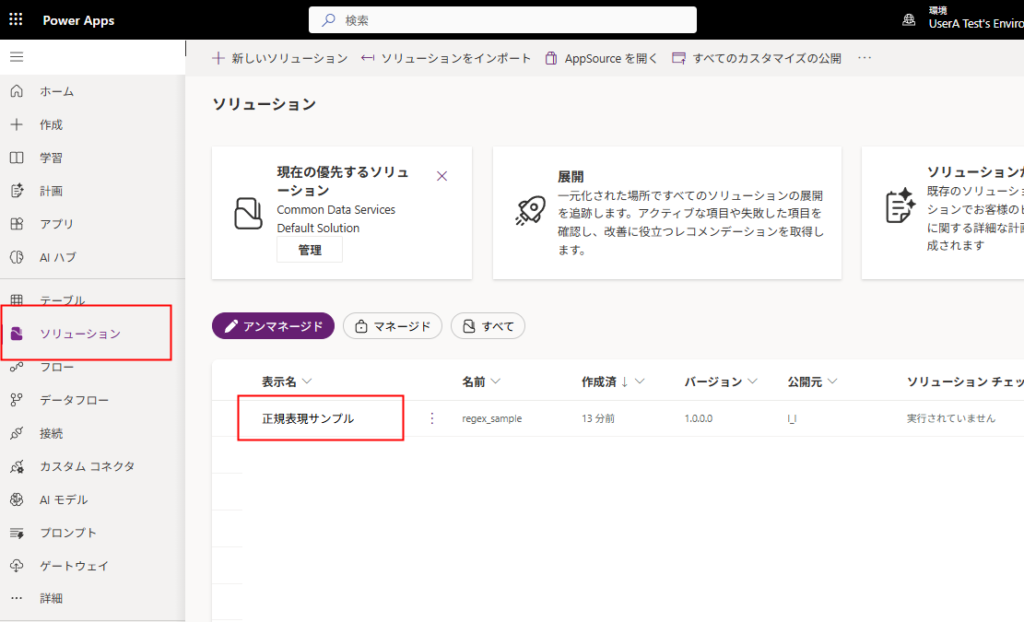
First, create a solution, then:
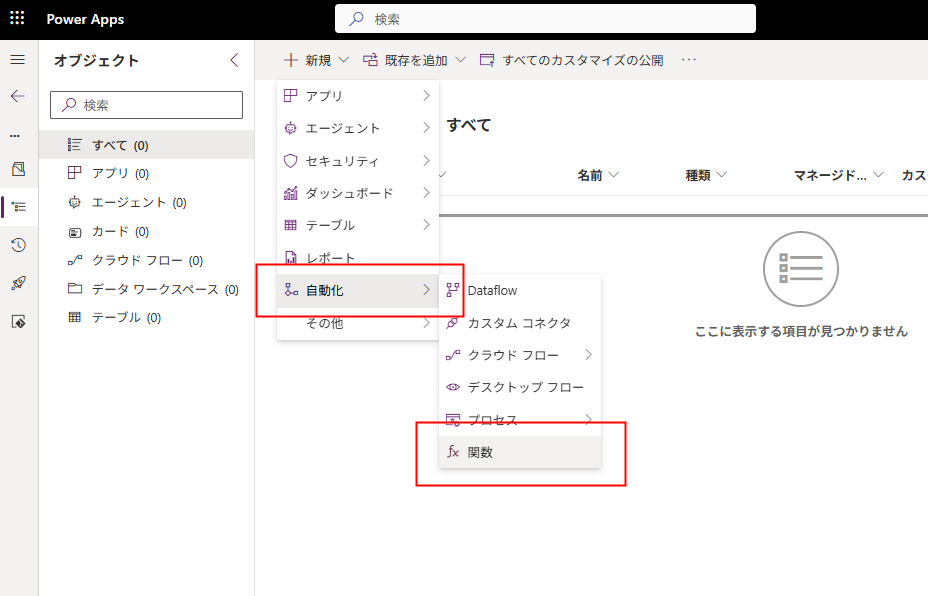
Select [New] -> [Automation] -> [Function].
Fill in the Display Name, Description, Parameters, and the Formula (Power Fx), then press [Save].
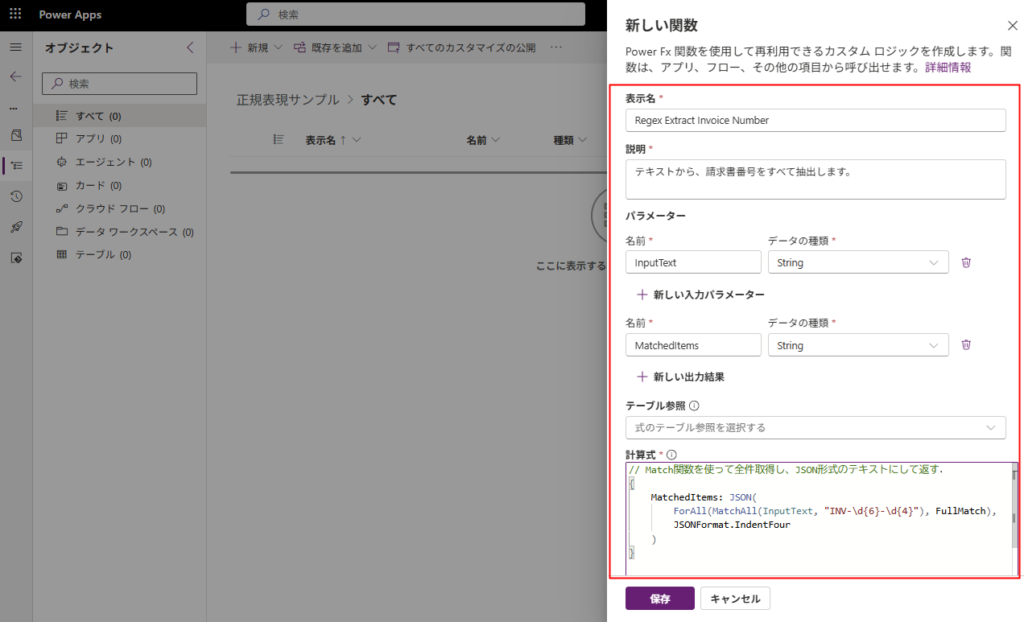
// Use the Match function to get all matches and return them as formatted JSON text
{
    MatchedItems: JSON(
        ForAll(MatchAll(InputText, "INV-\d{6}-\d{4}"), FullMatch),
        JSONFormat.IndentFour
    )
}
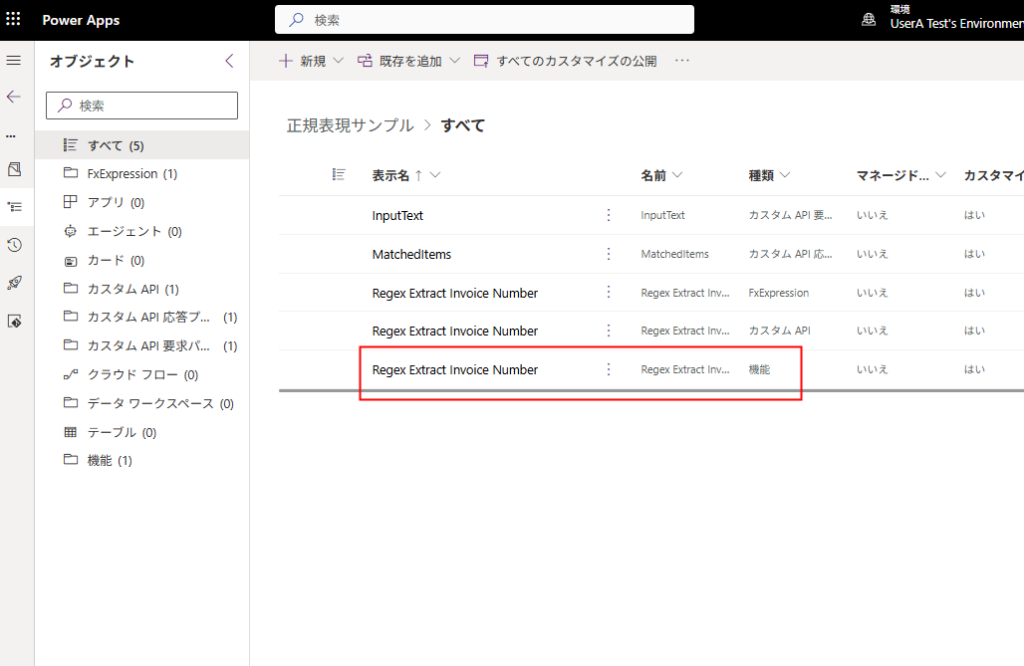
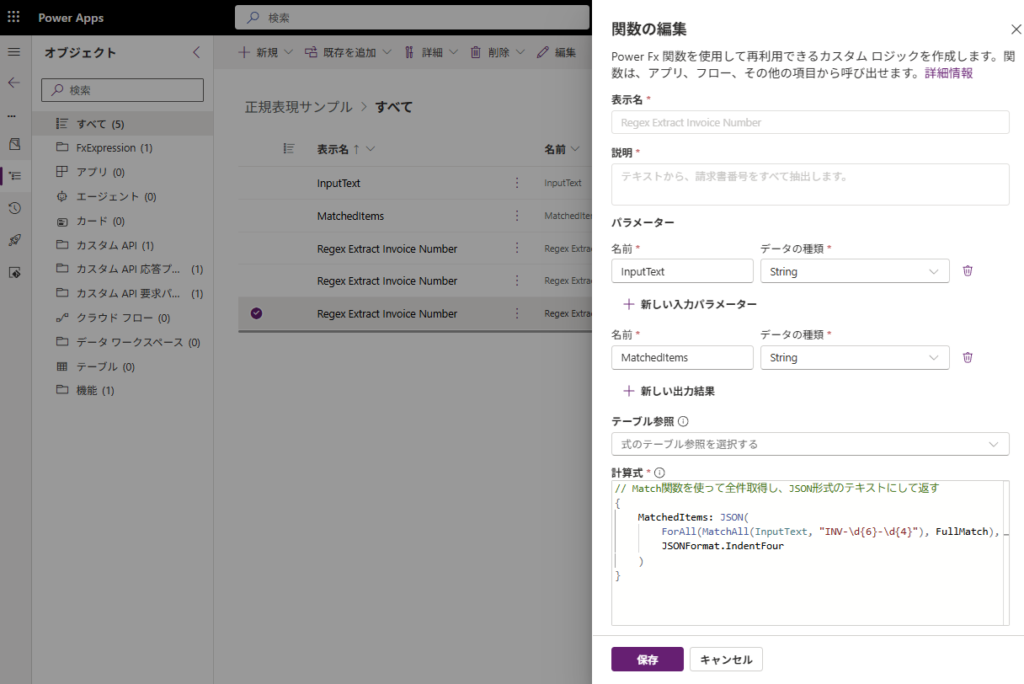
The “Function” is now complete. If you want to edit it later, simply select the item where the Type is “Function”.
You can then edit the formula.
Using Dataverse Functions from Power Automate
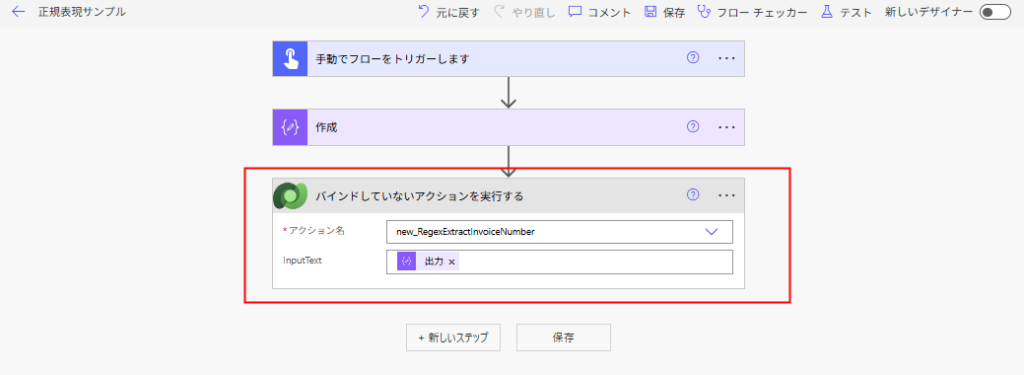
To call the created function from Power Automate, use the “Perform an unbound action” step.
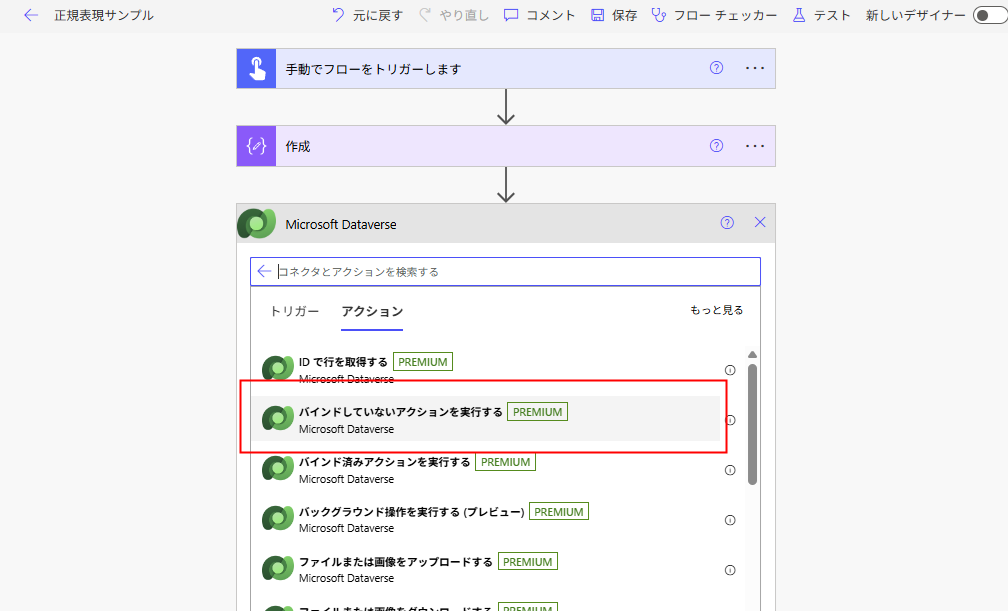
Select the created function in [Action Name] and set the arguments.
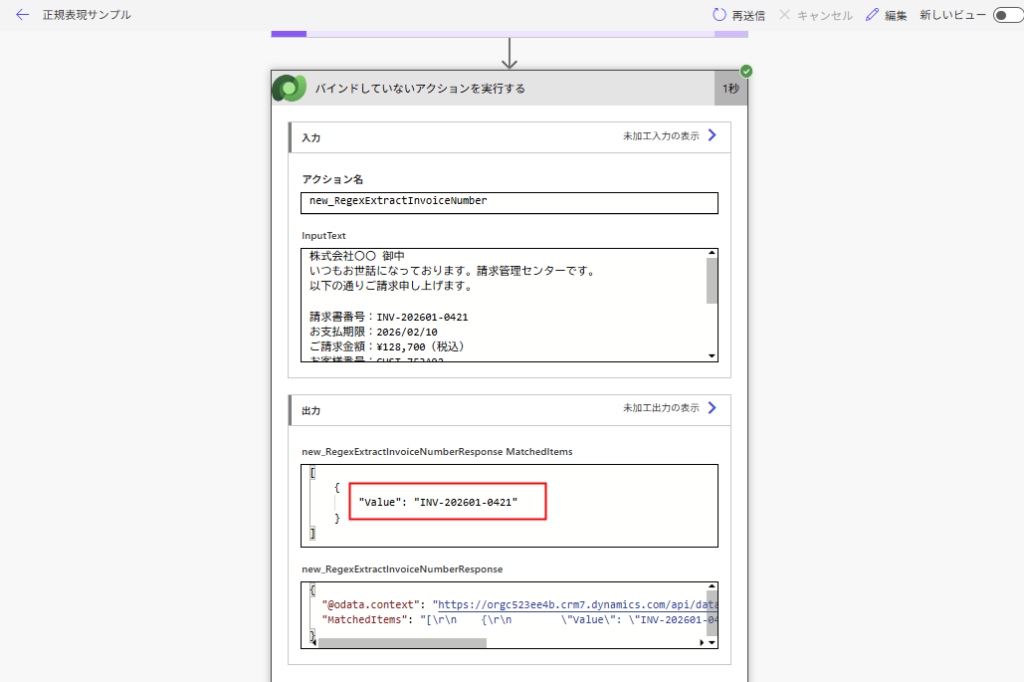
The invoice number is successfully extracted using regex.
Using Dataverse Functions from Power Apps (Canvas)
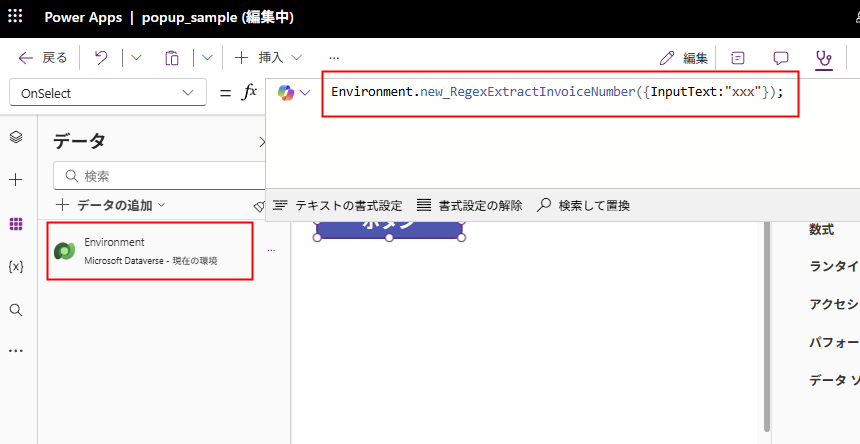
To call the created function from a Canvas App, you need to add the Environment table to the app. You can call the function from there.
Calling Other Functions & Recursion
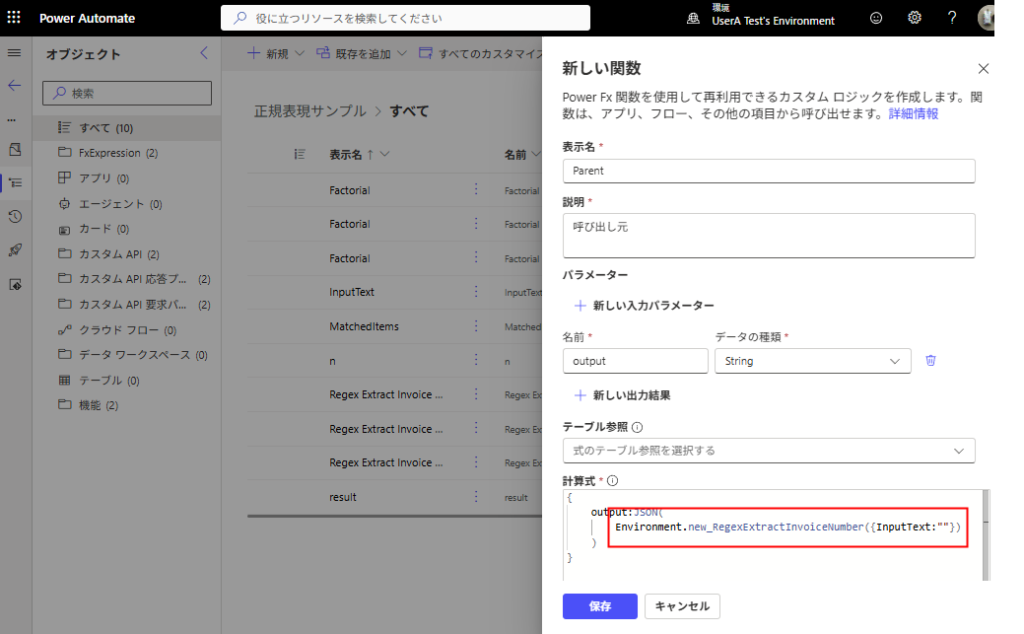
It is also possible to call a created function from within another function.
You can create a new function and call an existing one via Environment, just like in Canvas Apps.
Self-referencing is possible = Recursion! (Or so I thought…)
Once saved, a function can even call itself.
So, theoretically, you could construct a recursive process to calculate a factorial like this:
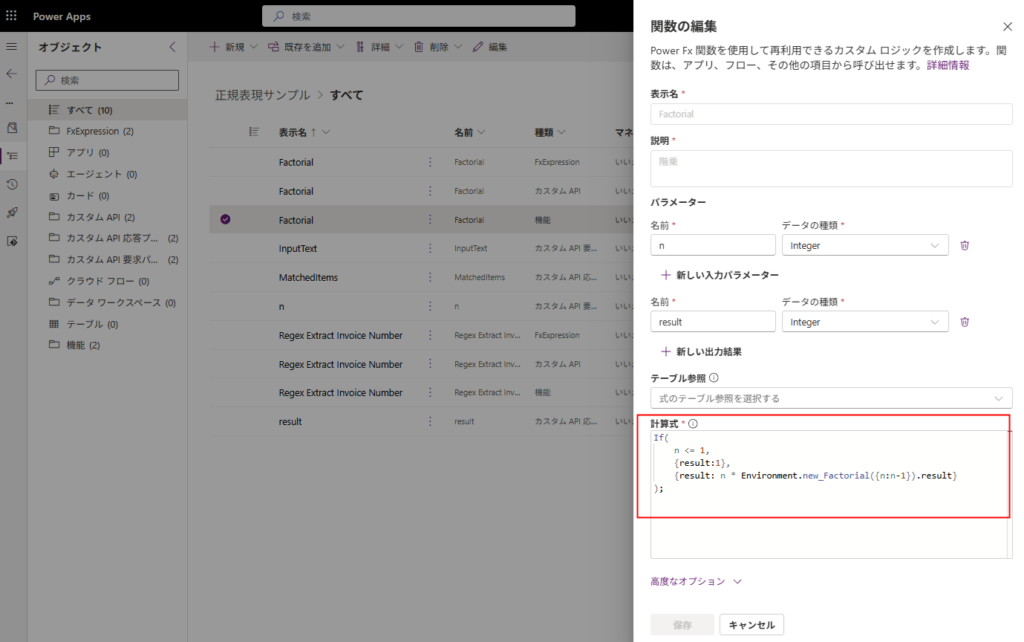
However, while this function works if n is 8 or less (it’s 5 in the image),
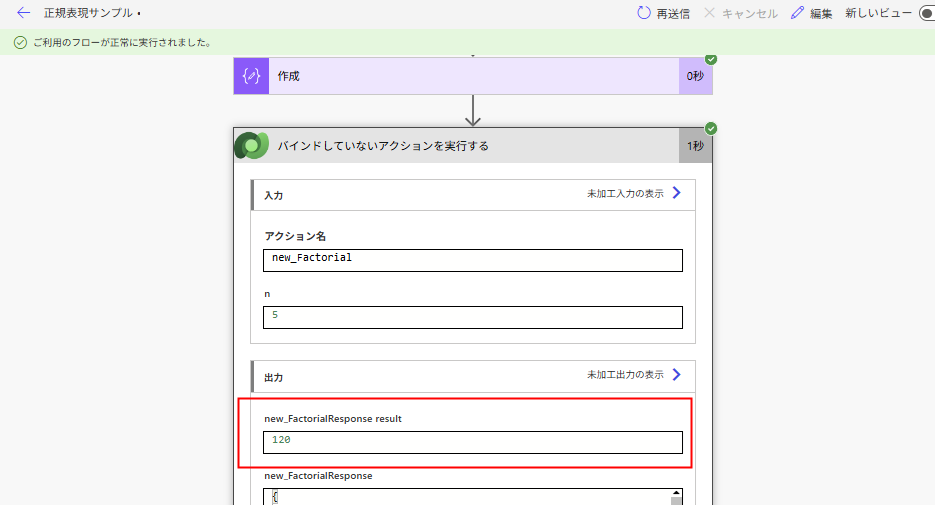
If you increase n beyond that…
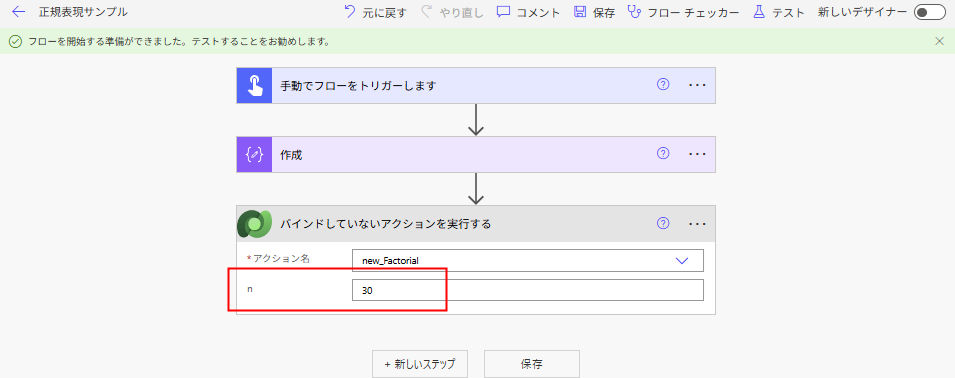
An error occurs.
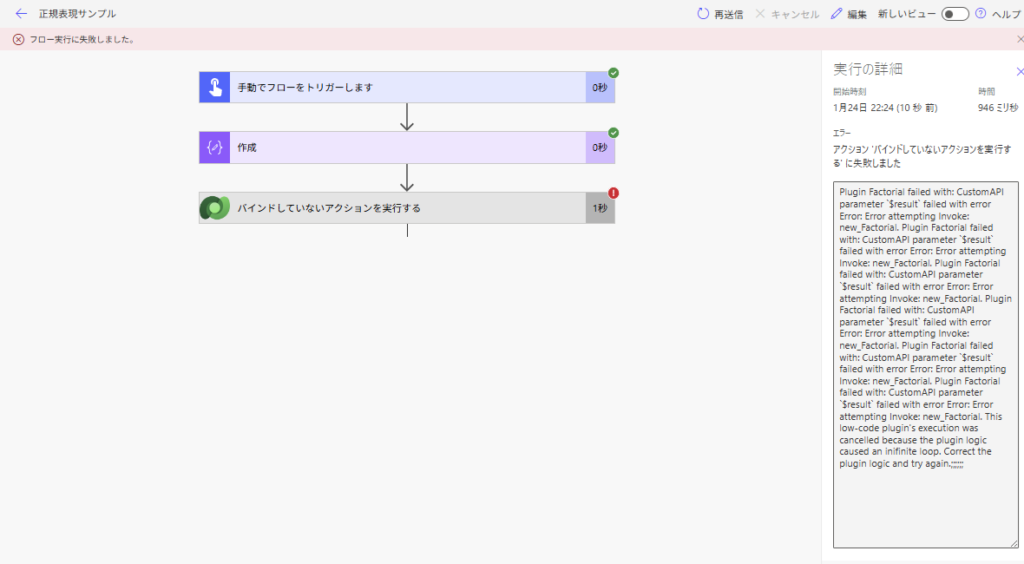
Plugin Factorial failed with: CustomAPI parameter $result failed with error Error: Error attempting Invoke: new_Factorial. This low-code plugin’s execution was cancelled because the plugin logic caused an inifinite loop. Correct the plugin logic and try again.;;;;;;
This hits the “Depth Limit” mentioned in the limitations section.
Since the max depth is 8 (technically 16 in some cases), building recursive processes like digging through folder structures isn’t realistic. Note: There probably aren’t many use cases for this anyway.
Does Dataverse Functions Support Transactions?
Reading through various documents, it seems Dataverse Functions should behave transactionally, so I conducted an experiment.
I created a function that simply adds records to a “Child table” and a “Parent table”. (I will explain later why I didn’t use Patch).
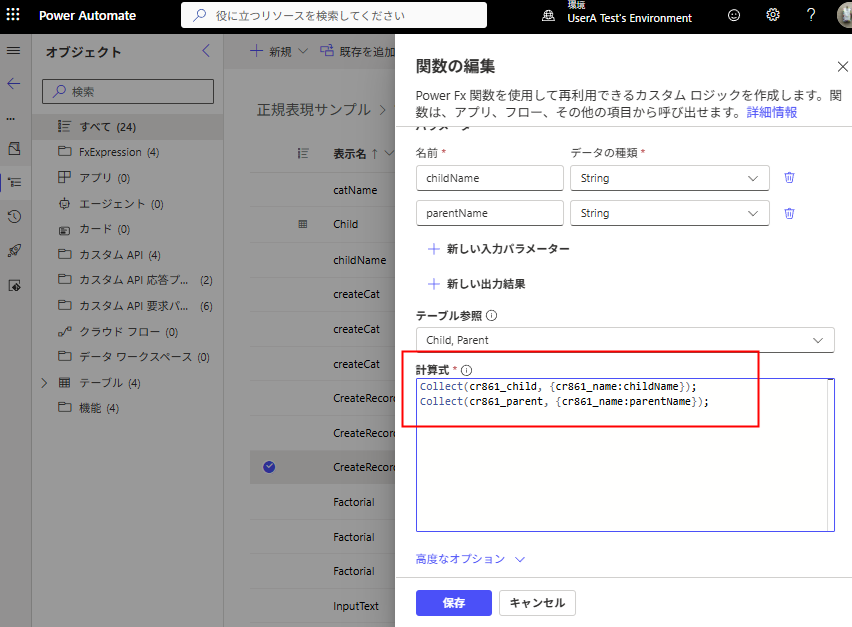
Calling this normally succeeds.
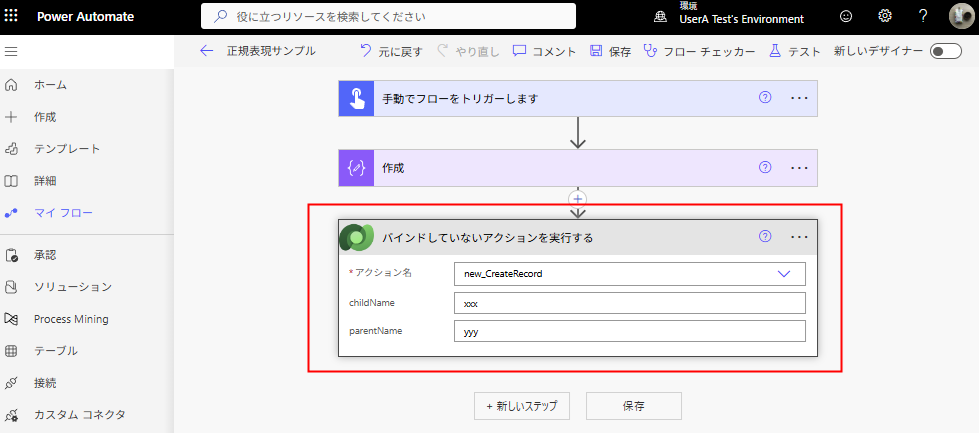
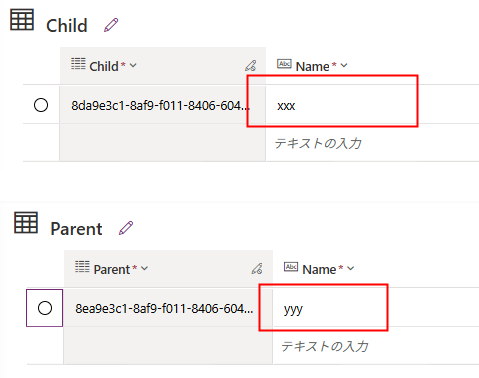
Now, what if I force the function to crash with a “divide by zero” error after creating the Child record?
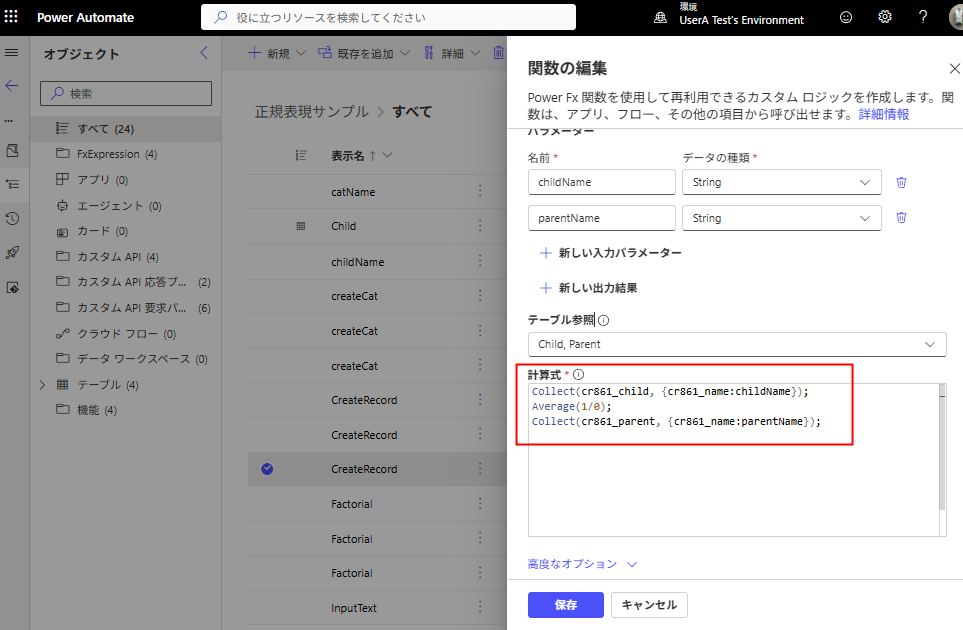
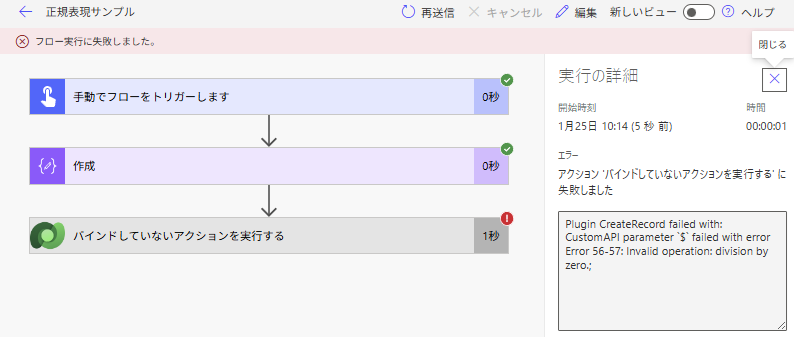
As expected, neither the Parent nor the Child record was created.
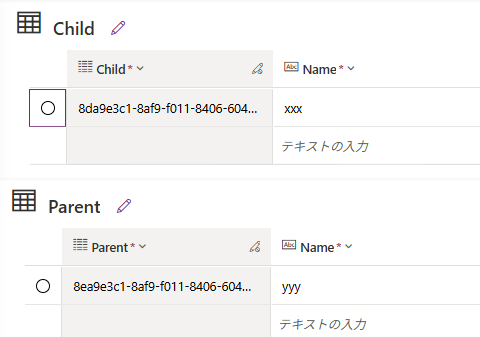
Based on this behavior, it seems to function correctly as a transaction.
Note: Further verification is needed to see if this applies to all Create/Update/Delete operations.
Tip 1: Comparing with Power Apps (Canvas) Behavior
Incidentally, if you execute the same logic (error halfway through) directly in a Canvas App:
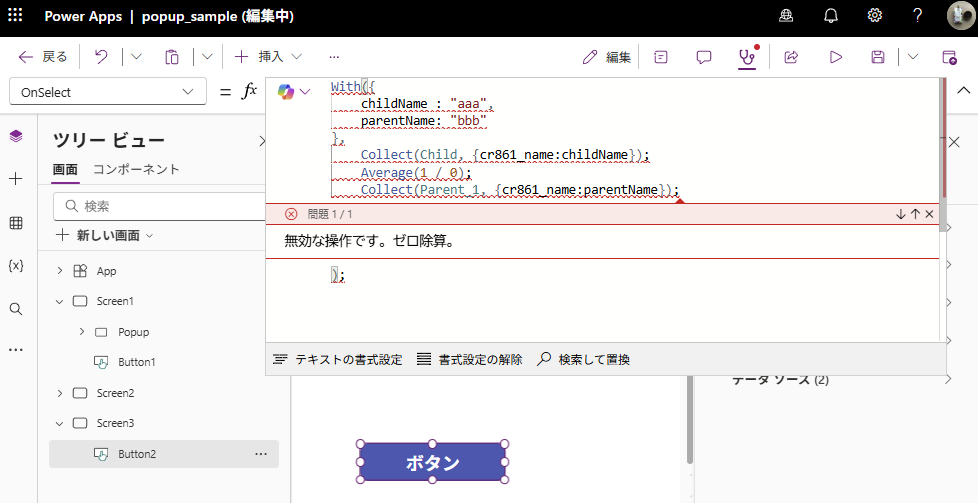
Surprisingly, the Parent record creation (the process after the error) succeeds. This behavior might need its own detailed investigation.
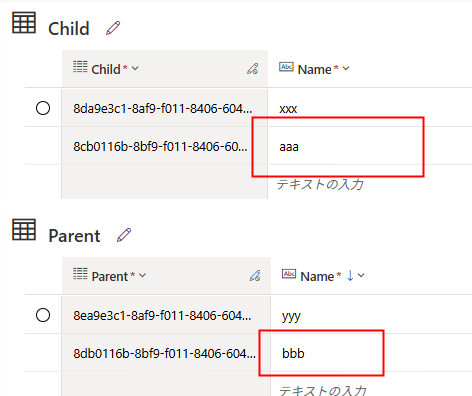
Tip 2: Cannot Save Function if using “Patch” for Creation
Currently, if you try to use Patch to add data within a Function, you will encounter a save error. Therefore, when adding data, you must use the Collect function.
However, “Updating” records with Patch works fine.
You cannot specify the second argument of Patch because the Defaults function is not supported in Functions.
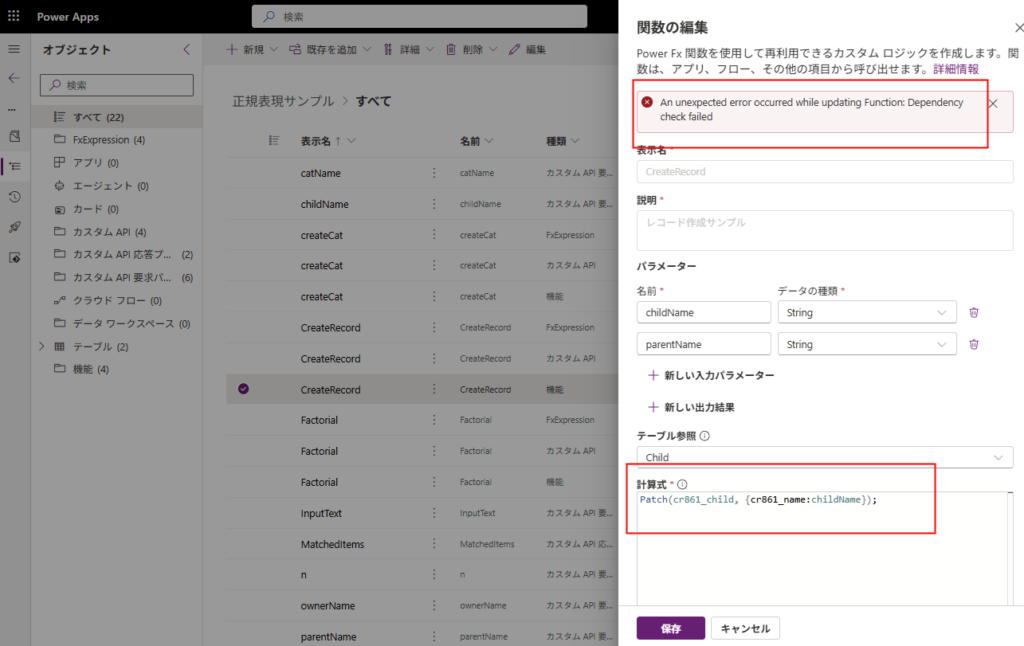
An unexpected error occurred while updating Function: Dependency check failed
Validating Bulk Updates (Canvas vs. Functions)
Finally, let’s compare “Processing Speed.”
As mentioned in the article below, when performing bulk updates from a Canvas App, using Patch was generally the fastest method.
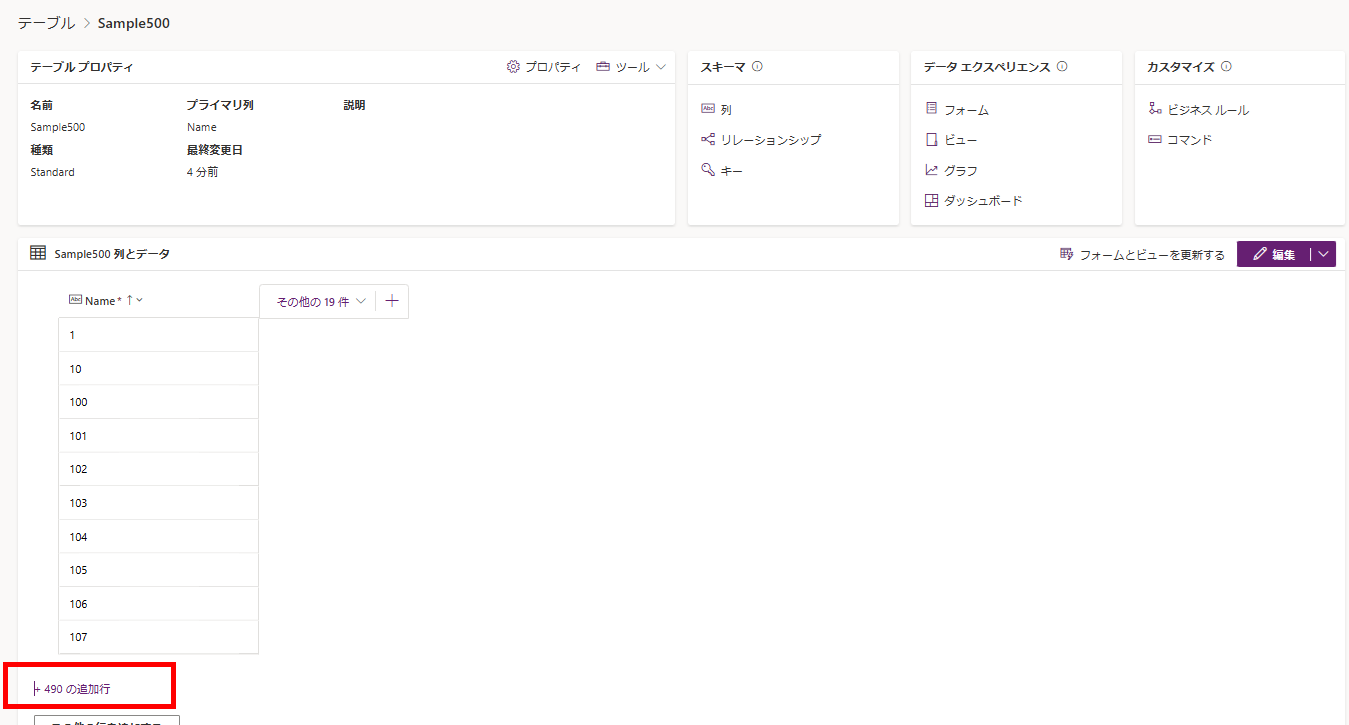
When doing this from Functions, doing a bulk Patch is tricky (no UI, and UpdateIf isn’t stable), so you’ll likely end up looping with ForAll.
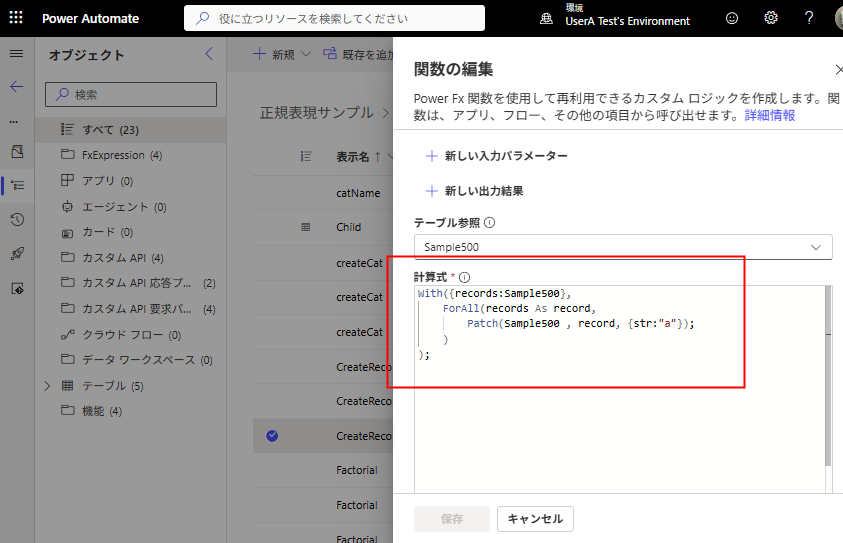
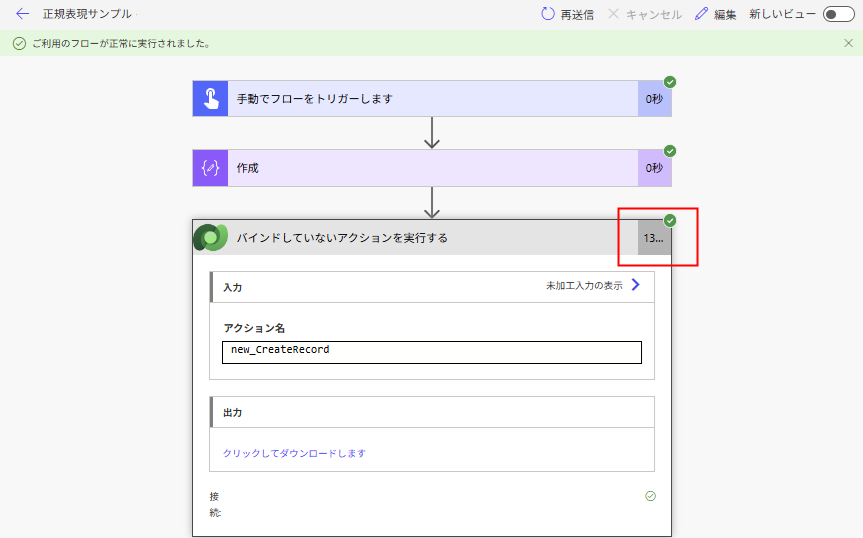
Surprisingly, even executing Patch 500 times in a loop took only 13 seconds.
With({records:Sample500},
    ForAll(records As record,
        Patch(Sample500 , record, {str:"a"});
    )
);
This is because the request from the client is sent only once, significantly reducing communication overhead.
If you need to update a large amount of data with fine-grained control via loops, it seems best to handle it on the Functions side.
Conclusion
Dataverse Functions is still in preview and has various limitations, but it proved to be a very useful feature that I expect to use more frequently in the future.
Official Documentation: Microsoft Dataverse functions (preview)
コメント