How to Use Prompt Actions with AI Builder in Copilot Studio: Complete Tutorial for Generating AI Responses

This article explains how to use AI Builder’s “Prompts” from Copilot Studio.

スポンサーリンク

Using Generative AI from Copilot Studio

There are two straightforward ways to use generative AI from Copilot Studio:

  • Generative responses
  • Prompt actions (AI Builder)

While it’s also possible to connect to AI services like Azure OpenAI through custom connectors or Power Automate, starting with these two methods is probably the best approach.

In this article, I’ll explain how to use AI Builder’s “AI Prompts” from Copilot Studio actions (Prompt actions).
Prompt Actions
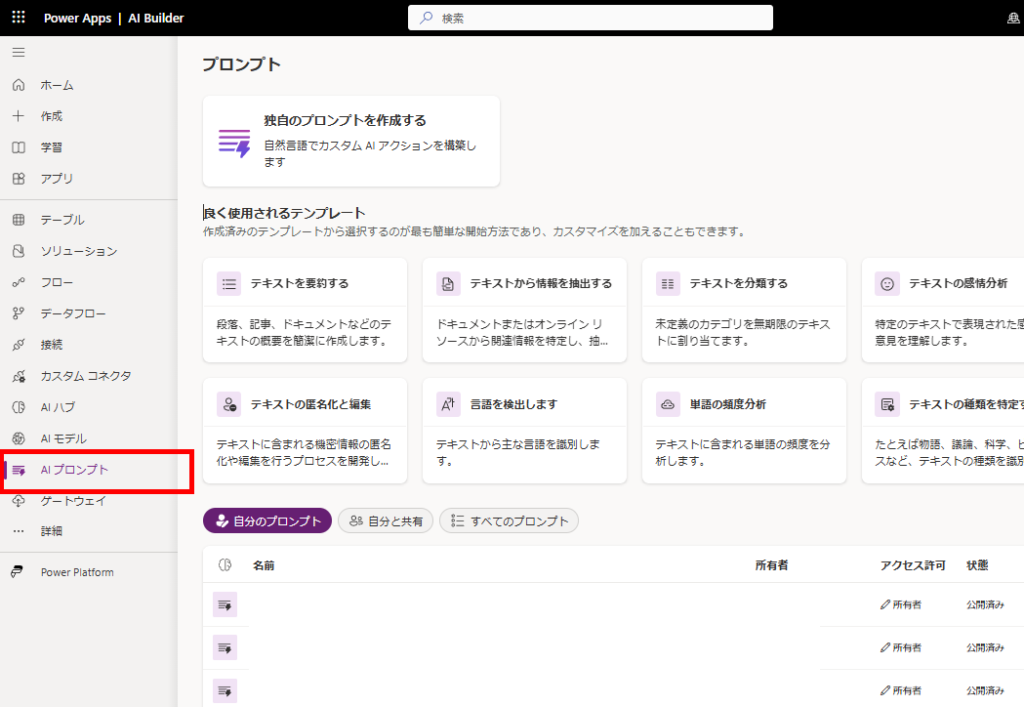
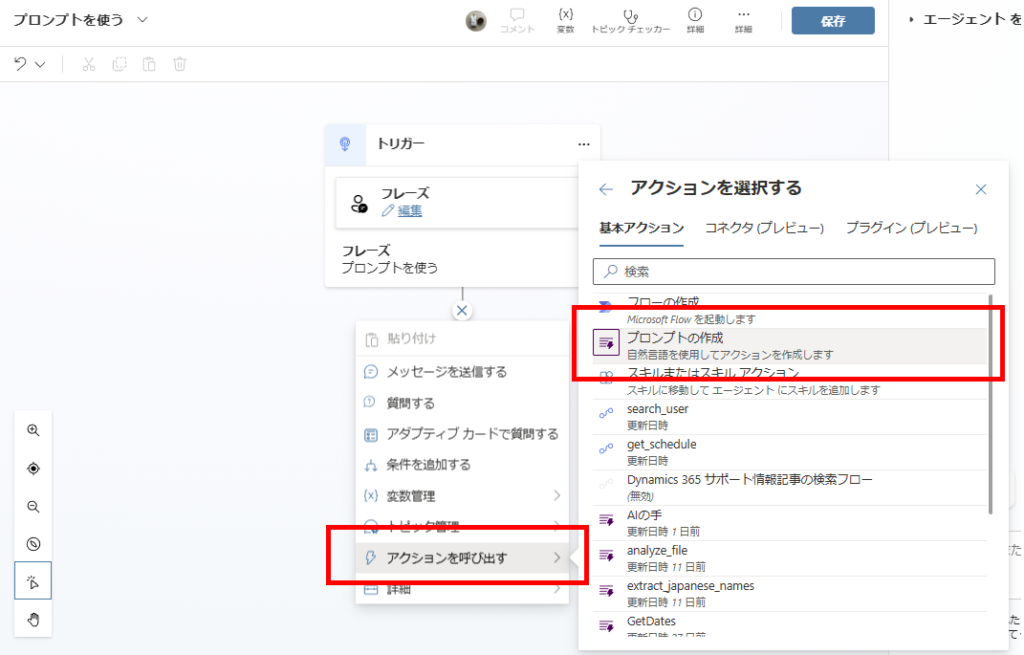
Prompt actions are a feature that allows you to call AI Builder’s “AI Prompts” from Copilot Studio,
Screenshot showing AI Builder prompt selection in Copilot Studio
They make it easy to use GPT-based AI (4o or 4o-mini) as actions.
Screenshot showing GPT model selection options in AI Builder
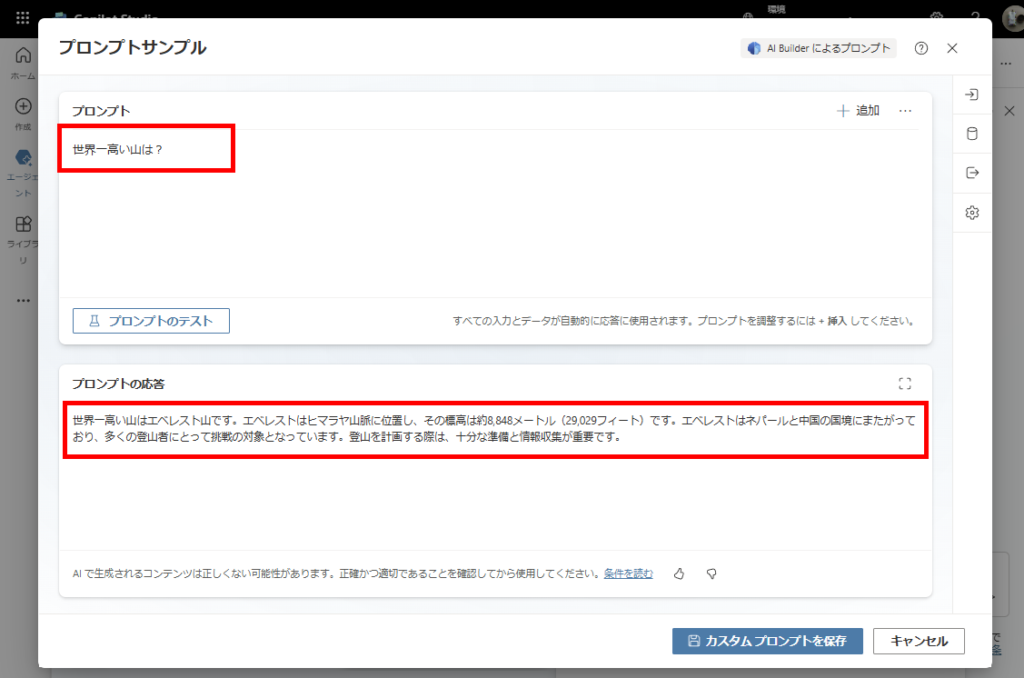
You can easily create simple question-answer interactions with AI from Copilot Studio,
Screenshot showing a sample prompt configuration with question-answer format

Prompt shown in the screenshot:
What is the highest mountain in the world?

The highest mountain in the world is Mount Everest. It is located in the Himalayas, with an elevation of approximately 8,848 meters (29,029 feet). Everest straddles the border between Nepal and China and is a challenge for many climbers. Proper preparation and information gathering are essential when planning a climb.
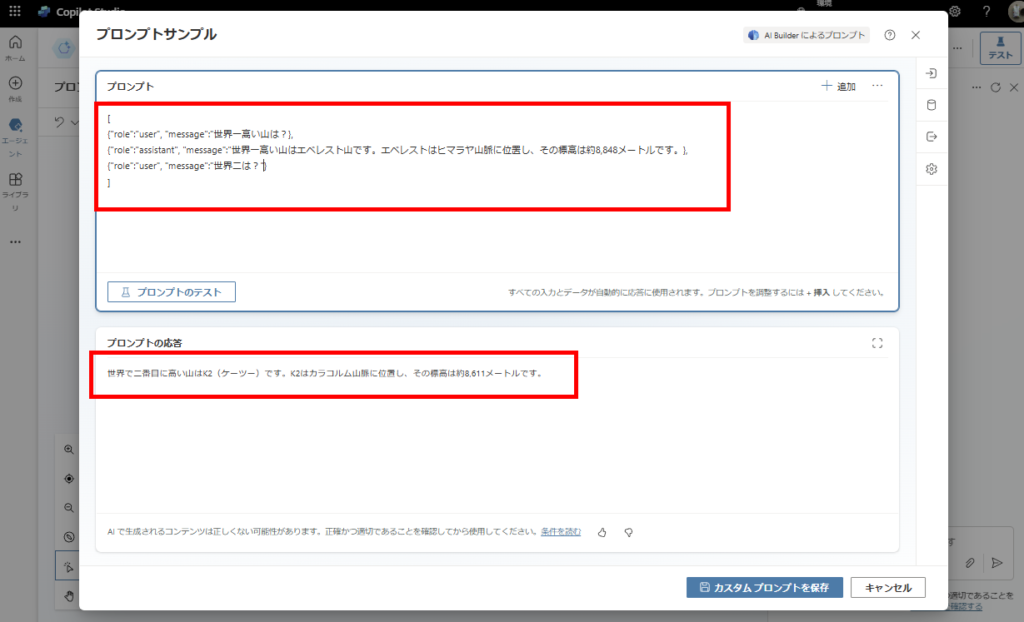
And by passing conversation history, you can enable context-aware conversations that consider previous interactions.
Screenshot showing conversation history configuration in prompt actions

English JSON Example for Conversation History

Prompt (JSON Input):
[
{“role”: “user”, “message”: “What is the highest mountain in the world?”},
{“role”: “assistant”, “message”: “The highest mountain is Mount Everest. It is located in the Himalayas, and its elevation is approximately 8,848 meters.”},
{“role”: “user”, “message”: “What is the second highest?”}
]

Response:
The second highest mountain in the world is K2. It is located in the Karakoram range, and its elevation is approximately 8,611 meters.

Basic Usage
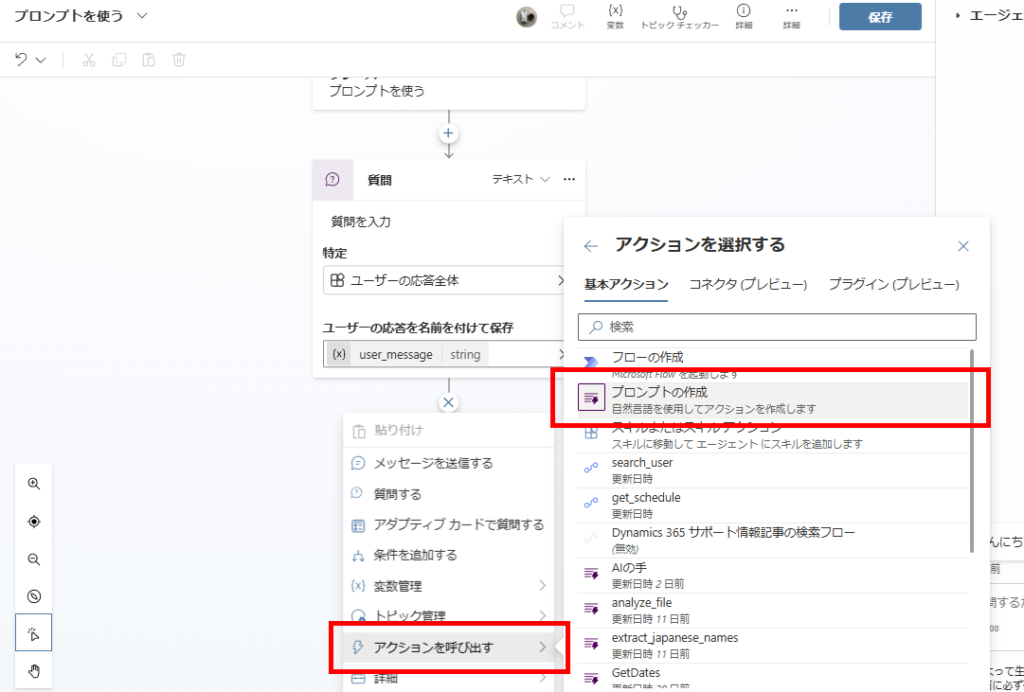
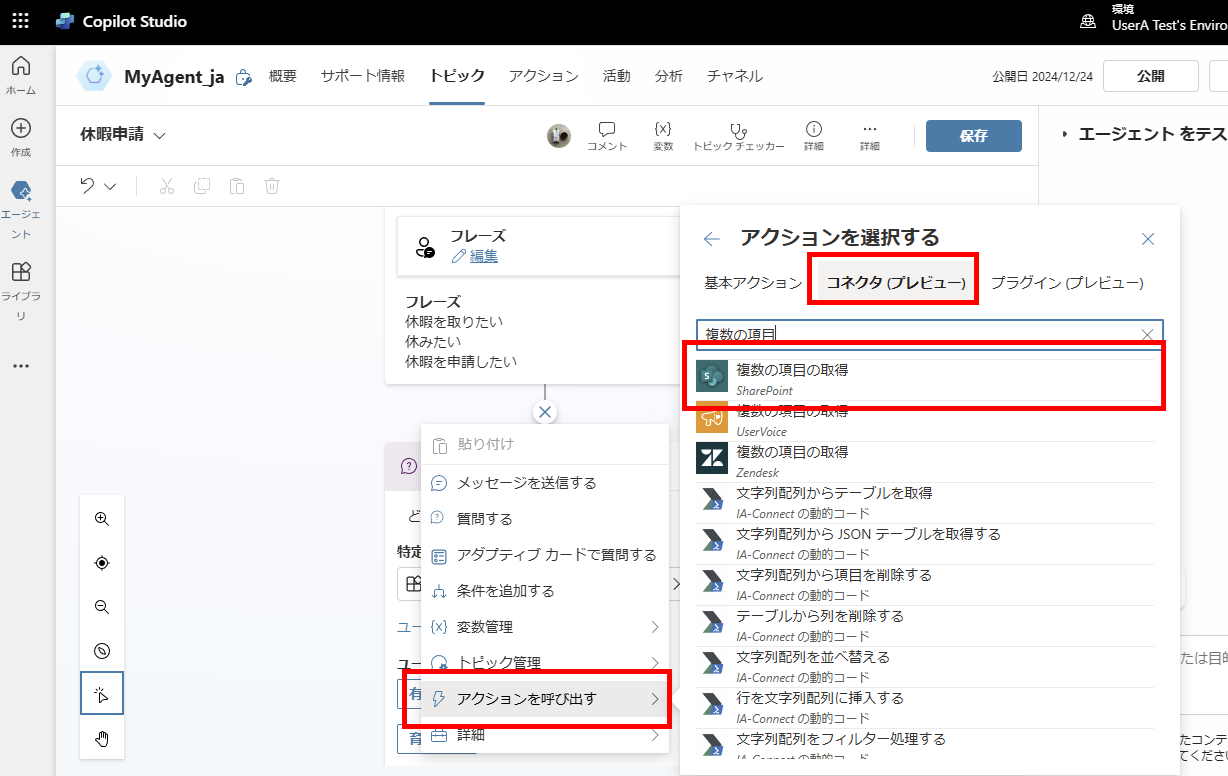
First, let’s try a simple example where we have the AI answer a user’s question. After the “Question” node, select [Call an action] and then [Create a prompt].
Screenshot showing how to select Create a prompt from Call an action menu
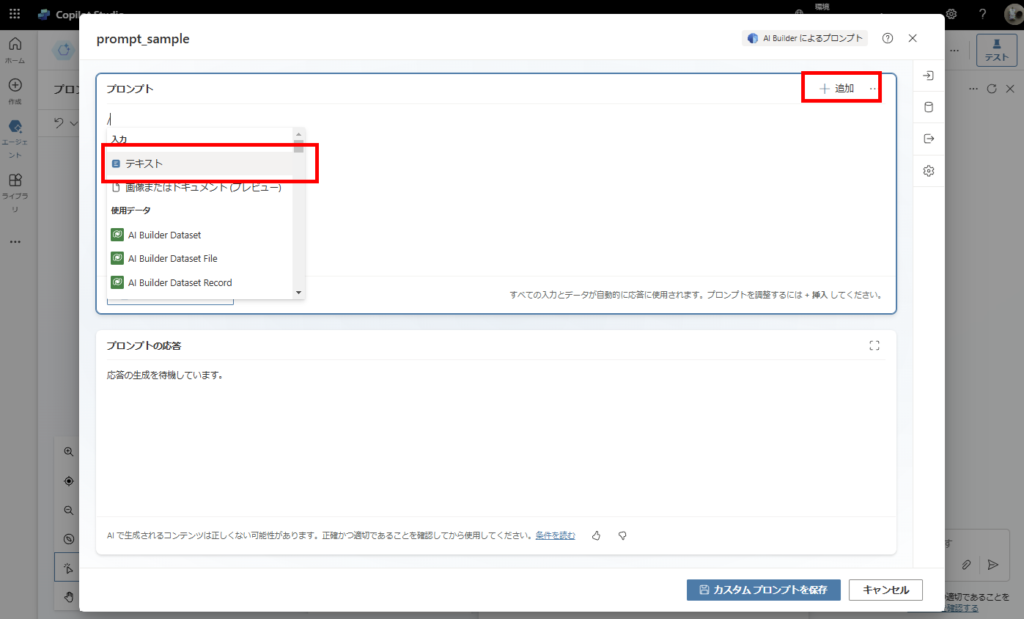
Add a text input by clicking [Add] in the top right,
Screenshot showing how to add text input from the Add menu
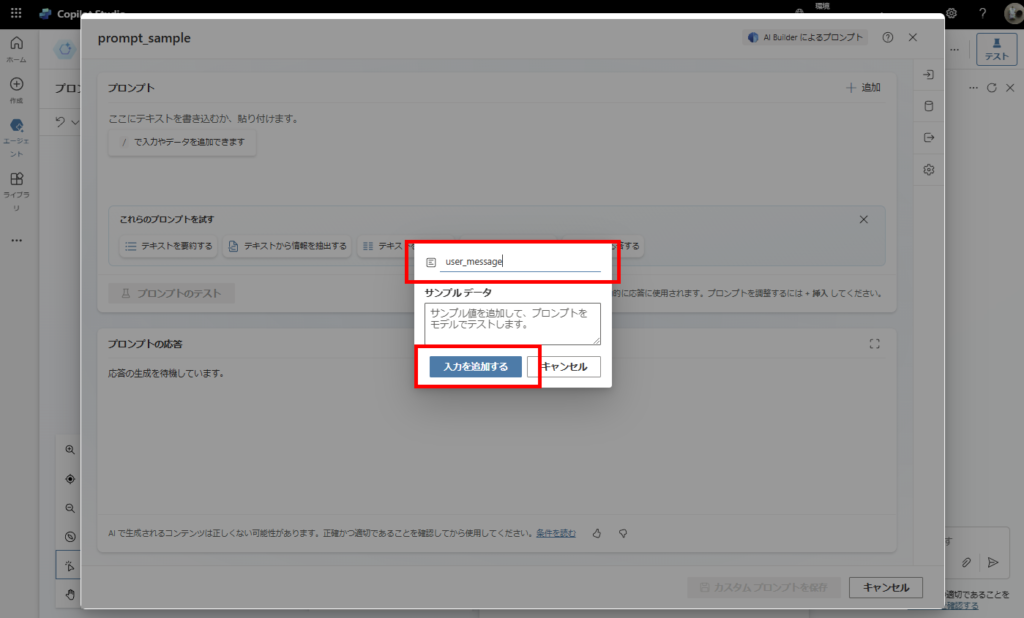
Set the input name (argument name),
Screenshot showing how to set the input name for the prompt
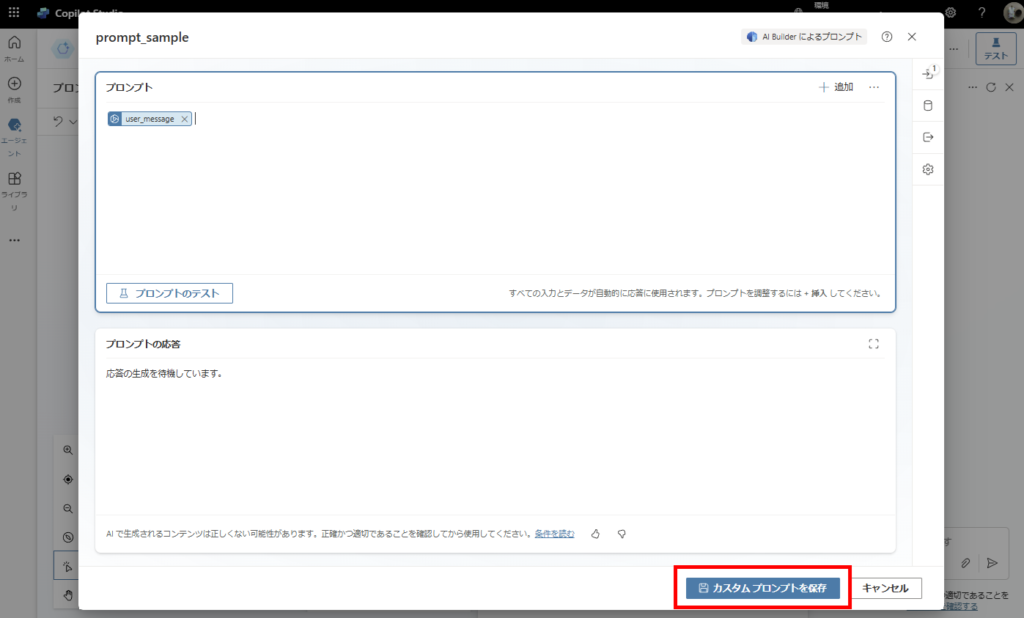
Click [Save custom prompt] to complete the basic prompt action setup.
Screenshot showing the save custom prompt button
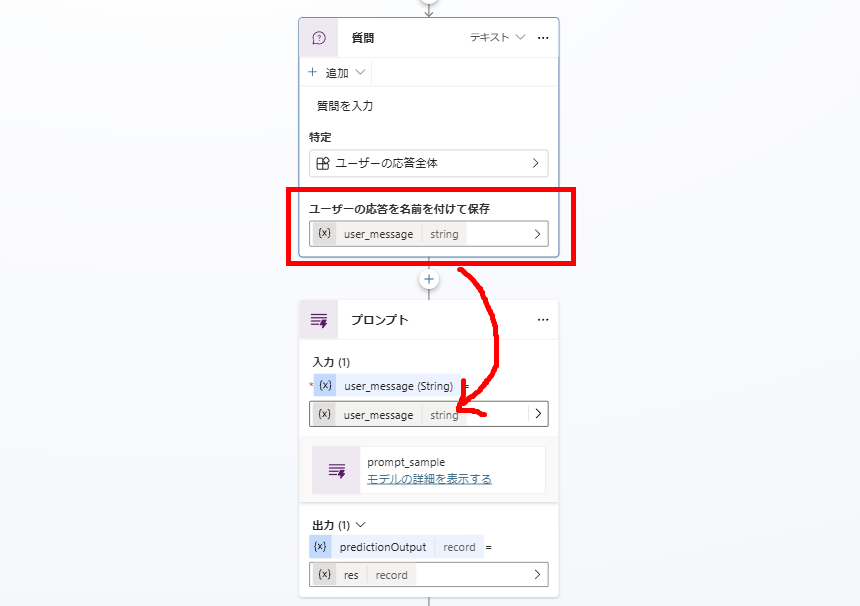
Now simply pass the user input content obtained from Copilot Studio’s “Question” node directly to the prompt’s argument,
Screenshot showing how to pass user input to prompt argument
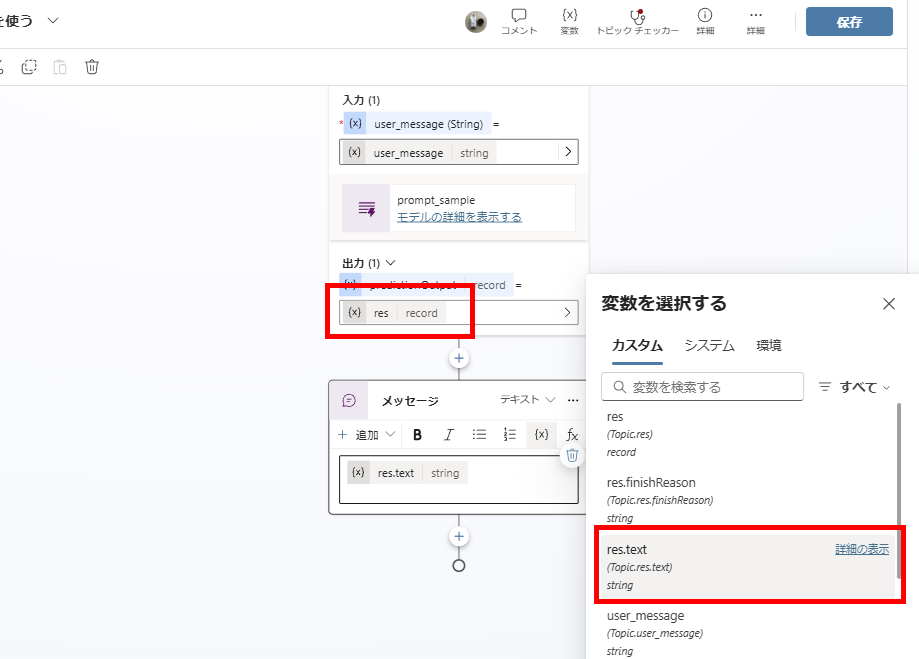
The AI’s response will be stored in a variable (res.text), so just display that in a message to complete the implementation.
Screenshot showing how to display the AI response variable
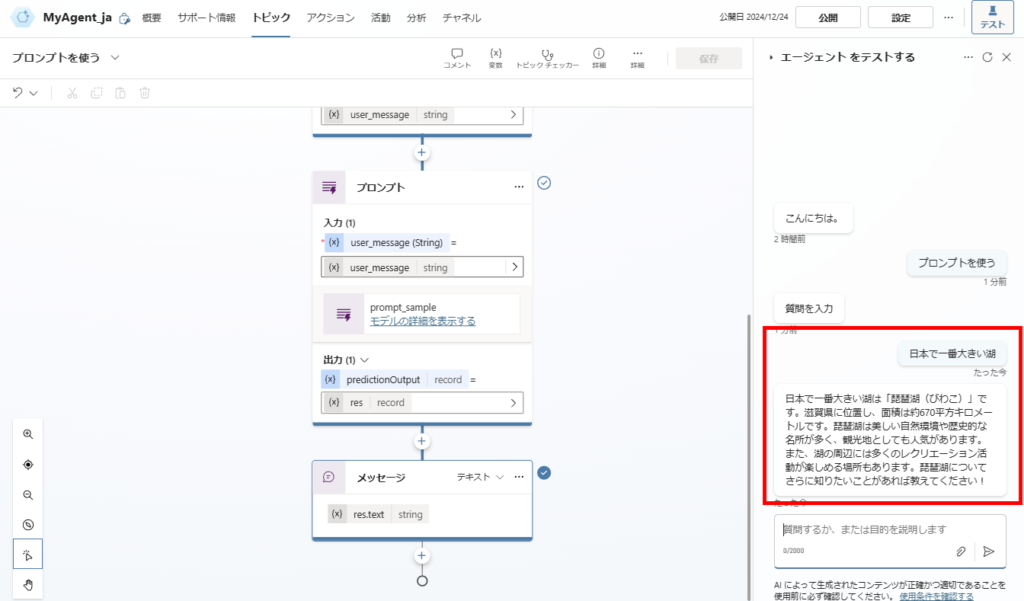
This enables easy conversation with AI.
Screenshot showing the conversation with AI in action

English Translation for Chat Example

User Input:
The largest lake in Japan

Bot Response:
The largest lake in Japan is Lake Biwa. Located in Shiga Prefecture, it has an area of approximately 670 square kilometers. Lake Biwa is known for its beautiful natural environment and historical sites, making it a popular tourist destination. There are also many places around the lake where you can enjoy recreational activities. If you’d like to know more about Lake Biwa, please let me know!
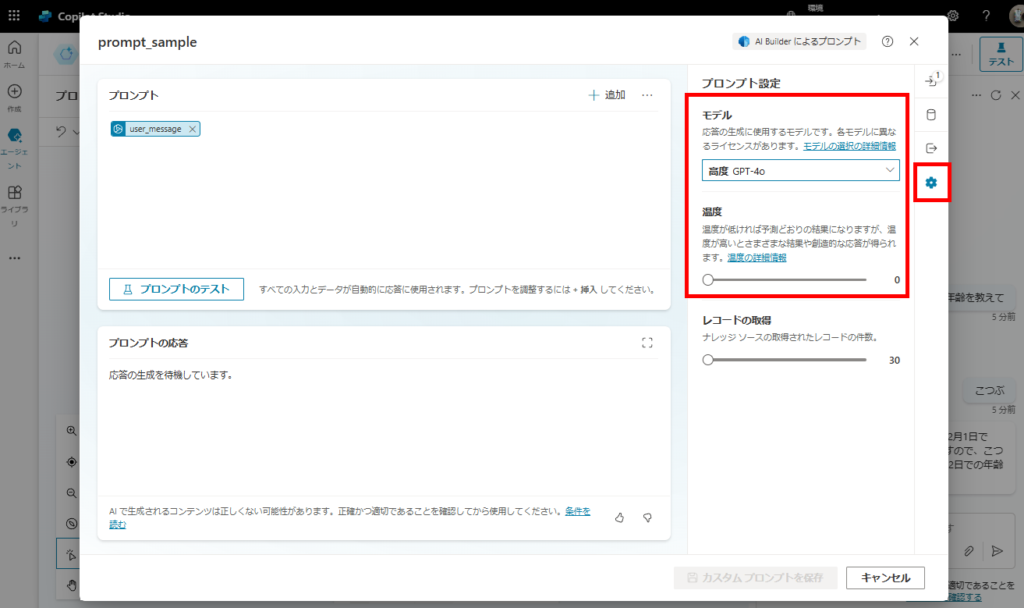
By the way, you can easily change the model from [Settings]. Choose the model that balances the accuracy required for your action with cost considerations to be budget-friendly.
Screenshot showing model selection options in settings

Generating Responses with Data Retrieved from Other Nodes
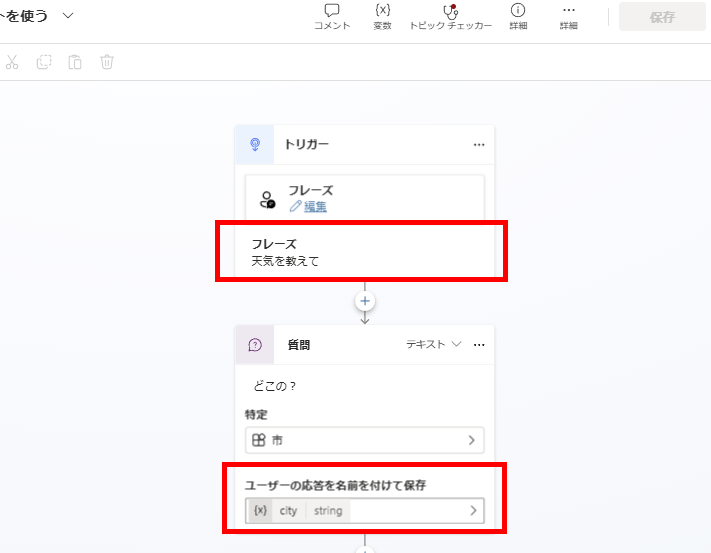
Using prompt actions, you can quickly build simple RAG implementations. For example, if you create a topic about asking for weather,
Screenshot showing a weather inquiry topic creation in Copilot Studio
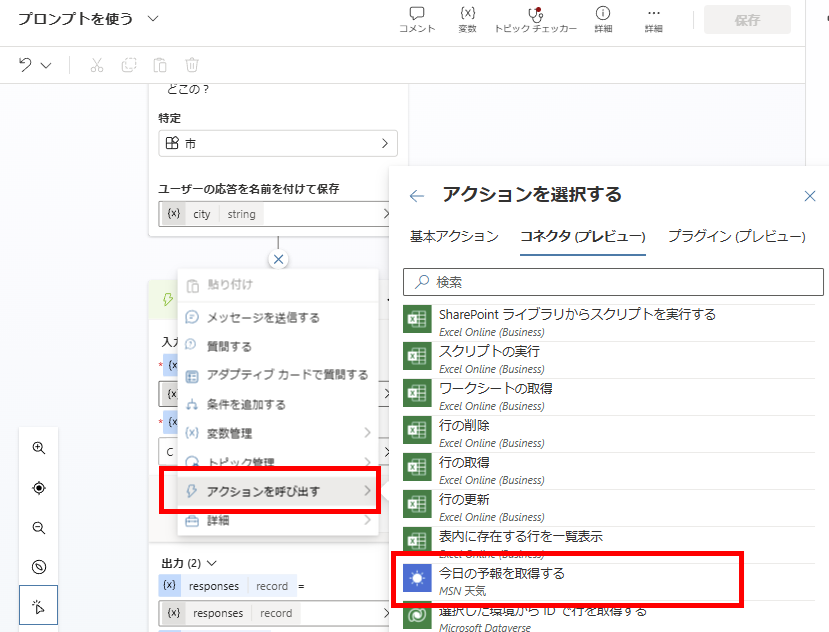
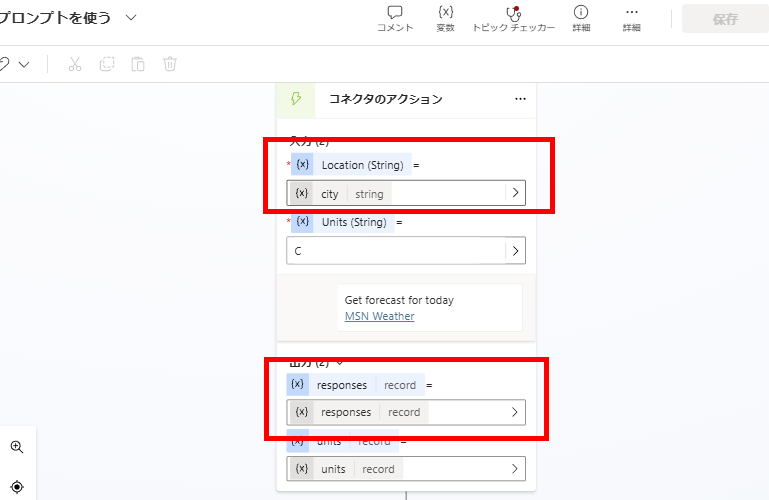
Add a “Get today’s forecast” connector,
Screenshot showing how to add a weather forecast connector
Retrieve the weather forecast using the city name obtained through slot filling.
Screenshot showing slot filling configuration to get weather by city name
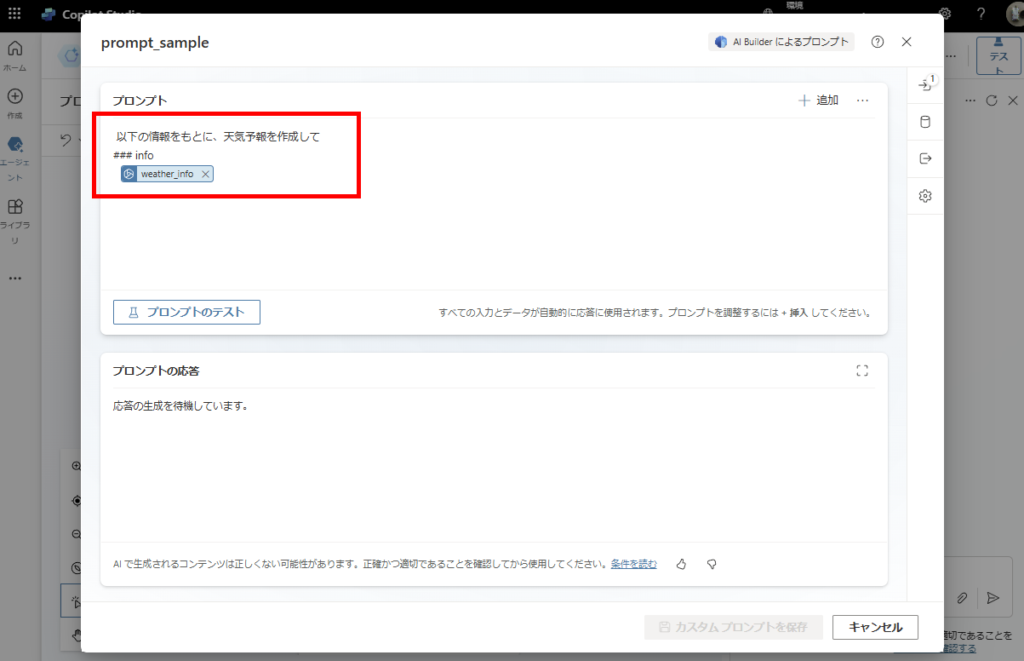
Then prepare a prompt like this,
Screenshot showing a weather forecast prompt template

English Prompt Text (with Dynamic Value)

Prompt:
Create a weather forecast based on the following information:
### info
{weather_info}
Note: Replace {weather_info} with the dynamic value selected from the “Add” menu.
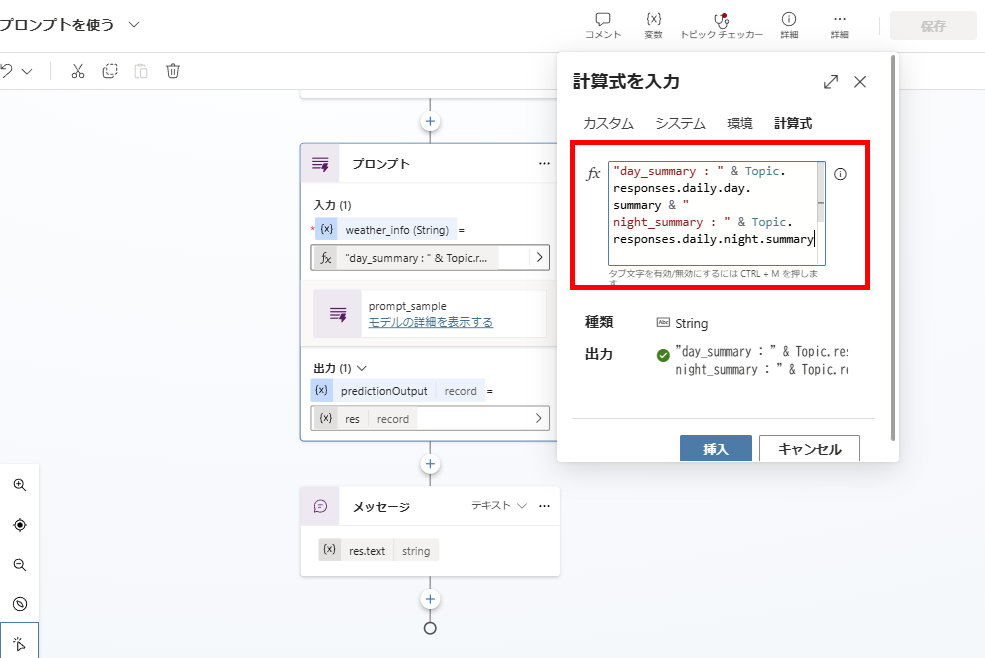
Pass the return values from the weather forecast connector (morning and afternoon weather forecast summaries) to the prompt action.
Screenshot showing how to pass weather data to the prompt action
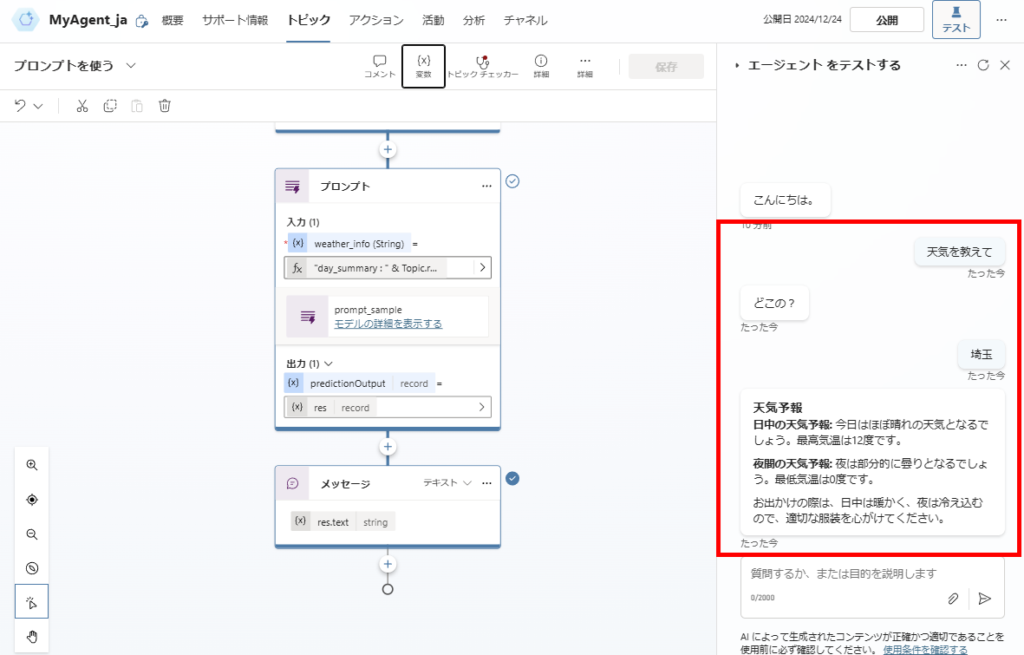
This easily creates a topic that provides the latest weather forecast.
Screenshot showing the final result of the weather forecast topic in action

English Translation for Chat Flow
User:
Tell me the weather
Bot:
Where?
User:
Saitama
Bot:
Weather Forecast
Daytime Forecast: Today will be mostly sunny. The high will be 12 degrees.
Nighttime Forecast: Tonight will be partly cloudy. The low will be 0 degrees.
When going out, it will be warm during the day but cold at night, so please dress accordingly.

Generating Responses with Data Retrieved from Dataverse
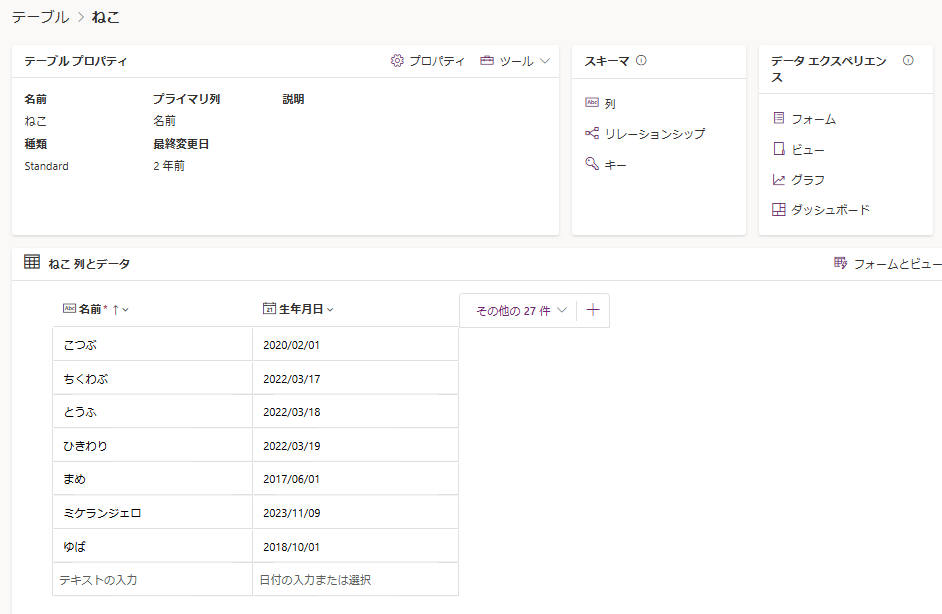
AI prompts can also integrate with Dataverse. For example, if you have a table like this,
Screenshot showing a Dataverse table with cat information
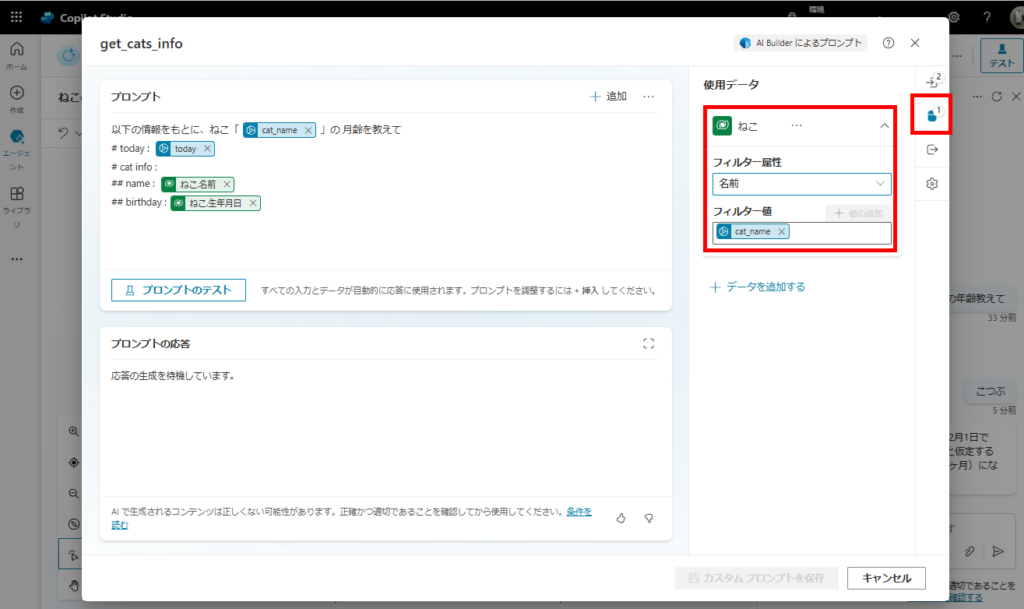
Prepare arguments like “cat name (cat_name)” and “today’s date (today)”, and create a prompt integrated with the cat table.
Screenshot showing prompt configuration with Dataverse integration

English Prompt for Dataverse Integration
Prompt:
Based on the following information, tell me the age in months of the cat named “{cat_name}”.
# today: {today}
# cat info:
## name: {Name}
## birthday: {BirthDate}

Note:
{cat_name} and {today} are input arguments (Blue chips).
{Name} and {BirthDate} are columns from the Dataverse table (Green chips).
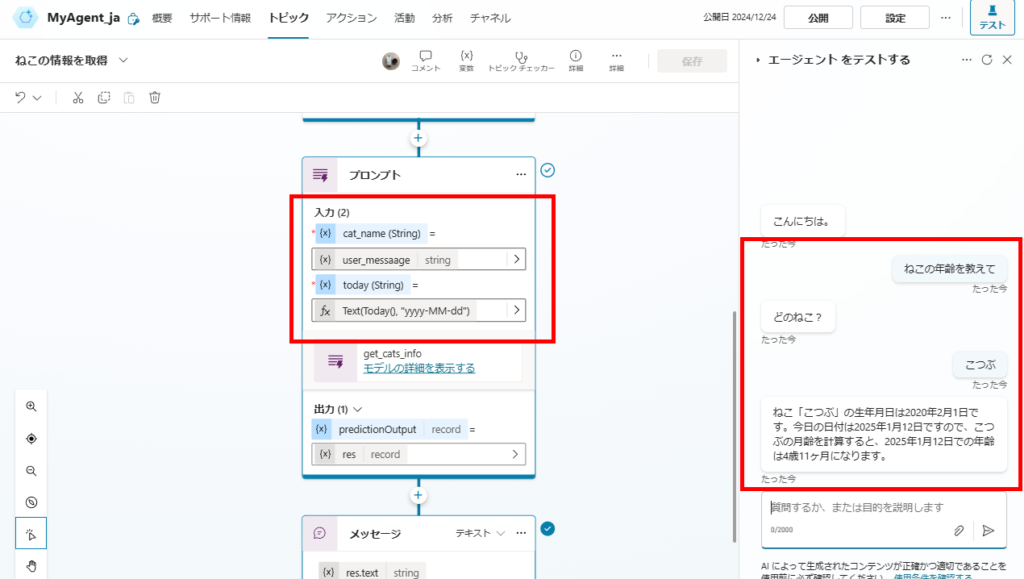
When you call the prompt action with user input and the Today function as arguments, it retrieves information from Dataverse and generates responses like this.
Screenshot showing the response generated from Dataverse data

English Translation for Dataverse Chat
User:
Tell me the cat’s age
Bot:
Which cat?
User:
Kotsubu
Bot:
The birthdate of the cat “Kotsubu” is February 1, 2020. Since today’s date is January 12, 2025, calculating Kotsubu’s age in months, she is 4 years and 11 months old as of January 12, 2025.
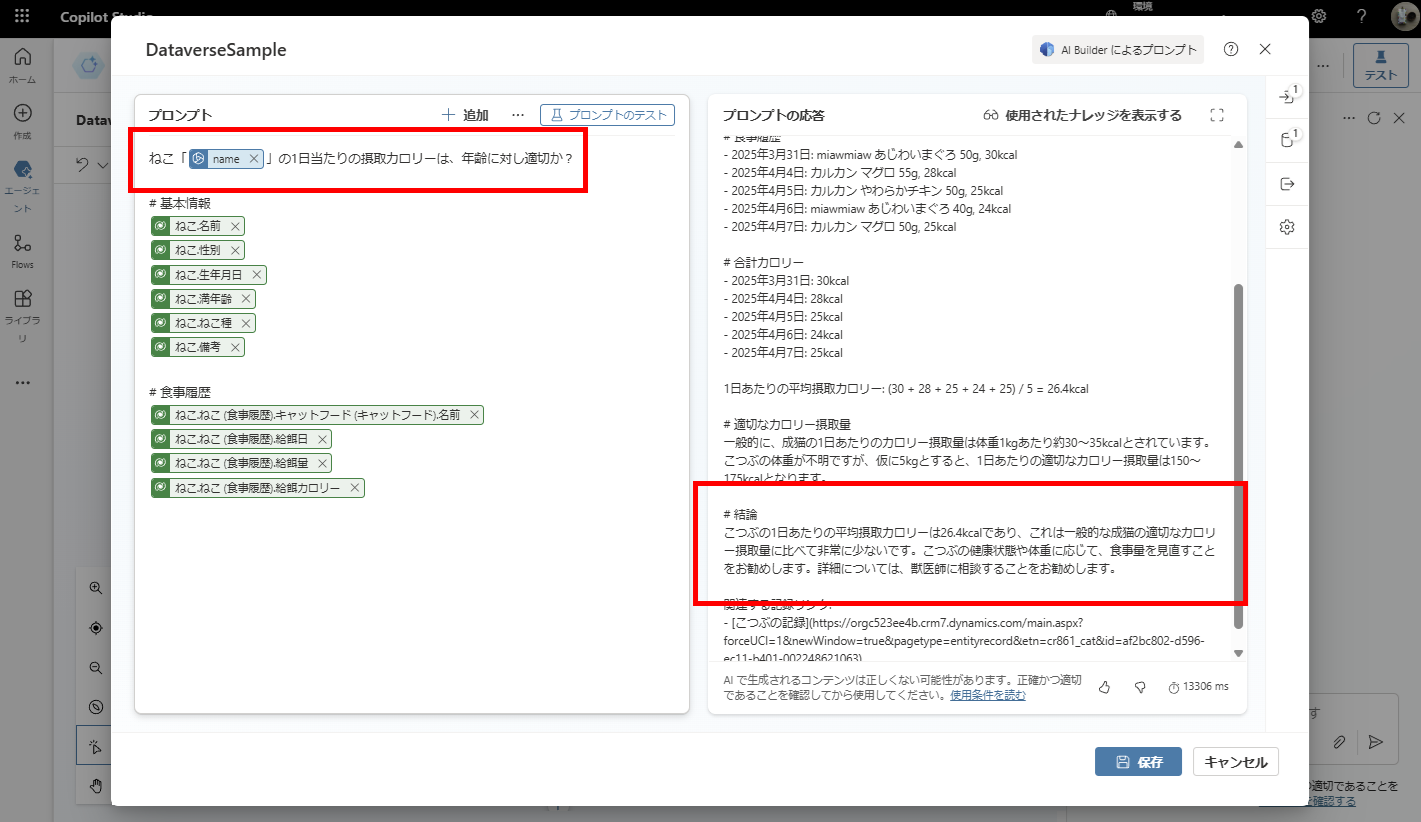
Structured Output (JSON Mode)
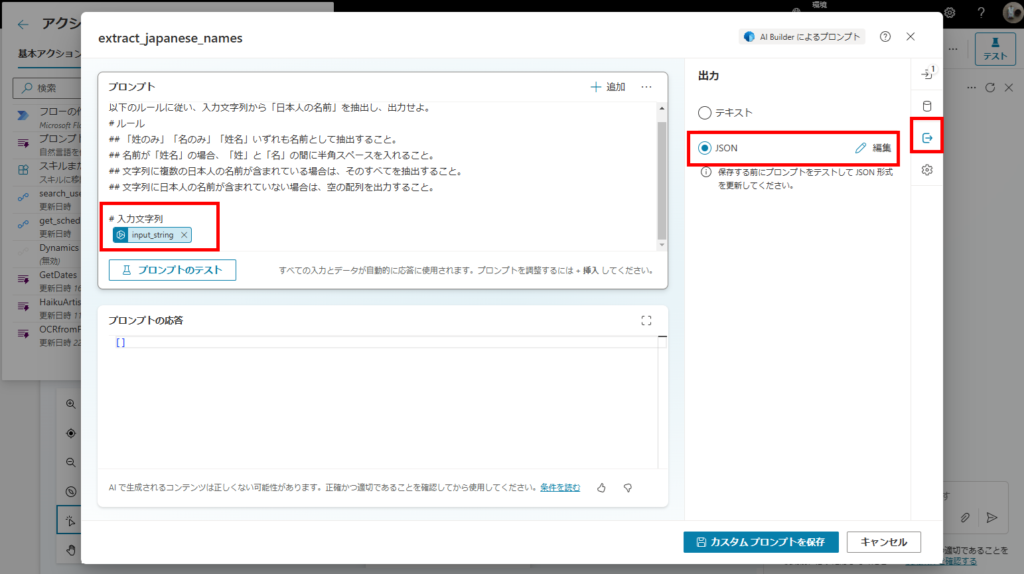
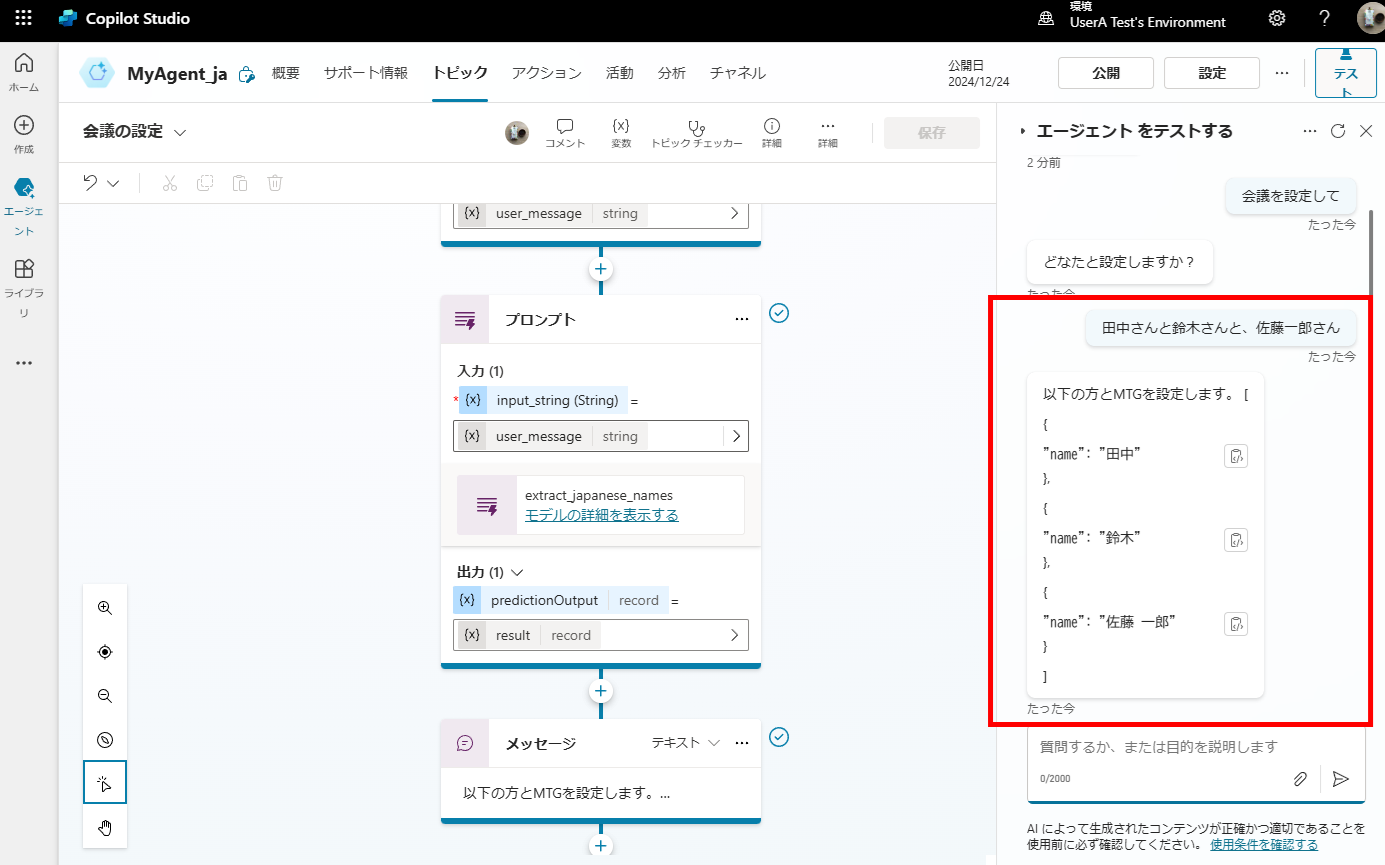
Prompt actions also support structured output, allowing you to specify the format of the AI’s response (JSON schema).
Screenshot showing JSON schema configuration in prompt actions

Follow the rules below to extract “Japanese Names” from the input string and output them.
# Rules
## Extract “Surname only”, “Given name only”, or “Full name” as names.
## If the name is a “Full name”, insert a half-width space between the “Surname” and “Given name”.
## If multiple Japanese names are included in the string, extract all of them.
## If no Japanese names are included in the string, output an empty array.

# Input String
{input_string}
Bonus: Prompts Can Be Included in Solutions
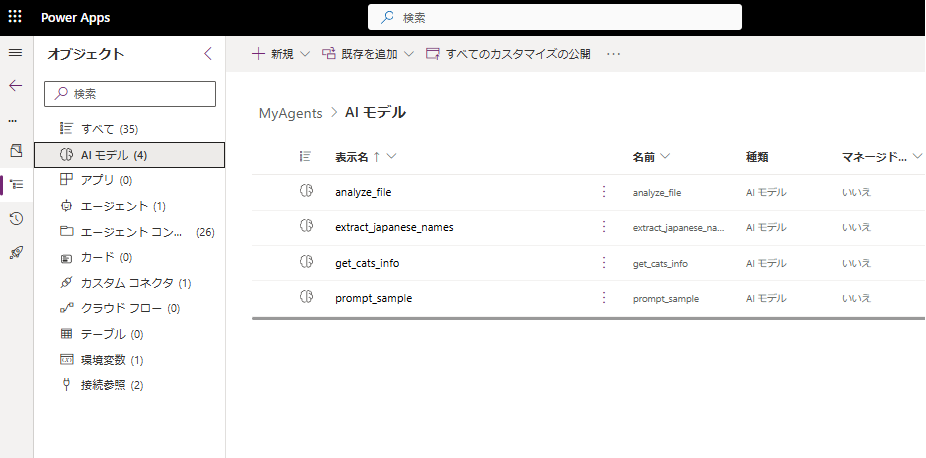
The prompt actions you create can be included in solutions, so they can be managed through Power Platform ALM.
Screenshot showing how to add prompt actions to a Power Platform solution

Related Articles

コメント

Copied title and URL