前回、Copilot Studioで『Self-RAG』を構築したので、今回は『CRAG』を組んでみる。
CRAG
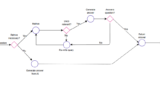
CRAG(Corrective Retrieval Augmented Generation)は2024年2月頃に提案されたRAGの手法で、従来のRAG(Retrieval Augmented Generation)よりハルシネーションが減らせる点がメリット。
CRAGの特徴は、検索評価(Retrieval Evaluator)を使用し、検索したドキュメントとユーザーの質問の関連性を評価する点にある。
この検索評価を「Correct(関連性が高い)」「Incorrect(関連性低い)」「Ambiguous(判断が難しい)」の3つに分類し、それぞれ以下のアクションを取る。
- Correct(関連性高い):ドキュメントを使用して回答を生成
- Incorrect(関連性低い):検索で使用したドキュメントを使用せず、Web検索から回答を生成
- Ambiguous(判断が難しい):取得したドキュメントとWeb検索療法を使用し回答を生成
Copilot StudioでCRAGを構築する
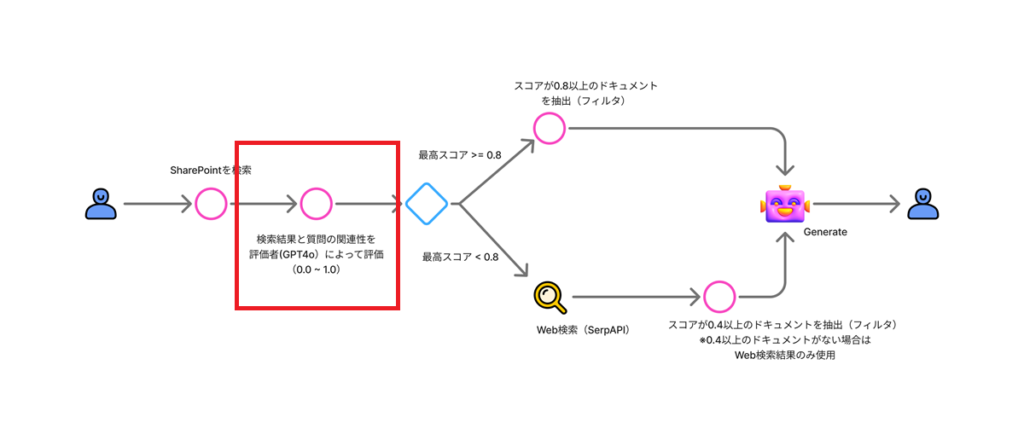
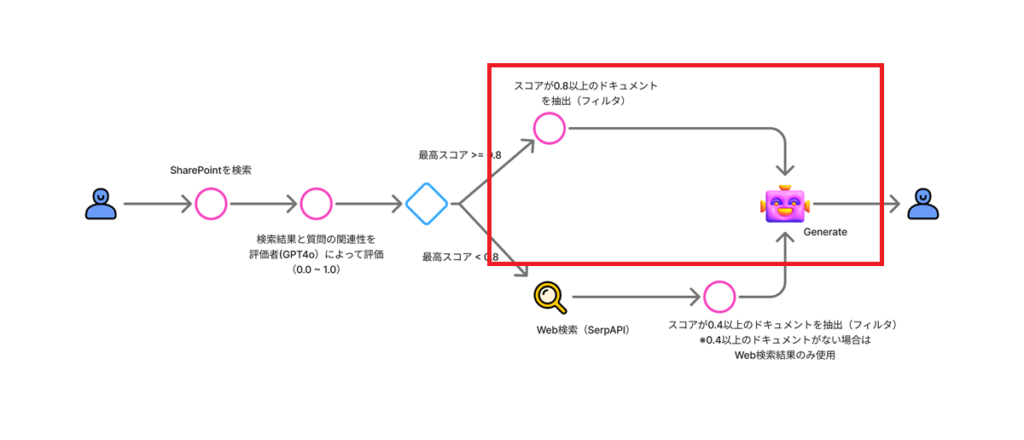
今回構築するフローは以下の通り。
検索評価にはGPT4oを、Web検索にはSerpAPIを利用する。
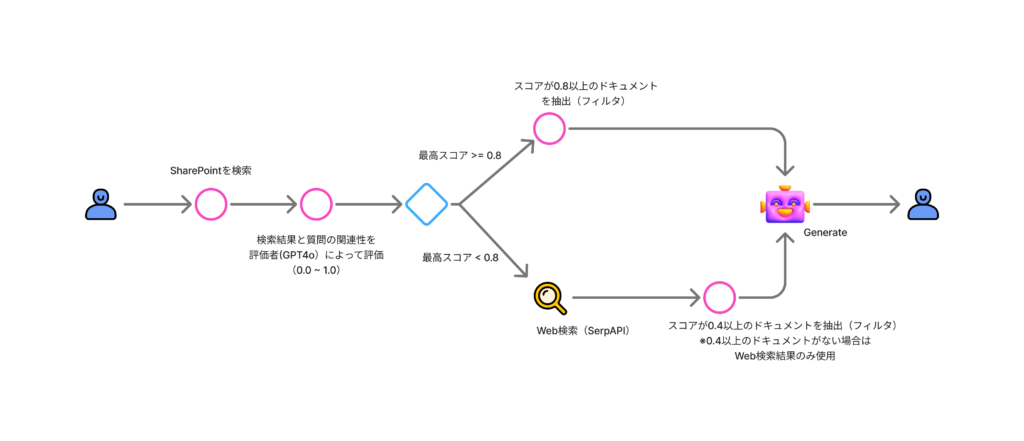
検索評価にはGPT4oを、Web検索にはSerpAPIを利用する。
構築
今回もCopilot StudioでCRAGを組んでみることが目的なので、精度(プロンプトの良し悪し等)は未考慮。
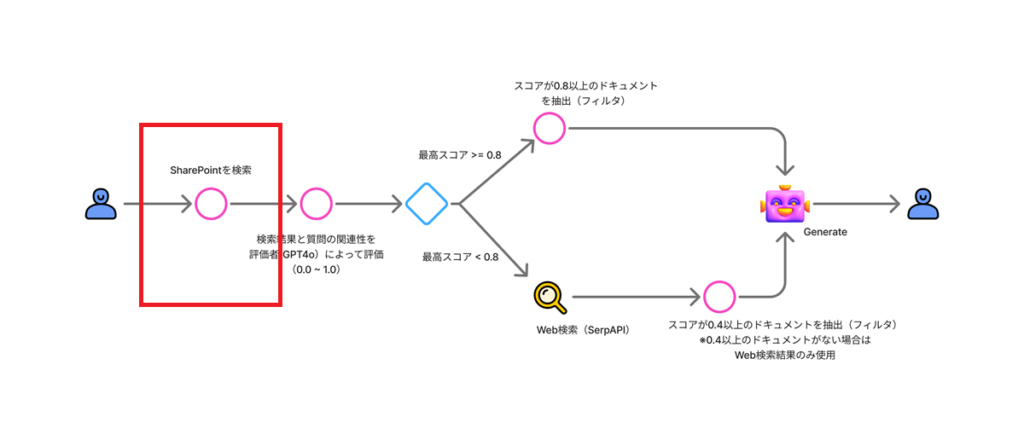
SharePointの検索
まずはSharePointからドキュメントを検索する。
プロンプトアクションを使用し、ユーザーの質問を検索ワードに変換する。
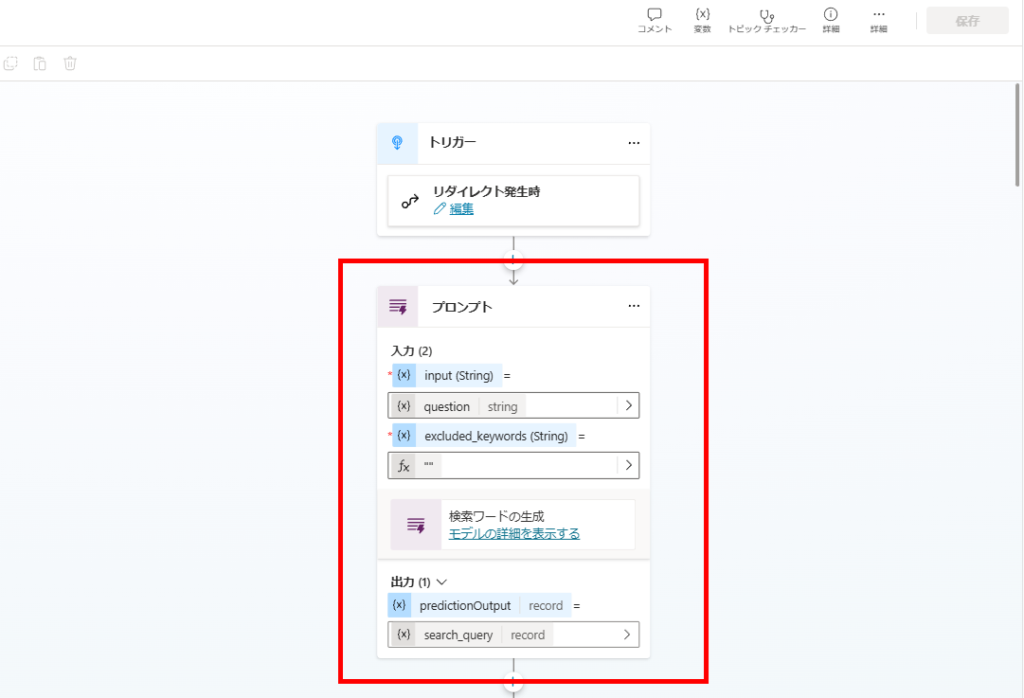
変換のプロンプトは前回の流用。
※「Excluded Keywords」は前回(Self-RAG)のプロンプトを流用したから残っているだけ。本来は不要。
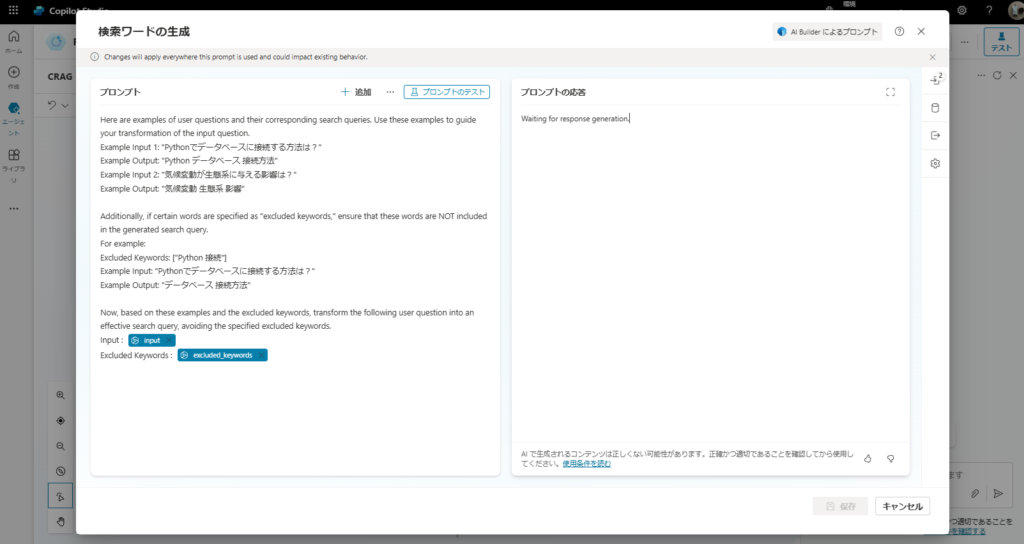
※「Excluded Keywords」は前回(Self-RAG)のプロンプトを流用したから残っているだけ。本来は不要。
Here are examples of user questions and their corresponding search queries. Use these examples to guide your transformation of the input question.
Example Input 1: "Pythonでデータベースに接続する方法は?"
Example Output: "Python データベース 接続方法"
Example Input 2: "気候変動が生態系に与える影響は?"
Example Output: "気候変動 生態系 影響"

Additionally, if certain words are specified as "excluded keywords," ensure that these words are NOT included in the generated search query.
For example:
Excluded Keywords: ["Python 接続"]
Example Input: "Pythonでデータベースに接続する方法は?"
Example Output: "データベース 接続方法"

Now, based on these examples and the excluded keywords, transform the following user question into an effective search query, avoiding the specified excluded keywords.
Input :  {input}
Excluded Keywords : {excluded_keywords}
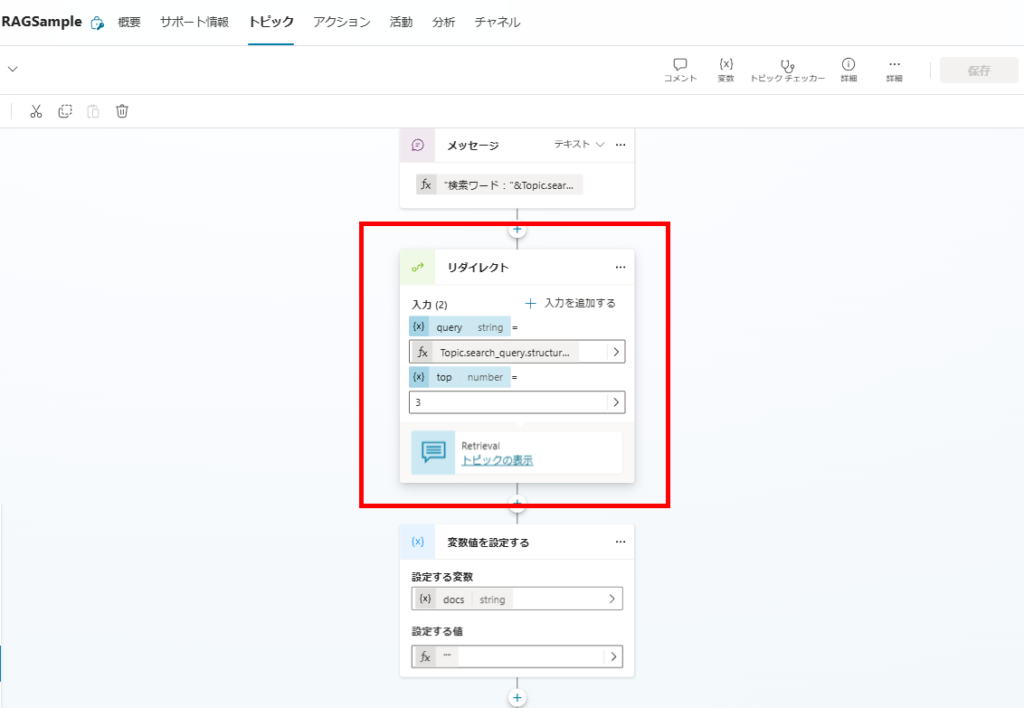
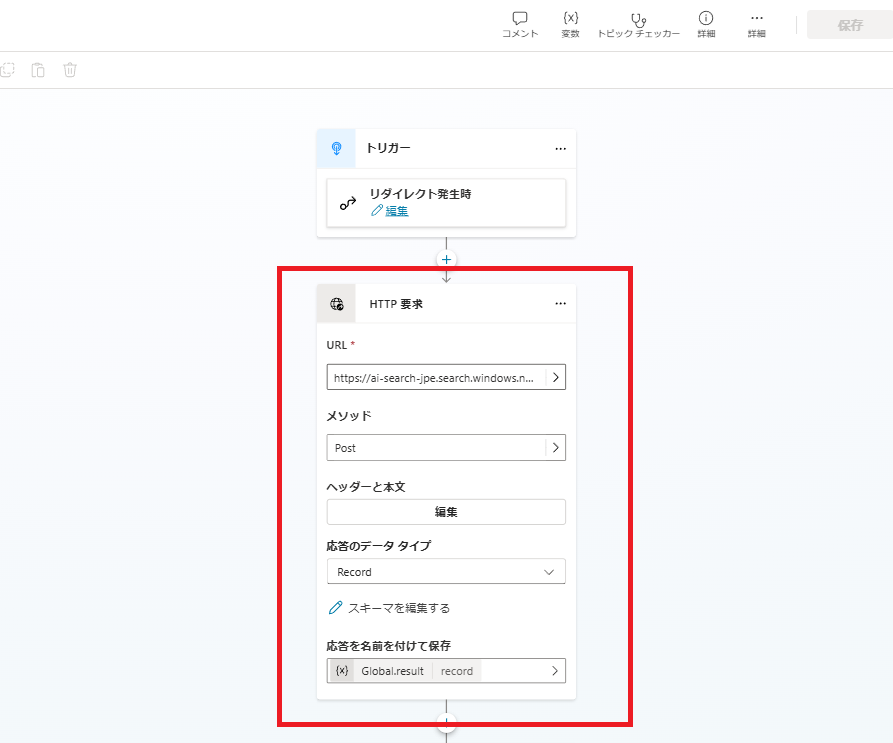
作成した検索ワードを使用し、AI SearchからSharePointのドキュメントを検索する。
ドキュメントの関連性評価
続いて検索したドキュメントと、ユーザーの質問の関連性をスコアリングする。
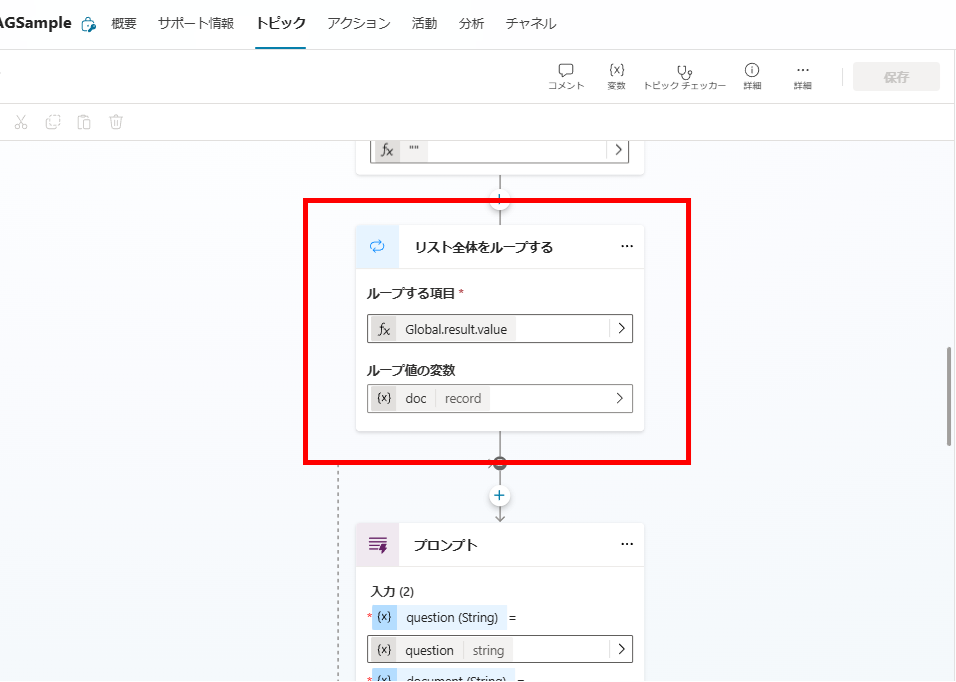
まずは検索結果の全ドキュメントに対してForeachでループを実行し、
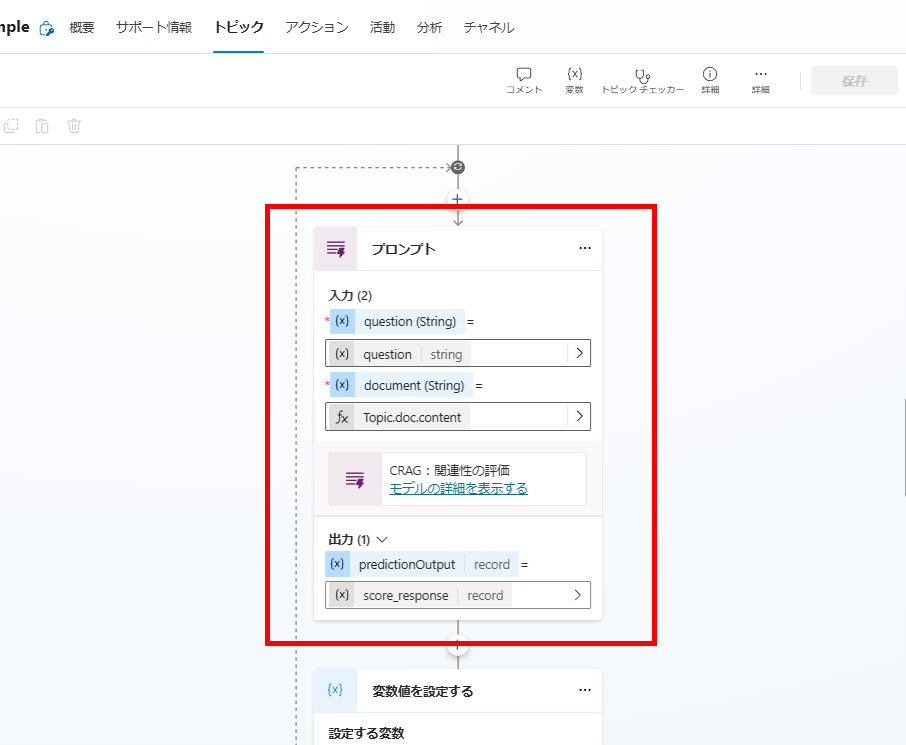
ループの中でプロンプトアクションを使用し、各ドキュメントの関連性スコア(0.0 ~ 1.0)を求める。
プロンプトはこんな感じ。
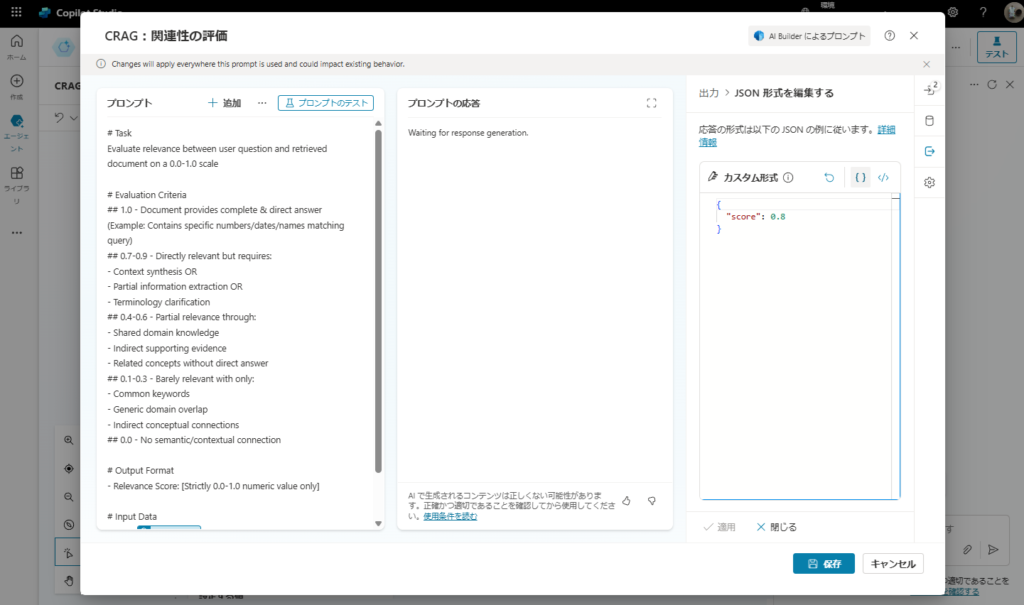
# Task
Evaluate relevance between user question and retrieved document on a 0.0-1.0 scale

# Evaluation Criteria
## 1.0 - Document provides complete & direct answer
(Example: Contains specific numbers/dates/names matching query)
## 0.7-0.9 - Directly relevant but requires:
- Context synthesis OR
- Partial information extraction OR
- Terminology clarification
## 0.4-0.6 - Partial relevance through:
- Shared domain knowledge
- Indirect supporting evidence
- Related concepts without direct answer
## 0.1-0.3 - Barely relevant with only:
- Common keywords
- Generic domain overlap
- Indirect conceptual connections
## 0.0 - No semantic/contextual connection

# Output Format
- Relevance Score: [Strictly 0.0-1.0 numeric value only]

# Input Data
Query: {question}
Retrieved Document:
{document}
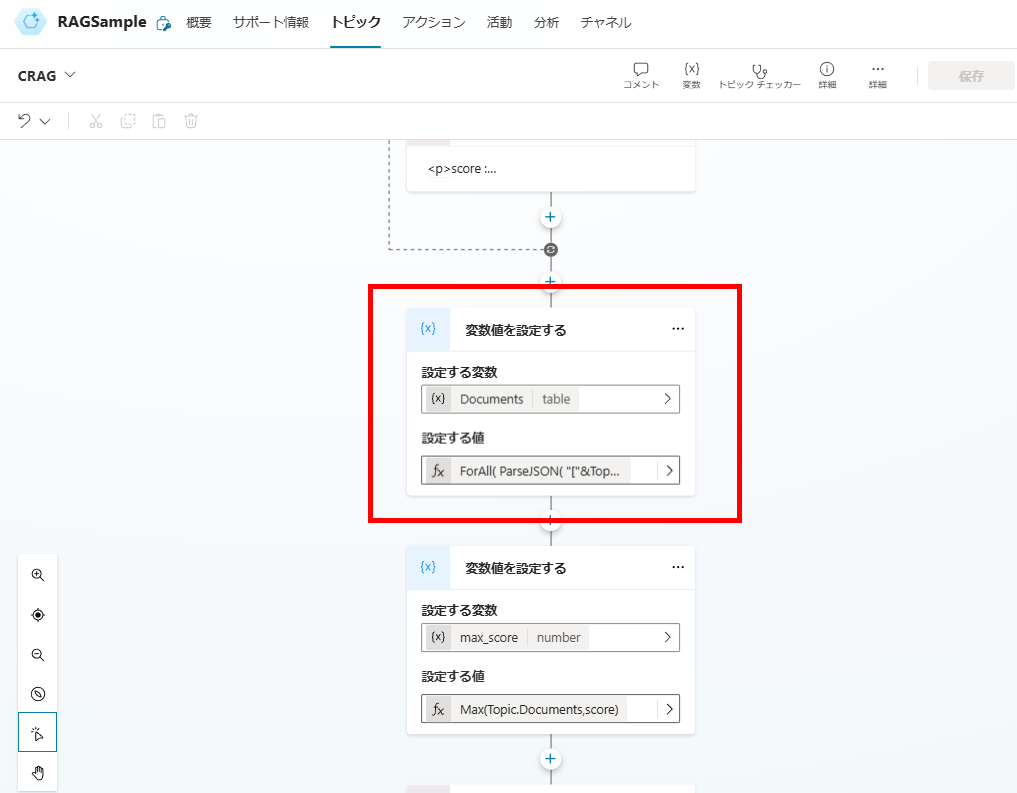
最後に検索したドキュメントに列「スコア」を追加したオブジェクト配列「Documents」を作成する。
関連スコアのチェック
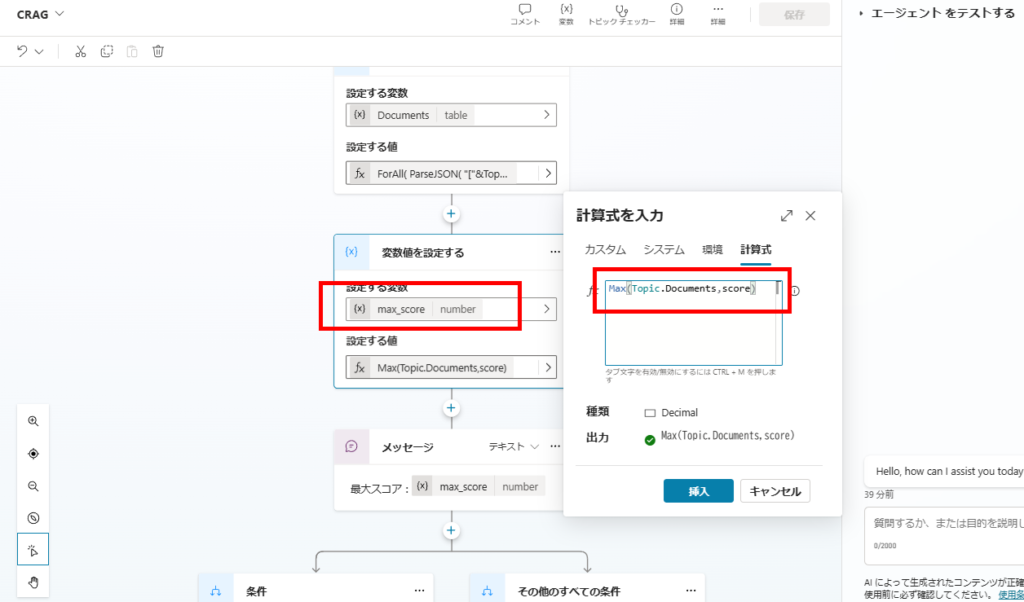
関連性スコアの評価が完了したら、スコアの最大値を取得し、Web検索するかそのまま回答を生成するかを判断する。
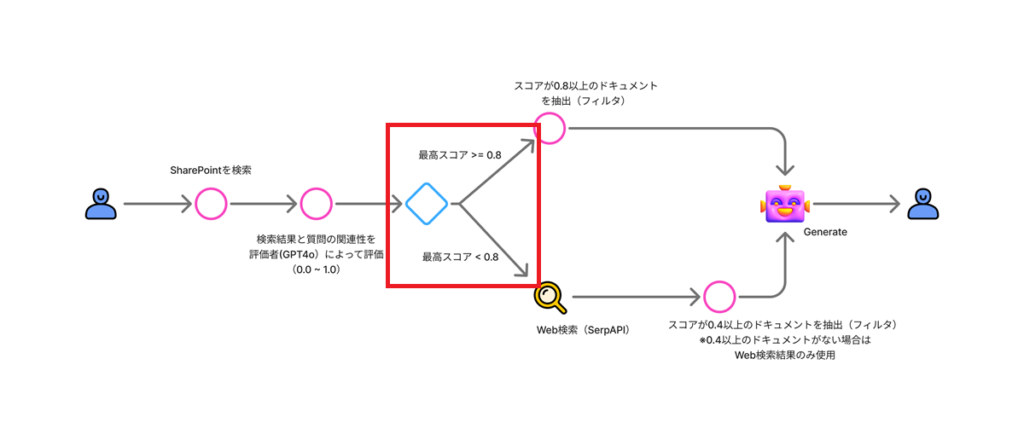
先ほど作成したDocumentsの列「スコア(score)」の最大値をMax関数で取得し、
条件で以降の処理を分ける。
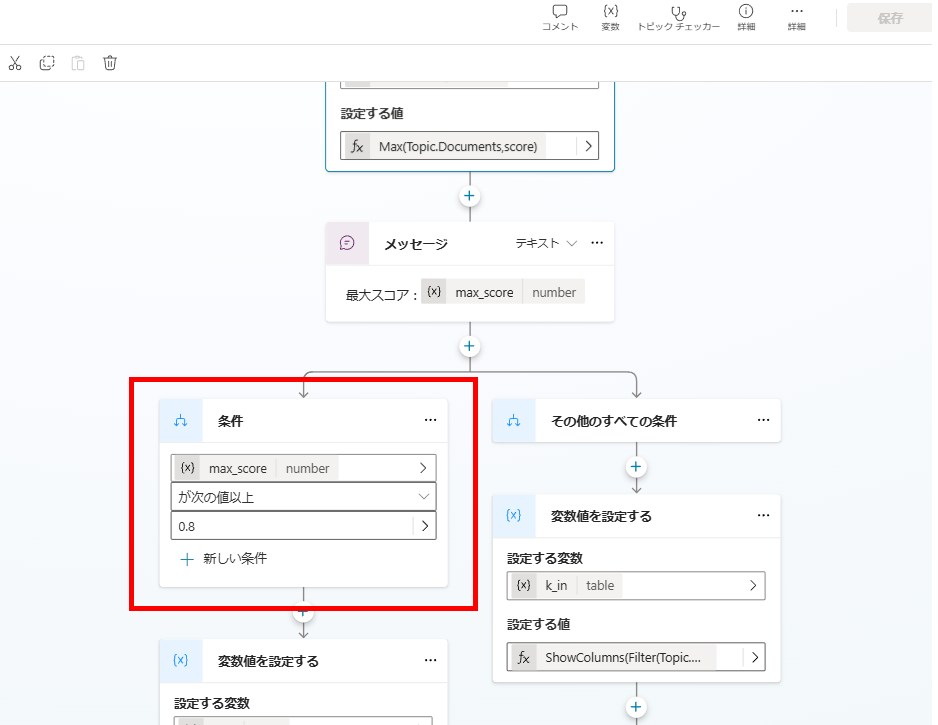
ケース1:最大スコアが0.8以上 →関連性の高いドキュメントから回答を生成
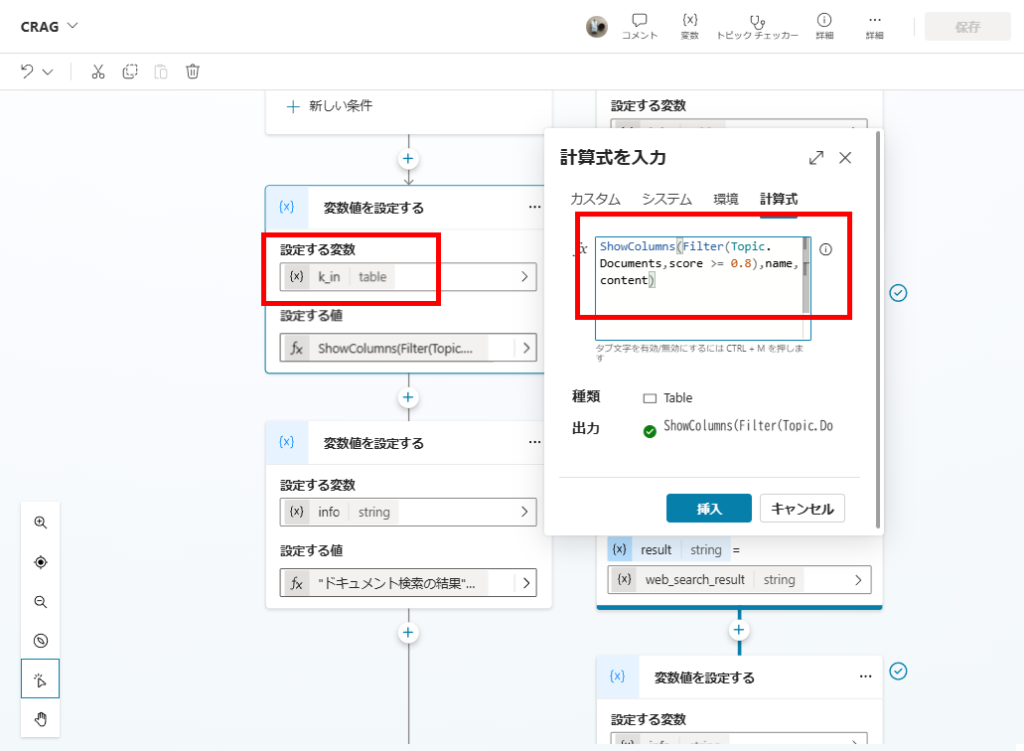
もし最大スコアが0.8以上の場合は、関連性の高い(スコアが0.8以上の)ドキュメントのみを抽出し、回答を生成する。
Documentsオブジェクト配列の中から、Filter関数でスコアが0.8以上のドキュメントを抽出し、変数「k_in」に代入して、
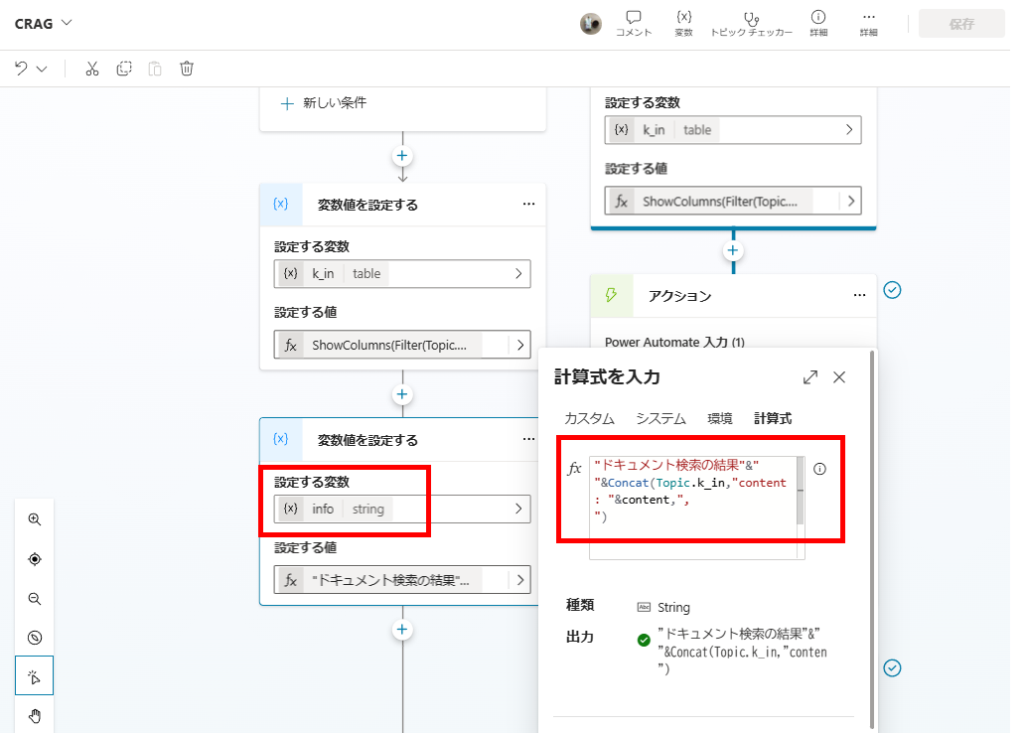
この「k_in」を回答生成時の引数にする。
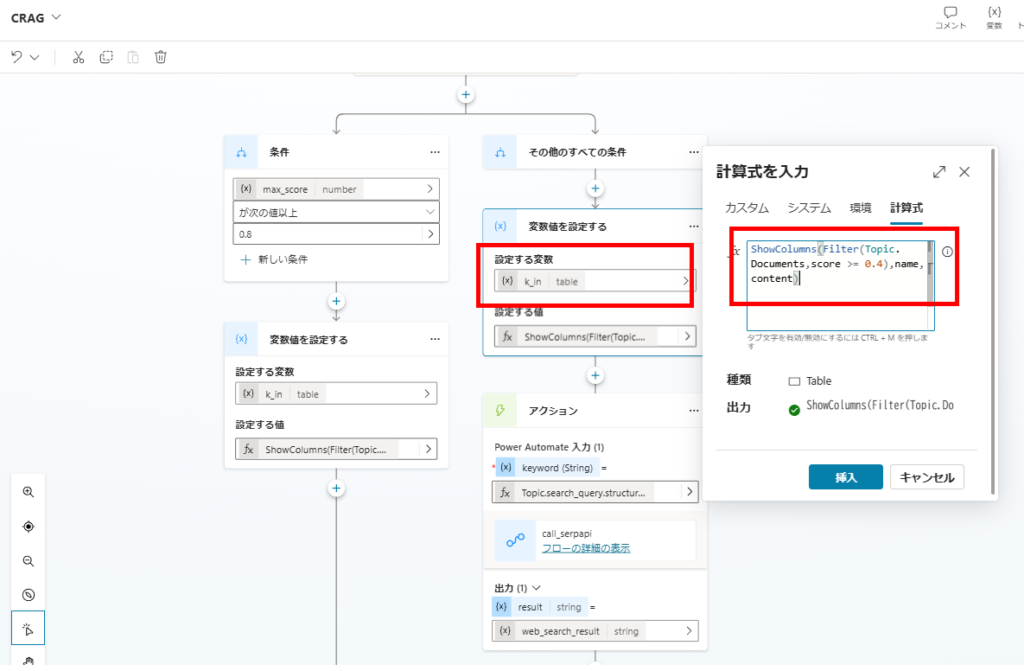
ケース2:最大スコアが0.8未満 →Web検索と関連性が中程度のドキュメントから回答を生成
最大スコアが0.8未満の場合は、「Ambiguous(スコア0.4以上のドキュメント + Web検索)」または「Incorrect(Web検索のみ)」の処理を行う。
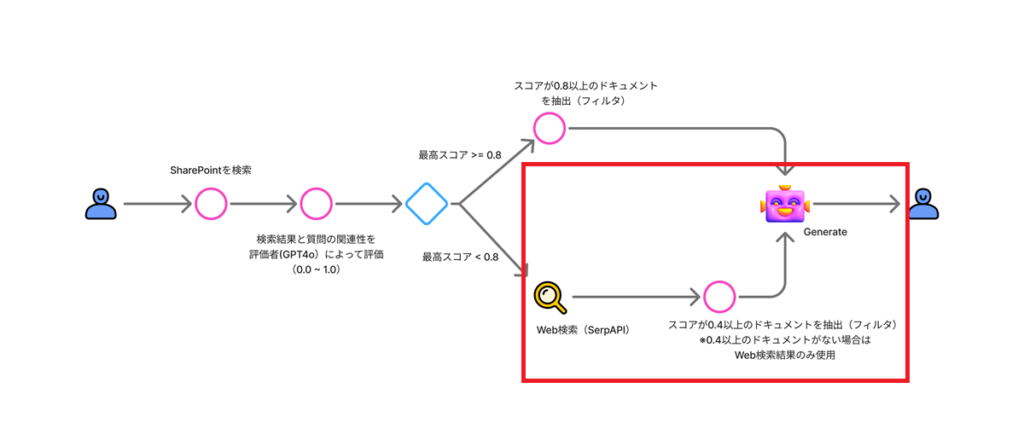
まずはスコア0.4以上のドキュメントを抽出し、変数「k_in」に代入。
※Incorrectの場合(Web検索のみの場合)は、k_inは空になる。
※Incorrectの場合(Web検索のみの場合)は、k_inは空になる。
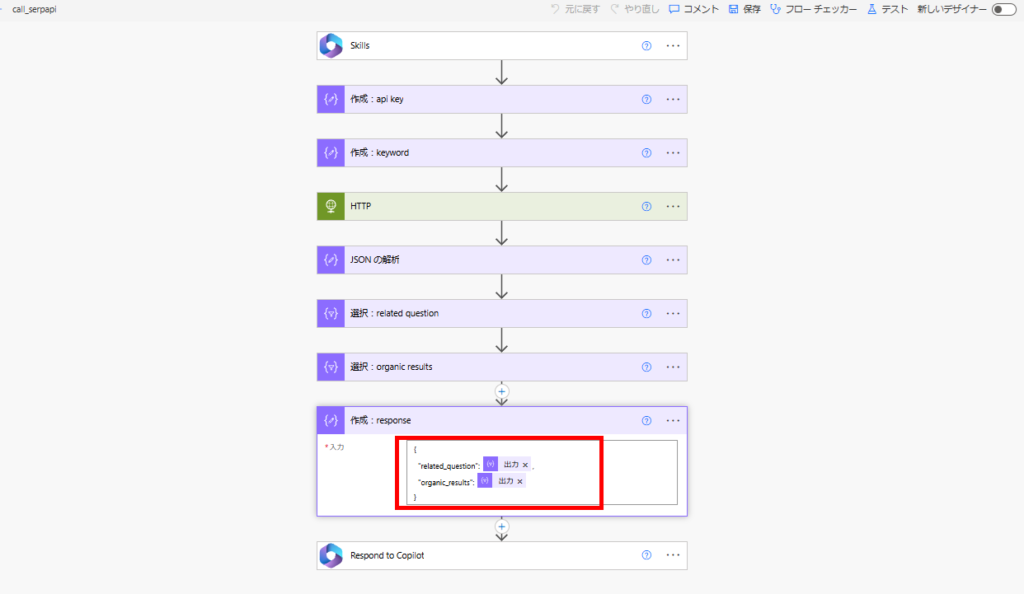
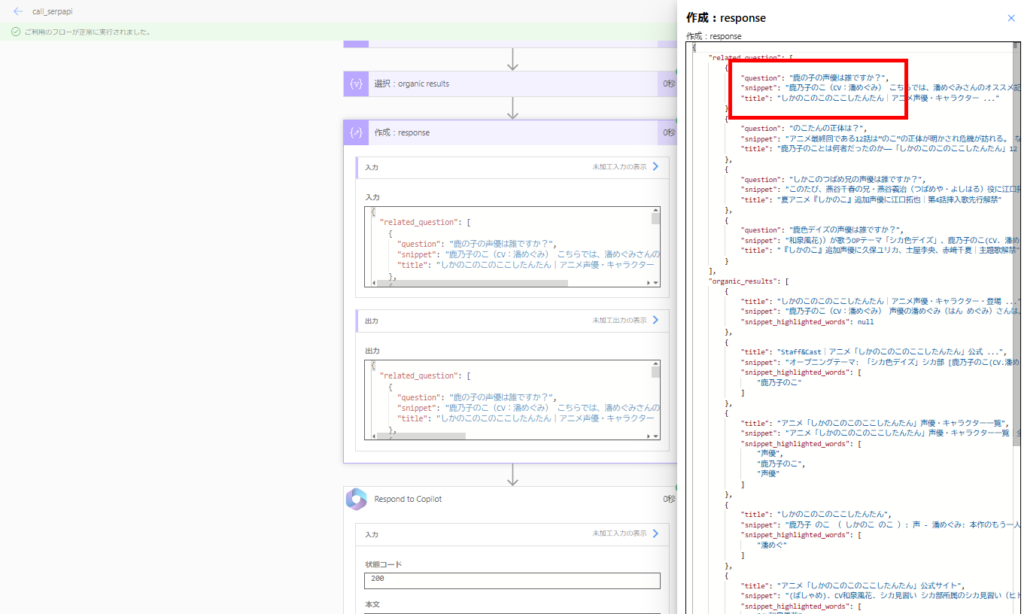
続いて、Power Automate経由でWeb検索(SerpAPI呼び出し)を行う。
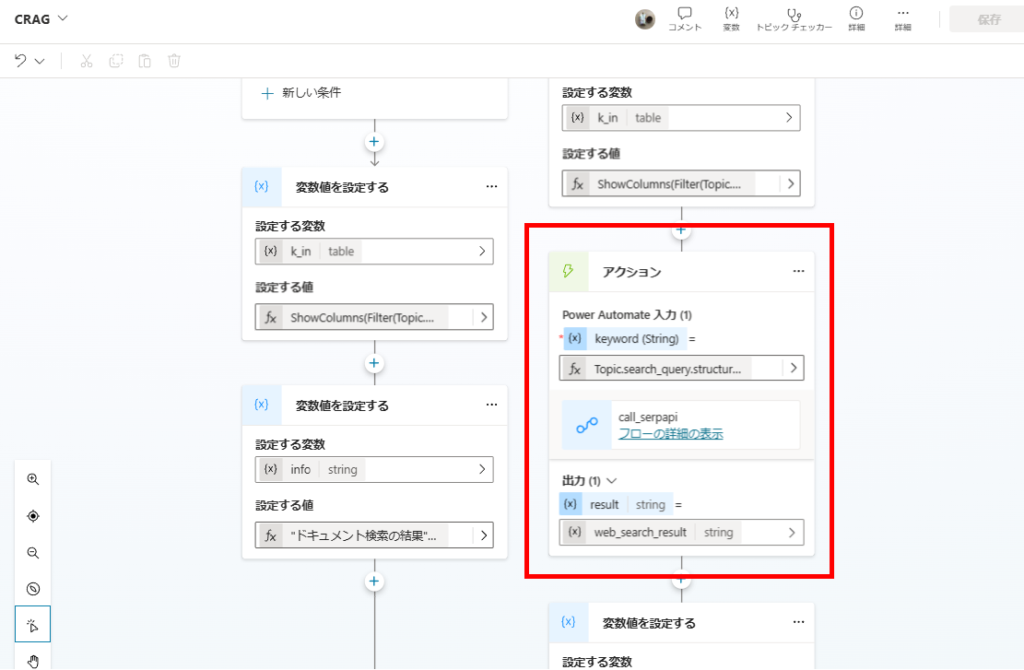
SerpAPIはWeb検索ができるAPIで、今回は取得した情報のうち「related_question」と「organic_results」をRAG対象とする。
※Web検索で取得したサイトをスクレイプした方が精度は上がるけど、今回は省略。
※本来はWeb検索用に検索ワードを再生成するけど、こちらも今回は省略。
※Web検索で取得したサイトをスクレイプした方が精度は上がるけど、今回は省略。
※本来はWeb検索用に検索ワードを再生成するけど、こちらも今回は省略。
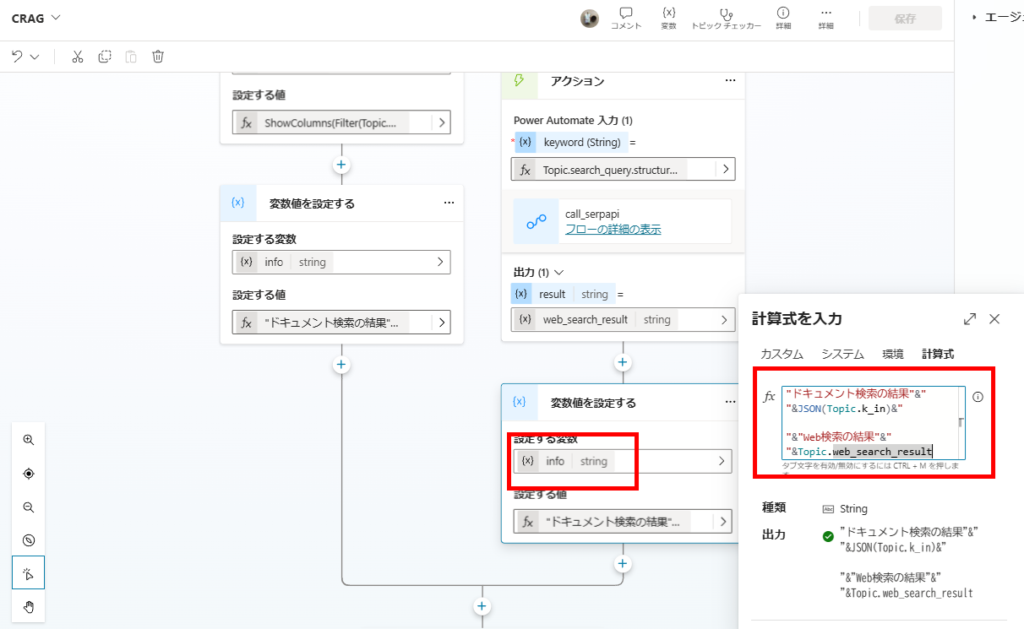
k_inとWeb検索の結果を回答生成の引数にする。
回答生成
最後にプロンプトアクションで、これまで取得した情報を引数にGPT4oでRAGを実行する。
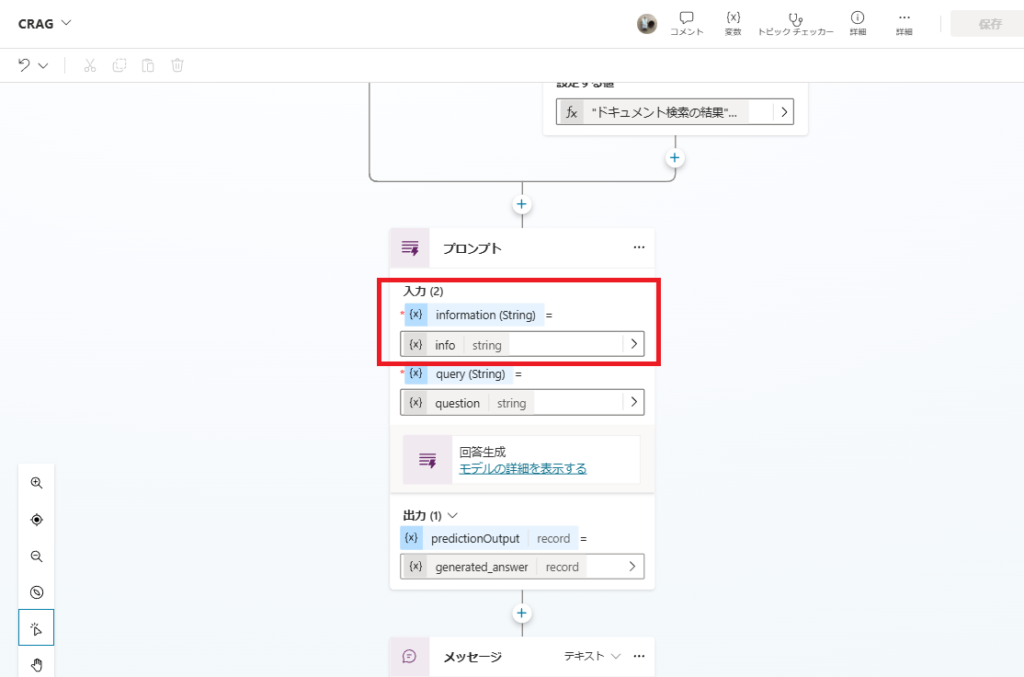
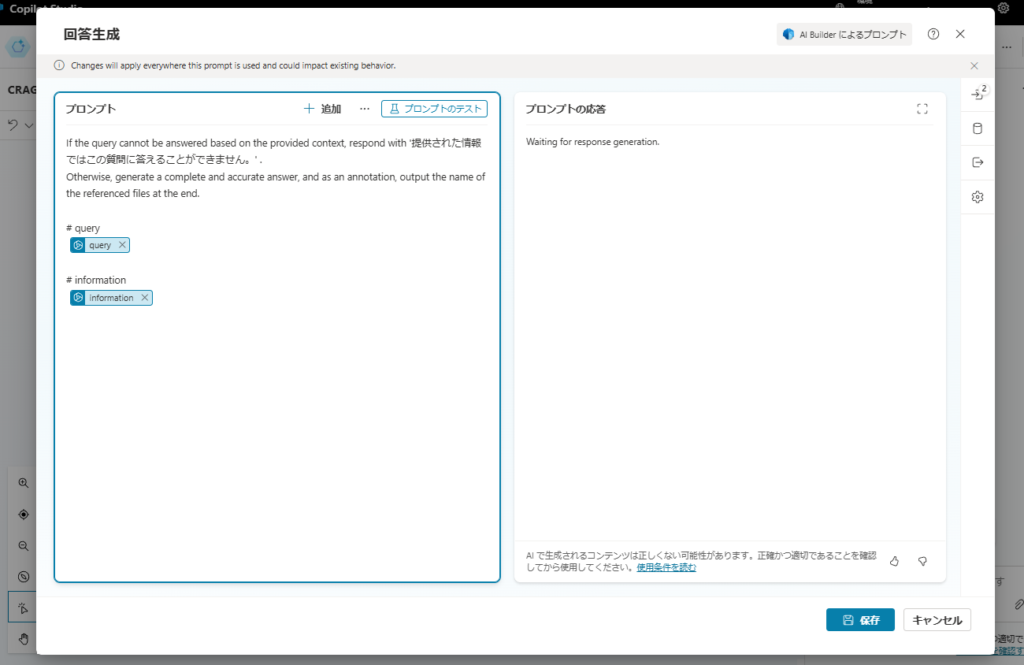
If the query cannot be answered based on the provided context, respond with '提供された情報ではこの質問に答えることができません。' .
Otherwise, generate a complete and accurate answer, and as an annotation, output the name of the referenced files at the end.

# query
 {query}

# information
 {information}
動作確認
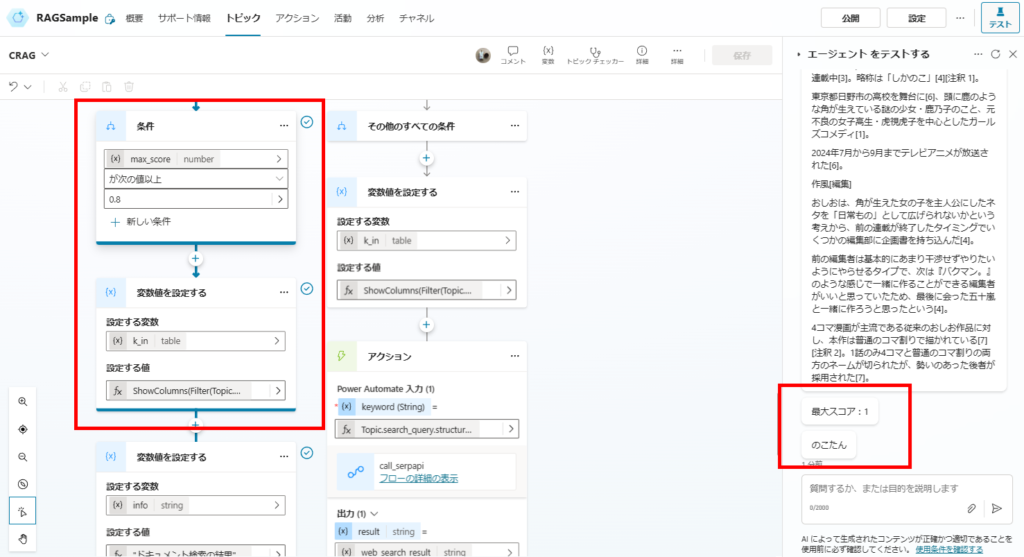
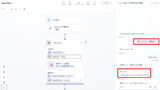
まずは単純なRAG(Naive RAG)でも回答できた質問をしてみると、
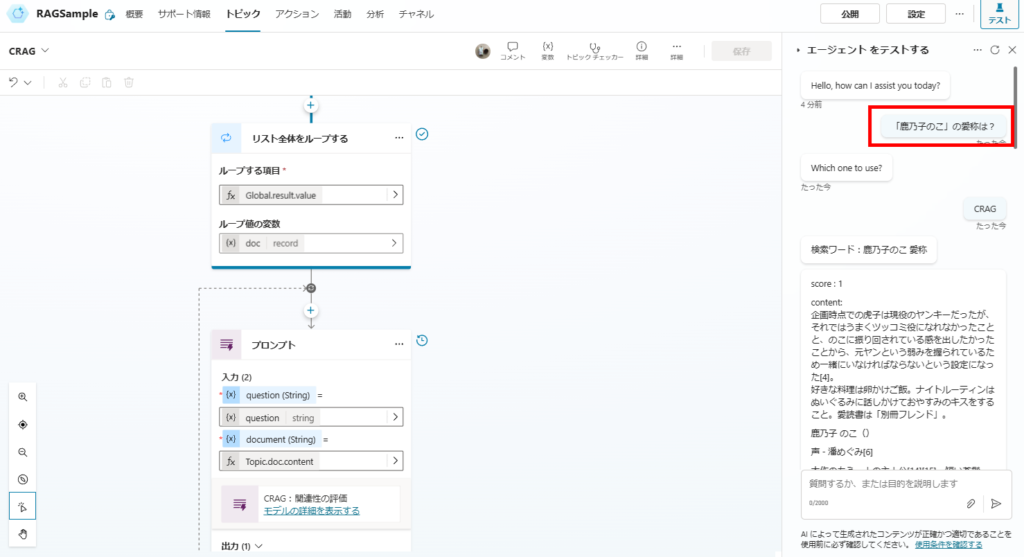
関連性スコアが1(最大)のドキュメントが見つかり、
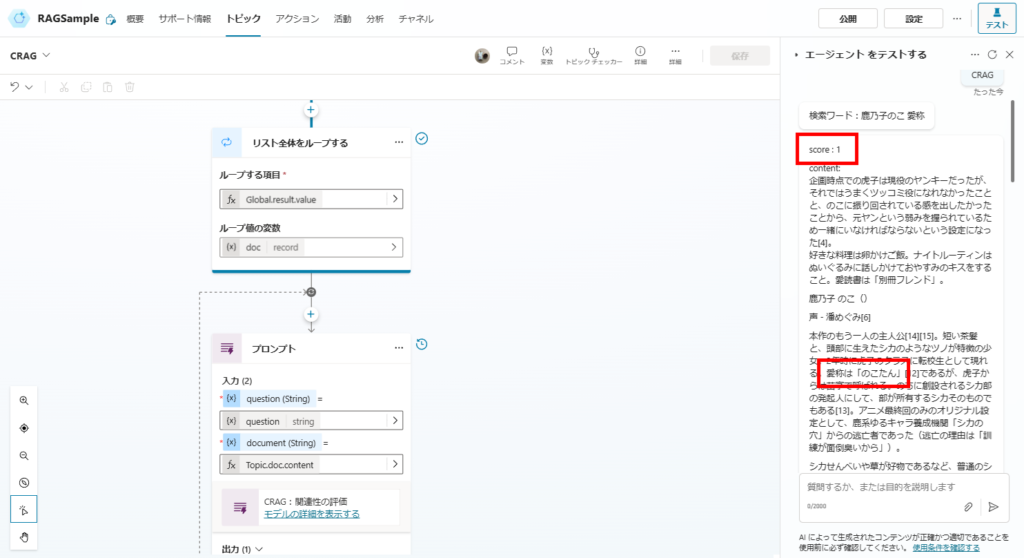
このドキュメントから答えを生成する。
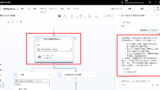
続いて単純なRAGだと回答できなかった質問をしてみると、
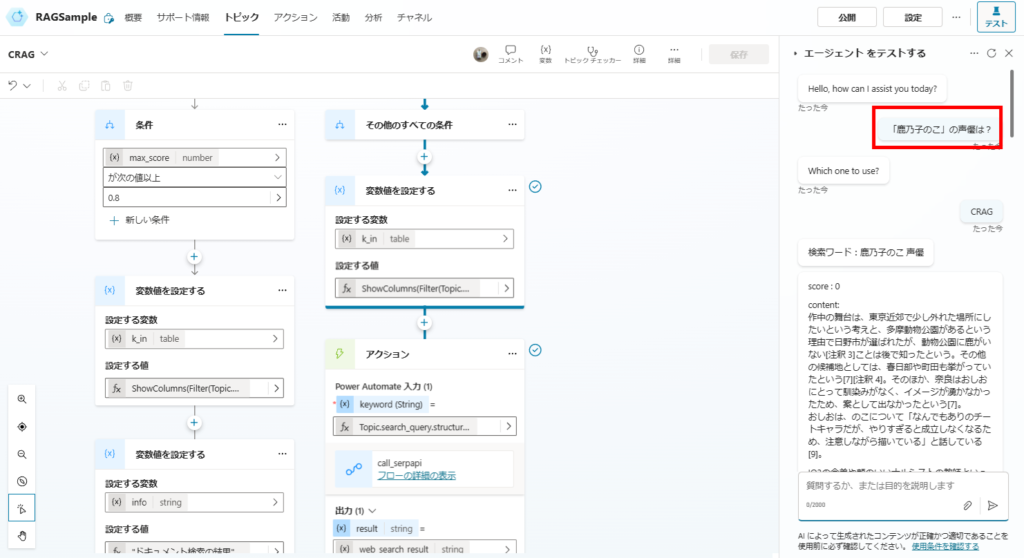
最大スコアは0だけど、正しい回答を生成できている。
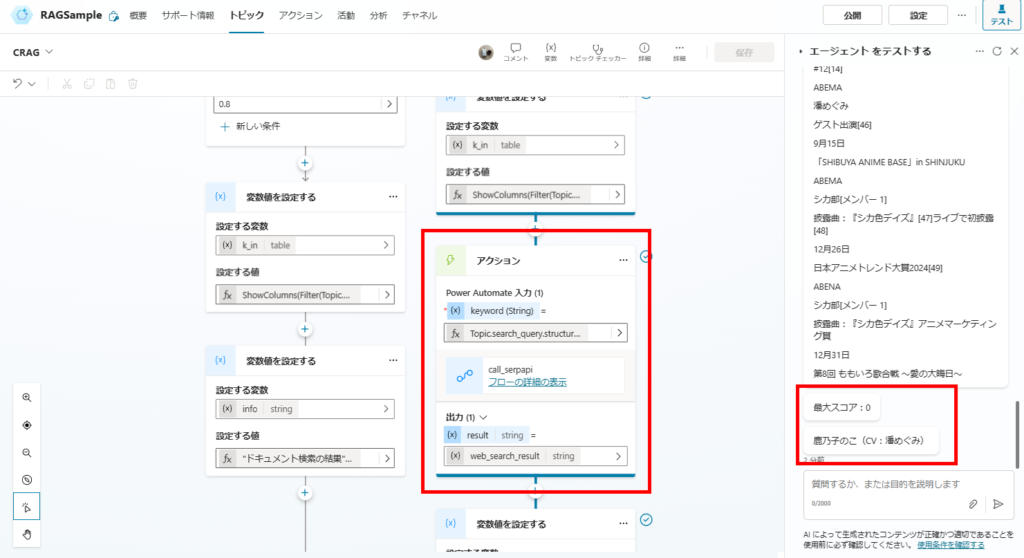
これはWeb検索の結果に正しい情報が含まれているためで、ハルシネーションを抑制するCRAGのメリットが無事出ている。
ということで、CRAGも無事精度が上がることを確認。
「Web検索」という解決方法なので、社内文書を検索するRAGとかだと回答精度が上がらない可能性もあるけど、こんな方法もあったくらいに覚えておくと役に立つかも。
コメント